> ## Documentation Index
> Fetch the complete documentation index at: https://rpa.bazhuayu.com/helpcenter/llms.txt
> Use this file to discover all available pages before exploring further.

# AI图片生成

## 指令说明

**描述：** 通过文本描述和参考图生成图像，支持“主体+风格”的多图融合模式

## 参数说明

<Tabs>
  <Tab title="常规">
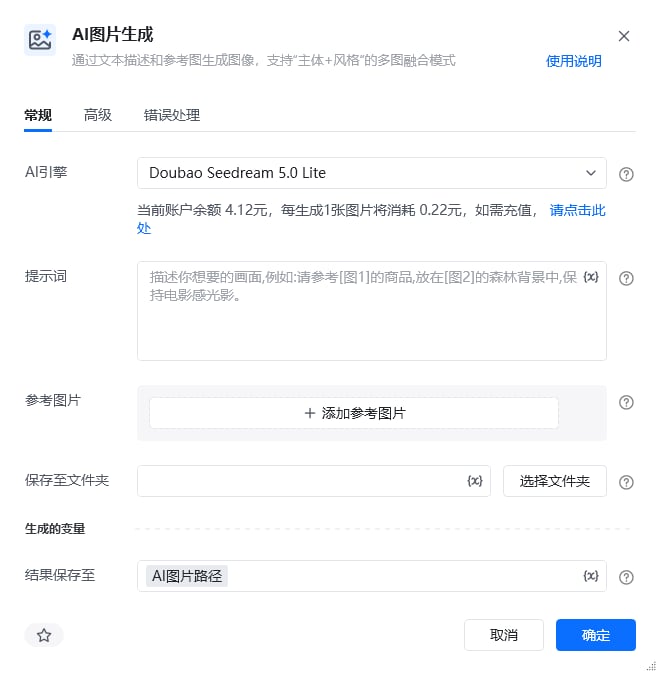
    <img src="https://mintcdn.com/bazhuayu-rpa-docs/4RVp2tkswLYreb1l/helpcenter/commands/ai/images/generateimagecommand-01.png?fit=max&auto=format&n=4RVp2tkswLYreb1l&q=85&s=c56facb263f6d03fb16d50b89796eb64" alt="AI图片生成指令参数面板" width="660" height="675" data-path="helpcenter/commands/ai/images/generateimagecommand-01.png" />

    | 参数         | 说明                                                                                                                                                                                                                                                                                                                                                      |
    | ---------- | ------------------------------------------------------------------------------------------------------------------------------------------------------------------------------------------------------------------------------------------------------------------------------------------------------------------------------------------------------- |
    | **AI引擎**   | 请选择用于生成图像的模型。模型包含：<br />Doubao Seedream 5.0 Lite（可通过联网搜索功能，融合实时网络信息，提升生图时效性）<br />Doubao Seedream 4.5（基于已有图片，结合文字指令进行图像编辑，包括图像元素增删、风格转化、改变背景/视角/尺寸等）<br />Gemini 3.1 Flash Image Preview（此模型是Gemini 3 Pro Image 的高效版本，针对速度和高用量开发者使用情形进行了优化）<br />Gemini 3 Pro Image Preview（此模型专为专业资产制作而设计，利用高级推理（“思考”）功能来遵循复杂的指令并呈现高保真文本）<br />GPT-Image-2（最先进的图像生成模型） |
    | **提示词**    | 用于配置图像生成的提示词，你可以使用 \[图1] 的方式引用输入参数中的变量                                                                                                                                                                                                                                                                                                                  |
    | **参考图片**   | 可选的参考图像，用于提供上下文或风格指导。支持PNG、JPEG、WebP、HEIC或HEIF格式。模型在生成新图像时会参考这些图像                                                                                                                                                                                                                                                                                       |
    | **保存至文件夹** | 用于保存生成图像的文件夹，生成的图片会自动命名为 img\_时间戳                                                                                                                                                                                                                                                                                                                       |
    | **结果保存至**  | 生成图片的保存路径将存储在该变量中                                                                                                                                                                                                                                                                                                                                       |
  </Tab>

  <Tab title="高级">
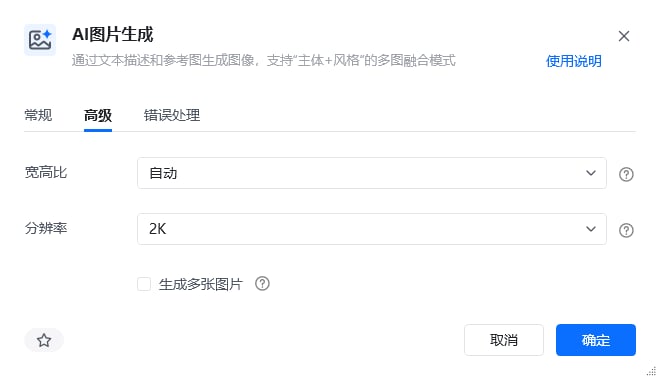
    <img src="https://mintcdn.com/bazhuayu-rpa-docs/4RVp2tkswLYreb1l/helpcenter/commands/ai/images/generateimagecommand-02.png?fit=max&auto=format&n=4RVp2tkswLYreb1l&q=85&s=64fc42bf46e66140b22af2ea0760a4cf" alt="AI图片生成高级参数" width="660" height="380" data-path="helpcenter/commands/ai/images/generateimagecommand-02.png" />

    | 参数         | 说明                                     |
    | ---------- | -------------------------------------- |
    | **宽高比**    | 生成图像的宽高比例，包含自动、1:1、4:3、3:4等            |
    | **分辨率**    | 生成图像的分辨率，包括1K、2K、3K                    |
    | **生成多张图片** | 如果勾选，则返回图片路径列表，默认不勾选，即仅生成一张图片，返回生成图片路径 |
  </Tab>
</Tabs>

## 使用示例

<img src="https://mintcdn.com/bazhuayu-rpa-docs/3Ov5u17UMSa8sZ7g/helpcenter/commands/ai/images/generateimagecommand-03.png?fit=max&auto=format&n=3Ov5u17UMSa8sZ7g&q=85&s=3c728aae8199cda877780ad0382dd358" alt="AI图片生成使用示例 - 主流程" width="1590" height="99" data-path="helpcenter/commands/ai/images/generateimagecommand-03.png" />

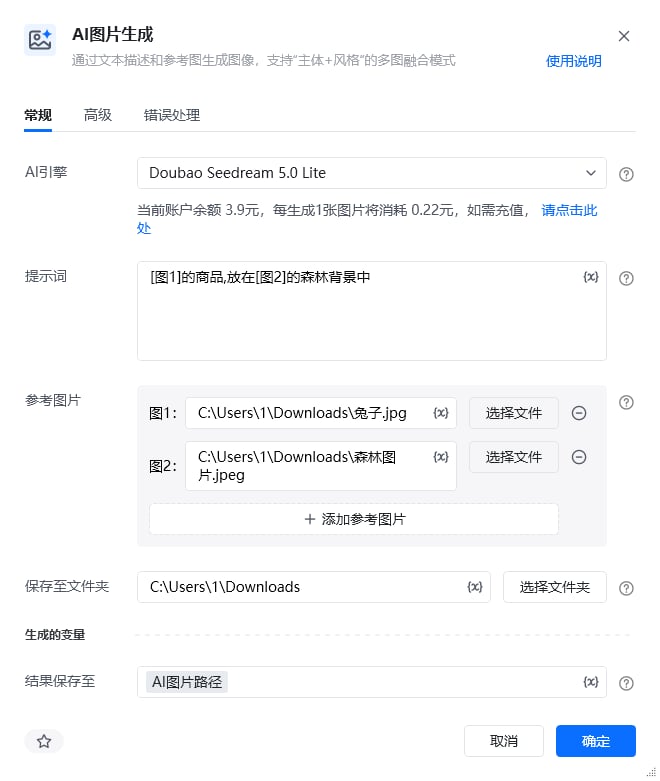
<img src="https://mintcdn.com/bazhuayu-rpa-docs/3Ov5u17UMSa8sZ7g/helpcenter/commands/ai/images/generateimagecommand-04.png?fit=max&auto=format&n=3Ov5u17UMSa8sZ7g&q=85&s=2e18ee1ecc273edadbb5749247829114" alt="AI图片生成使用示例 - 指令参数配置" width="660" height="781" data-path="helpcenter/commands/ai/images/generateimagecommand-04.png" />

**该流程执行逻辑：**

使用【AI图片生成】指令，提示词中通过 \[图1]、\[图2] 引用两张参考图片，生成的图片保存到指定文件夹，完整路径输出至变量“AI图片路径”。

### 效果展示

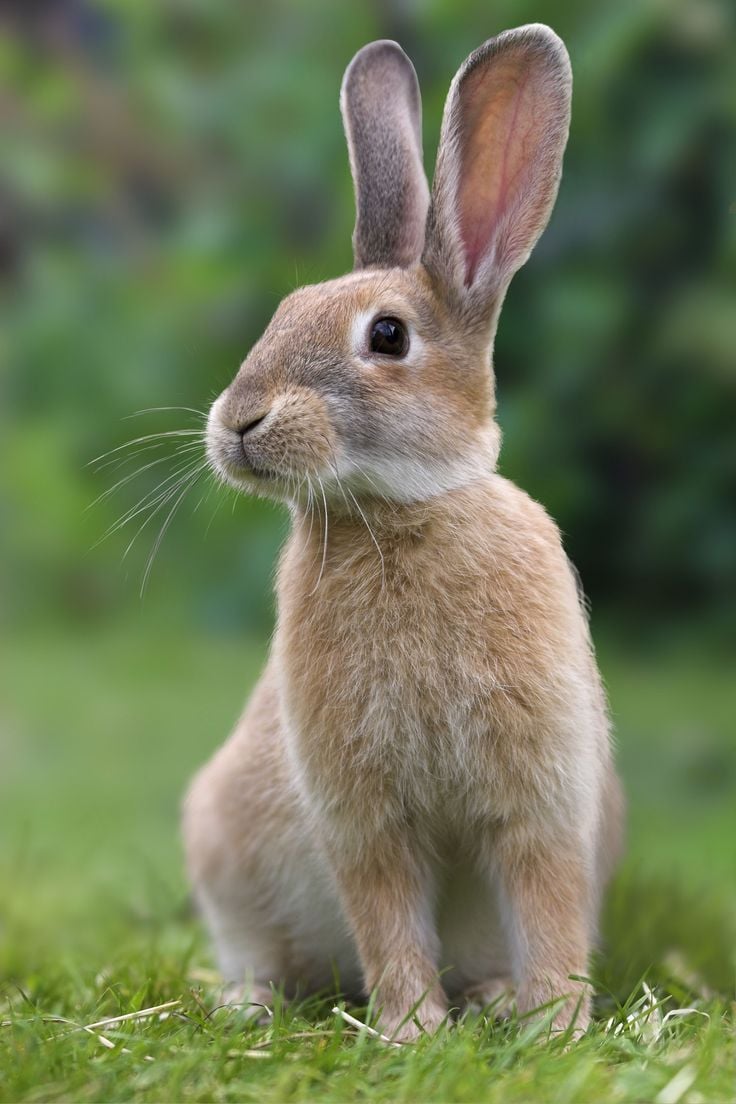
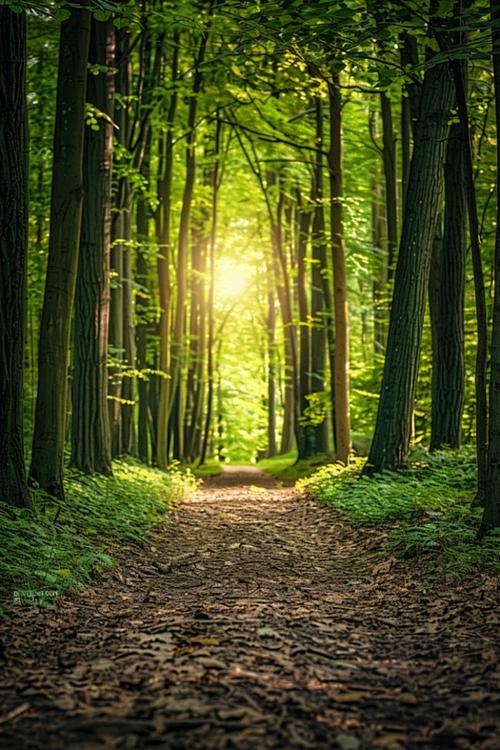
参考图片：

<img src="https://mintcdn.com/bazhuayu-rpa-docs/3Ov5u17UMSa8sZ7g/helpcenter/commands/ai/images/generateimagecommand-05.jpg?fit=max&auto=format&n=3Ov5u17UMSa8sZ7g&q=85&s=80da9a49b0b13443499b17740864a8a9" alt="参考图片 - 兔子" width="736" height="1104" data-path="helpcenter/commands/ai/images/generateimagecommand-05.jpg" />

<img src="https://mintcdn.com/bazhuayu-rpa-docs/3Ov5u17UMSa8sZ7g/helpcenter/commands/ai/images/generateimagecommand-06.jpeg?fit=max&auto=format&n=3Ov5u17UMSa8sZ7g&q=85&s=ab87226590b5934659486d8fb811adc3" alt="参考图片 - 森林" width="500" height="750" data-path="helpcenter/commands/ai/images/generateimagecommand-06.jpeg" />

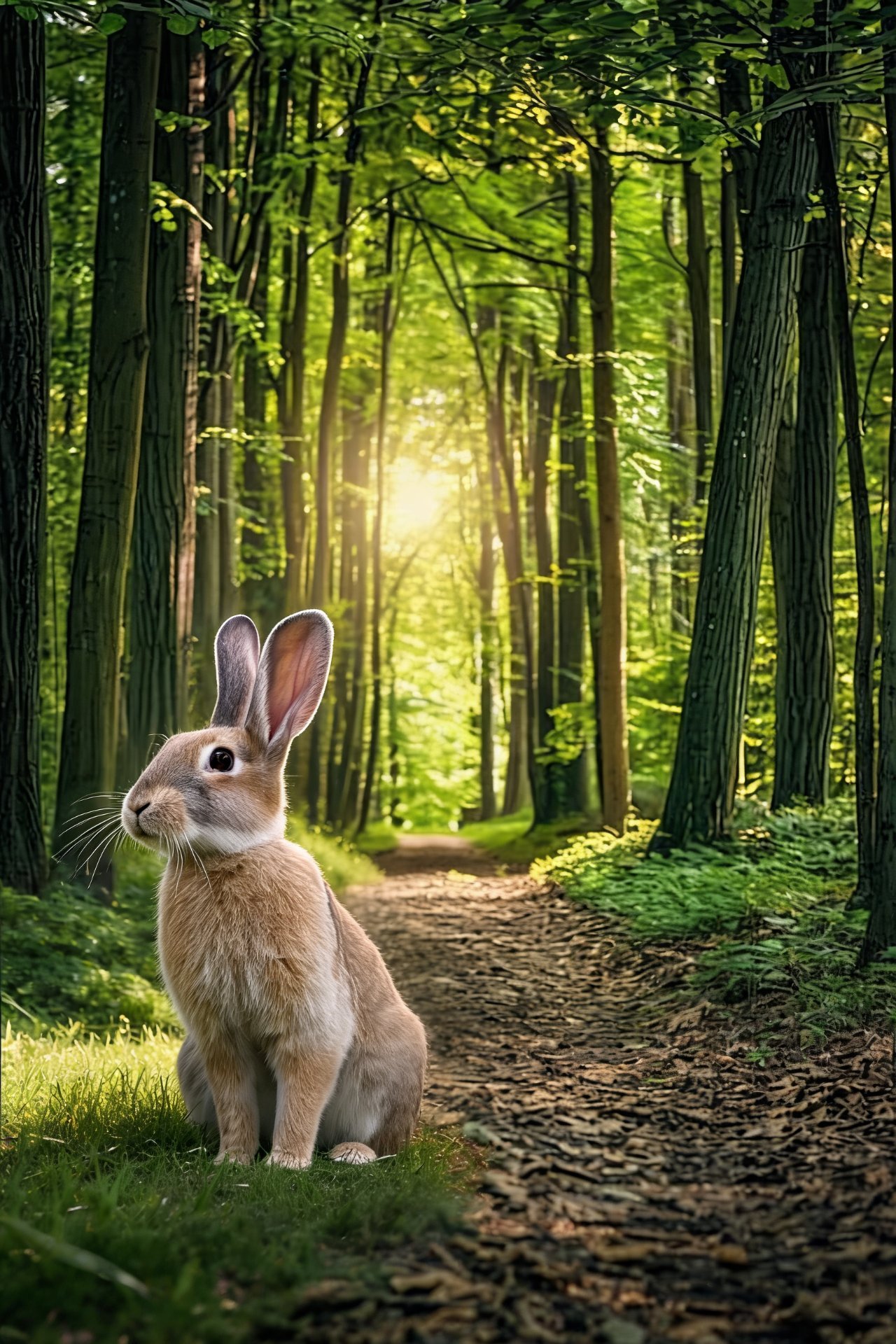
生成的效果图：

<img src="https://mintcdn.com/bazhuayu-rpa-docs/3Ov5u17UMSa8sZ7g/helpcenter/commands/ai/images/generateimagecommand-07.jpg?fit=max&auto=format&n=3Ov5u17UMSa8sZ7g&q=85&s=114c5e5b3546740904b1e62f084bd486" alt="生成的效果图" width="1280" height="1920" data-path="helpcenter/commands/ai/images/generateimagecommand-07.jpg" />

### 使用小Tips

这是个付费指令，具体价格选择完模型后，会在指令中呈现。

<Info>
  使用指令过程中遇到问题？前往 [八爪鱼RPA 开发者社区问答板块](https://rpa.bazhuayu.com/community/questions) 提问，获取官方与社区帮助。
</Info>