> ## Documentation Index
> Fetch the complete documentation index at: https://rpa.bazhuayu.com/helpcenter/llms.txt
> Use this file to discover all available pages before exploring further.

# 验证码识别

## 指令说明

**描述：** 根据指定平台（云码、斐斐、图鉴）验证码类型和图片参数识别验证码。

## 参数说明

<Tabs>
  <Tab title="常规">
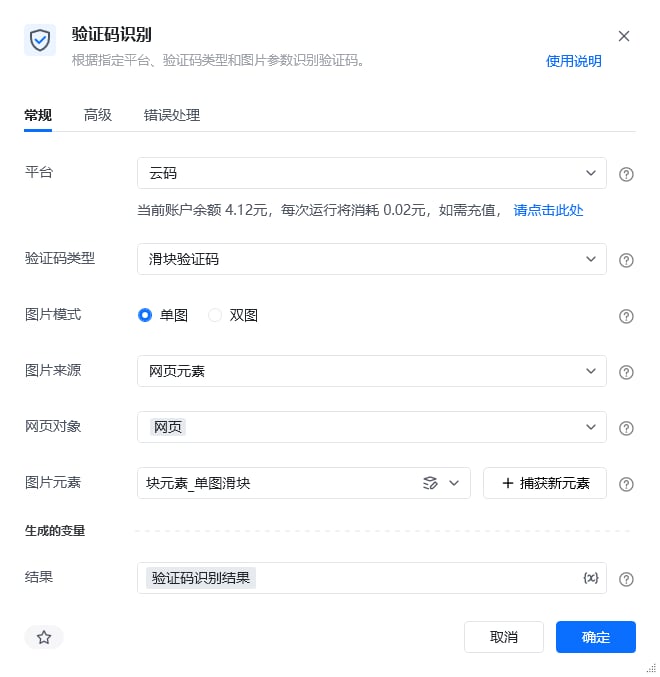
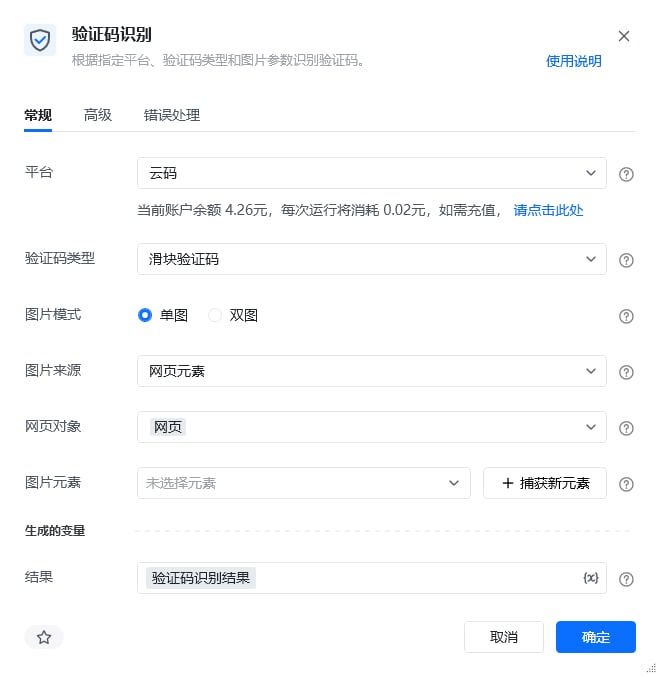
    <img src="https://mintcdn.com/bazhuayu-rpa-docs/EtocdB47VU9Ofcfu/helpcenter/commands/ai/images/recognizecaptchabyprovidercommand-01.png?fit=max&auto=format&n=EtocdB47VU9Ofcfu&q=85&s=009f715e94dc0ff183a76b8539e3a1f4" alt="验证码识别指令参数面板" width="660" height="677" data-path="helpcenter/commands/ai/images/recognizecaptchabyprovidercommand-01.png" />

    | 参数        | 说明                                                                                                                                                                                                                                                                                                                                                 |
    | --------- | -------------------------------------------------------------------------------------------------------------------------------------------------------------------------------------------------------------------------------------------------------------------------------------------------------------------------------------------------- |
    | **平台**    | 选择验证码识别平台，可选云码、斐斐、图鉴                                                                                                                                                                                                                                                                                                                               |
    | **验证码类型** | 选择当前平台支持的验证码类型（价格以指令内显示为准，下方仅供参考）<br /><br />云码：<br />滑块验证码：每次运行将消耗0.02元、<br />点选验证码：每次运行将消耗0.032元、<br />轨迹验证码：每次运行将消耗0.08元、<br />双图旋转验证码：每次运行将消耗0.02元、<br /><br />斐斐：<br />文本输入验证码：每次运行将消耗0.028元、<br /><br />图鉴：<br />滑块验证码：每次运行将消耗0.02元、<br />点选验证码：每次运行将消耗0.04元、<br />文本输入验证码：每次运行将消耗0.096元、<br />图片旋转验证码：每次运行将消耗0.04元、<br />轨迹验证码：每次运行将消耗0.06元 |
  </Tab>

  <Tab title="高级">
    本指令暂无高级参数。
  </Tab>
</Tabs>

## 验证码样式示例

**各平台支持的验证码类型及样式如下：**

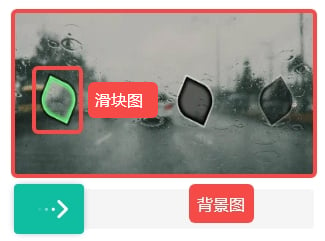
### 1. 滑块验证码

<img src="https://mintcdn.com/bazhuayu-rpa-docs/EtocdB47VU9Ofcfu/helpcenter/commands/ai/images/recognizecaptchabyprovidercommand-02.png?fit=max&auto=format&n=EtocdB47VU9Ofcfu&q=85&s=115252451fcc67c0f86482c0b2216f7b" alt="验证码识别 - 滑块验证码（单图）" width="417" height="236" data-path="helpcenter/commands/ai/images/recognizecaptchabyprovidercommand-02.png" />

<img src="https://mintcdn.com/bazhuayu-rpa-docs/EtocdB47VU9Ofcfu/helpcenter/commands/ai/images/recognizecaptchabyprovidercommand-03.png?fit=max&auto=format&n=EtocdB47VU9Ofcfu&q=85&s=bdfb0379d959b4cbe8fdeadeb3181484" alt="验证码识别 - 滑块验证码（双图）" width="150" height="50" data-path="helpcenter/commands/ai/images/recognizecaptchabyprovidercommand-03.png" />

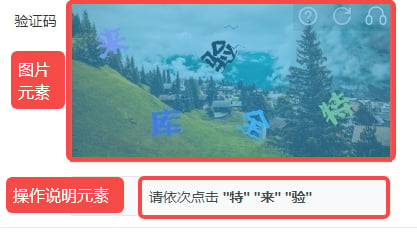
### 2. 点选验证码

<img src="https://mintcdn.com/bazhuayu-rpa-docs/EtocdB47VU9Ofcfu/helpcenter/commands/ai/images/recognizecaptchabyprovidercommand-04.png?fit=max&auto=format&n=EtocdB47VU9Ofcfu&q=85&s=d69c12567d4129184e51a36454728b5f" alt="验证码识别 - 点选验证码" width="120" height="40" data-path="helpcenter/commands/ai/images/recognizecaptchabyprovidercommand-04.png" />

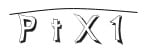
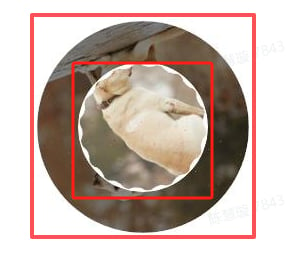
### 3. 文本输入验证码

<img src="https://mintcdn.com/bazhuayu-rpa-docs/EtocdB47VU9Ofcfu/helpcenter/commands/ai/images/recognizecaptchabyprovidercommand-05.png?fit=max&auto=format&n=EtocdB47VU9Ofcfu&q=85&s=1671b53407038410d0435b2834b2b9b7" alt="验证码识别 - 文本输入验证码" width="276" height="178" data-path="helpcenter/commands/ai/images/recognizecaptchabyprovidercommand-05.png" />

<img src="https://mintcdn.com/bazhuayu-rpa-docs/EtocdB47VU9Ofcfu/helpcenter/commands/ai/images/recognizecaptchabyprovidercommand-06.png?fit=max&auto=format&n=EtocdB47VU9Ofcfu&q=85&s=d84d9a6bbcbb0e1d1bd1b7dac7b6c7ad" alt="验证码识别 - 文本输入验证码" width="298" height="298" data-path="helpcenter/commands/ai/images/recognizecaptchabyprovidercommand-06.png" />

### 4. 图片旋转验证码

<img src="https://mintcdn.com/bazhuayu-rpa-docs/EtocdB47VU9Ofcfu/helpcenter/commands/ai/images/recognizecaptchabyprovidercommand-07.png?fit=max&auto=format&n=EtocdB47VU9Ofcfu&q=85&s=79a89558ea1edd4216596263a8ae4218" alt="验证码识别 - 图片旋转验证码" width="291" height="258" data-path="helpcenter/commands/ai/images/recognizecaptchabyprovidercommand-07.png" />

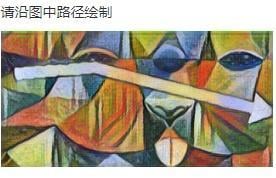
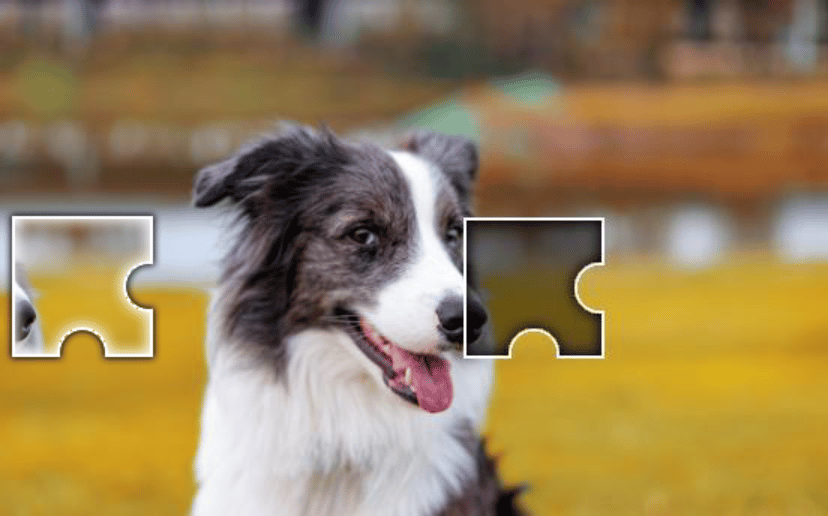
### 5. 轨迹验证码

<img src="https://mintcdn.com/bazhuayu-rpa-docs/EtocdB47VU9Ofcfu/helpcenter/commands/ai/images/recognizecaptchabyprovidercommand-08.png?fit=max&auto=format&n=EtocdB47VU9Ofcfu&q=85&s=97a901639de8e1e5598398eff6820bfd" alt="验证码识别 - 轨迹验证码" width="828" height="516" data-path="helpcenter/commands/ai/images/recognizecaptchabyprovidercommand-08.png" />

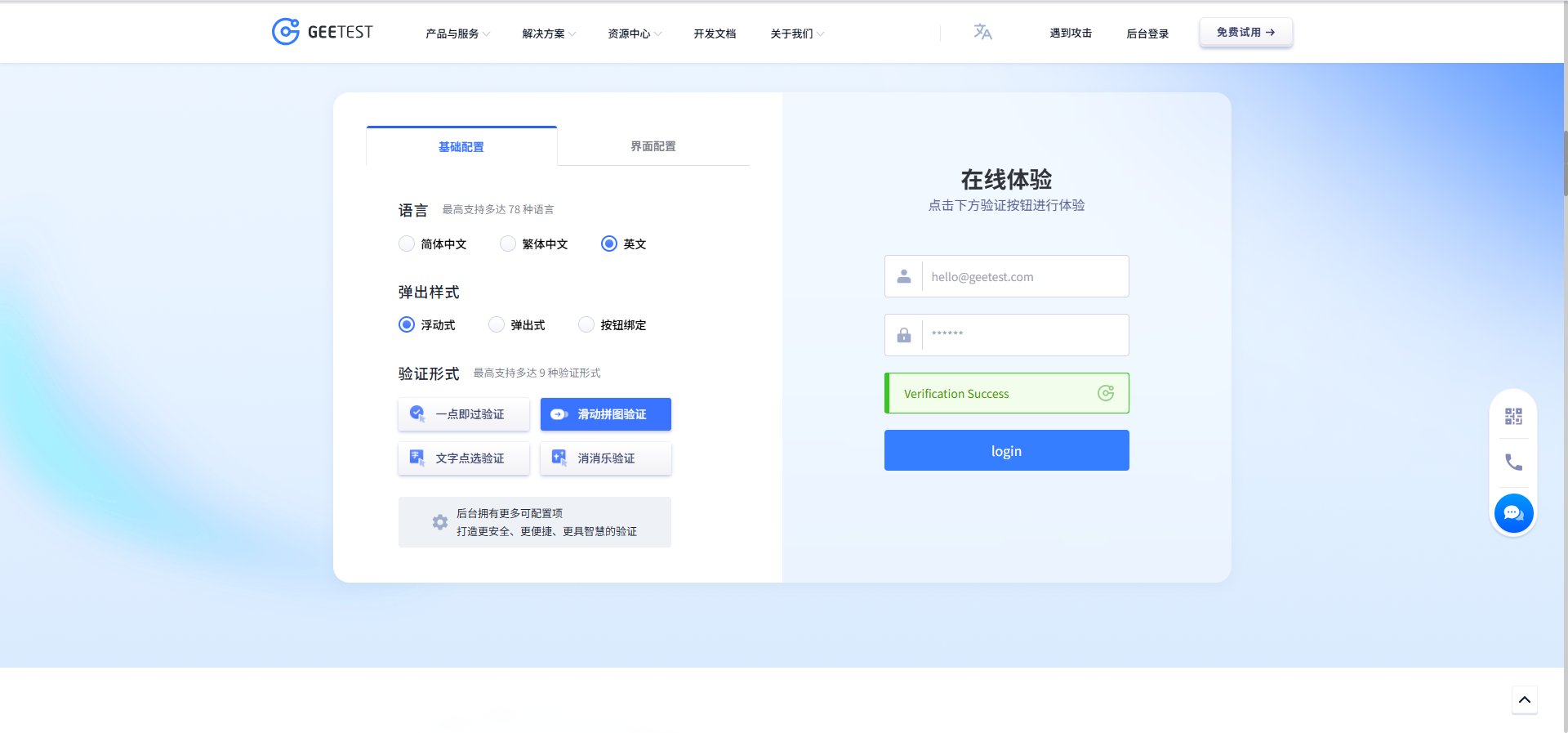
### 6. 双图旋转验证码

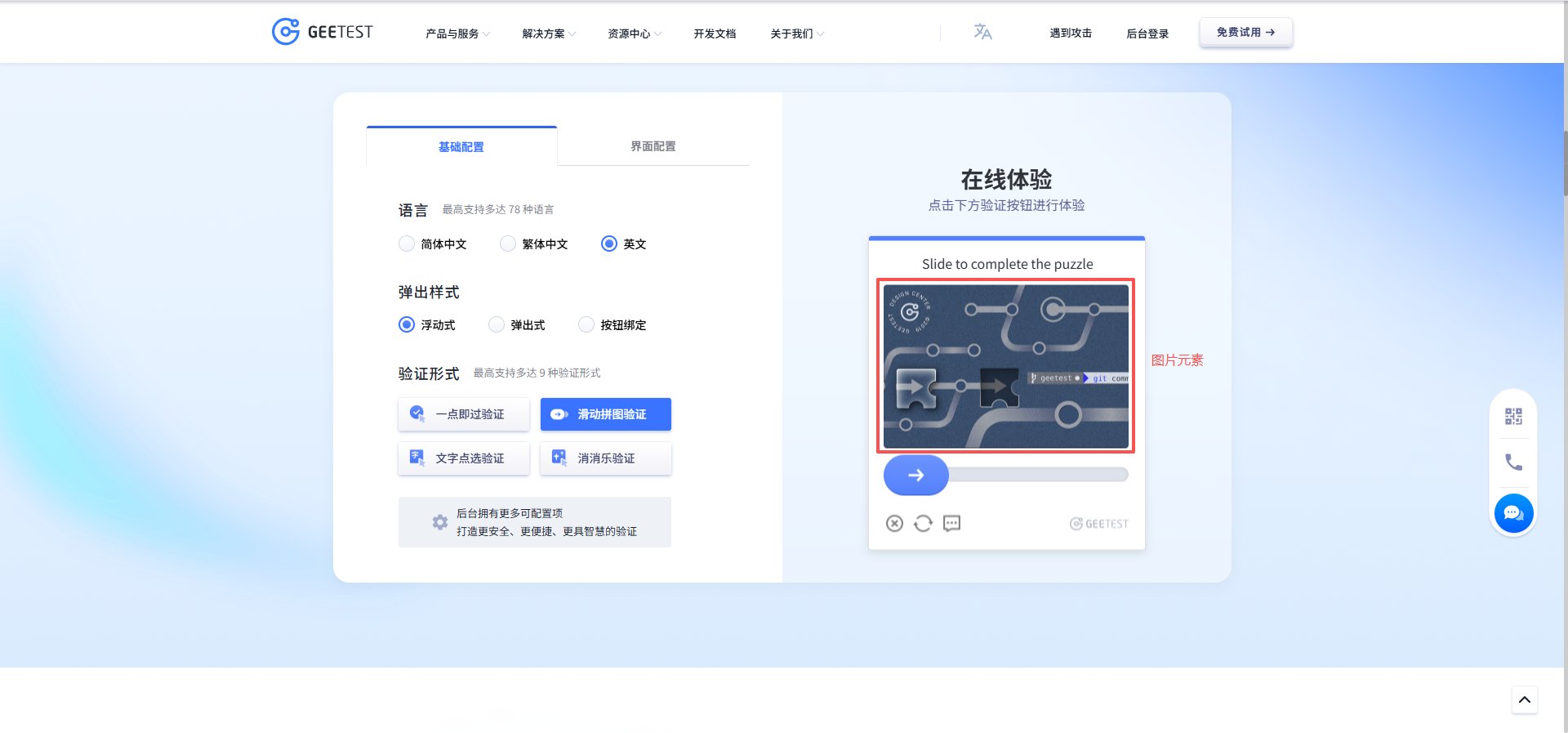
<img src="https://mintcdn.com/bazhuayu-rpa-docs/EtocdB47VU9Ofcfu/helpcenter/commands/ai/images/recognizecaptchabyprovidercommand-09.png?fit=max&auto=format&n=EtocdB47VU9Ofcfu&q=85&s=e119fe68618661963d113a6cd3c1f341" alt="验证码识别 - 双图旋转验证码" width="1920" height="897" data-path="helpcenter/commands/ai/images/recognizecaptchabyprovidercommand-09.png" />

## 使用示例

<img src="https://mintcdn.com/bazhuayu-rpa-docs/EtocdB47VU9Ofcfu/helpcenter/commands/ai/images/recognizecaptchabyprovidercommand-13.png?fit=max&auto=format&n=EtocdB47VU9Ofcfu&q=85&s=a980056ae6577f9fcc77bc036b5b42b7" alt="验证码识别使用示例" width="660" height="677" data-path="helpcenter/commands/ai/images/recognizecaptchabyprovidercommand-13.png" />

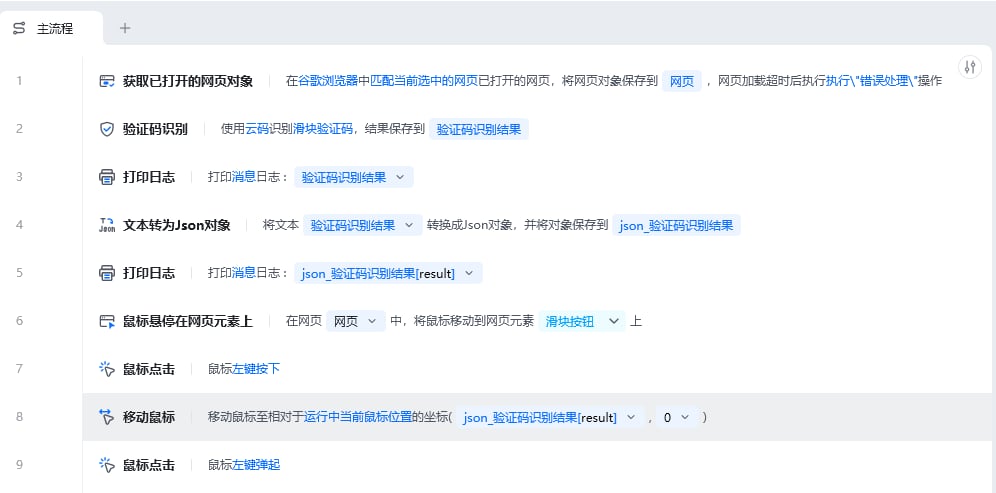
<img src="https://mintcdn.com/bazhuayu-rpa-docs/EtocdB47VU9Ofcfu/helpcenter/commands/ai/images/recognizecaptchabyprovidercommand-10.png?fit=max&auto=format&n=EtocdB47VU9Ofcfu&q=85&s=62faf9b3ba3ada8e1d70f94445643725" alt="验证码识别使用示例 - 流程搭建" width="996" height="493" data-path="helpcenter/commands/ai/images/recognizecaptchabyprovidercommand-10.png" />

**该流程执行逻辑：**

1. 获取谷歌浏览器中已打开的网页对象，并将滑块验证码图片传入【验证码识别】。
2. 指令返回识别结果；示例先在控制台打印原始结果，再将文本结果转换为 JSON 对象。
3. 读取 JSON 中的 `result` 字段。本例得到 `120`，表示滑块需要横向拖动 120 个单位。
4. 将鼠标悬停在滑块按钮上，按住鼠标左键并按识别距离拖动，最后松开左键完成验证。

### 效果展示

<img src="https://mintcdn.com/bazhuayu-rpa-docs/EtocdB47VU9Ofcfu/helpcenter/commands/ai/images/recognizecaptchabyprovidercommand-11.png?fit=max&auto=format&n=EtocdB47VU9Ofcfu&q=85&s=fb3d2a007b07c289ff61300b86445f34" alt="验证码识别使用示例 - 效果展示" width="977" height="181" data-path="helpcenter/commands/ai/images/recognizecaptchabyprovidercommand-11.png" />

<img src="https://mintcdn.com/bazhuayu-rpa-docs/EtocdB47VU9Ofcfu/helpcenter/commands/ai/images/recognizecaptchabyprovidercommand-12.png?fit=max&auto=format&n=EtocdB47VU9Ofcfu&q=85&s=74f5dd92f69defd853c982e7de75e020" alt="验证码识别使用示例 - 效果展示" width="1920" height="897" data-path="helpcenter/commands/ai/images/recognizecaptchabyprovidercommand-12.png" />

<img src="https://mintcdn.com/bazhuayu-rpa-docs/EtocdB47VU9Ofcfu/helpcenter/commands/ai/images/recognizecaptchabyprovidercommand-14.png?fit=max&auto=format&n=EtocdB47VU9Ofcfu&q=85&s=343b87904e61b448b8cb16aaf1dc355e" alt="验证码识别使用示例 - 效果展示" width="325" height="241" data-path="helpcenter/commands/ai/images/recognizecaptchabyprovidercommand-14.png" />

<Info>
  使用指令过程中遇到问题？前往 [八爪鱼RPA 开发者社区问答板块](https://rpa.bazhuayu.com/community/questions) 提问，获取官方与社区帮助。
</Info>