> ## Documentation Index
> Fetch the complete documentation index at: https://rpa.bazhuayu.com/helpcenter/llms.txt
> Use this file to discover all available pages before exploring further.
# 数据中心_时间选择
## 指令描述
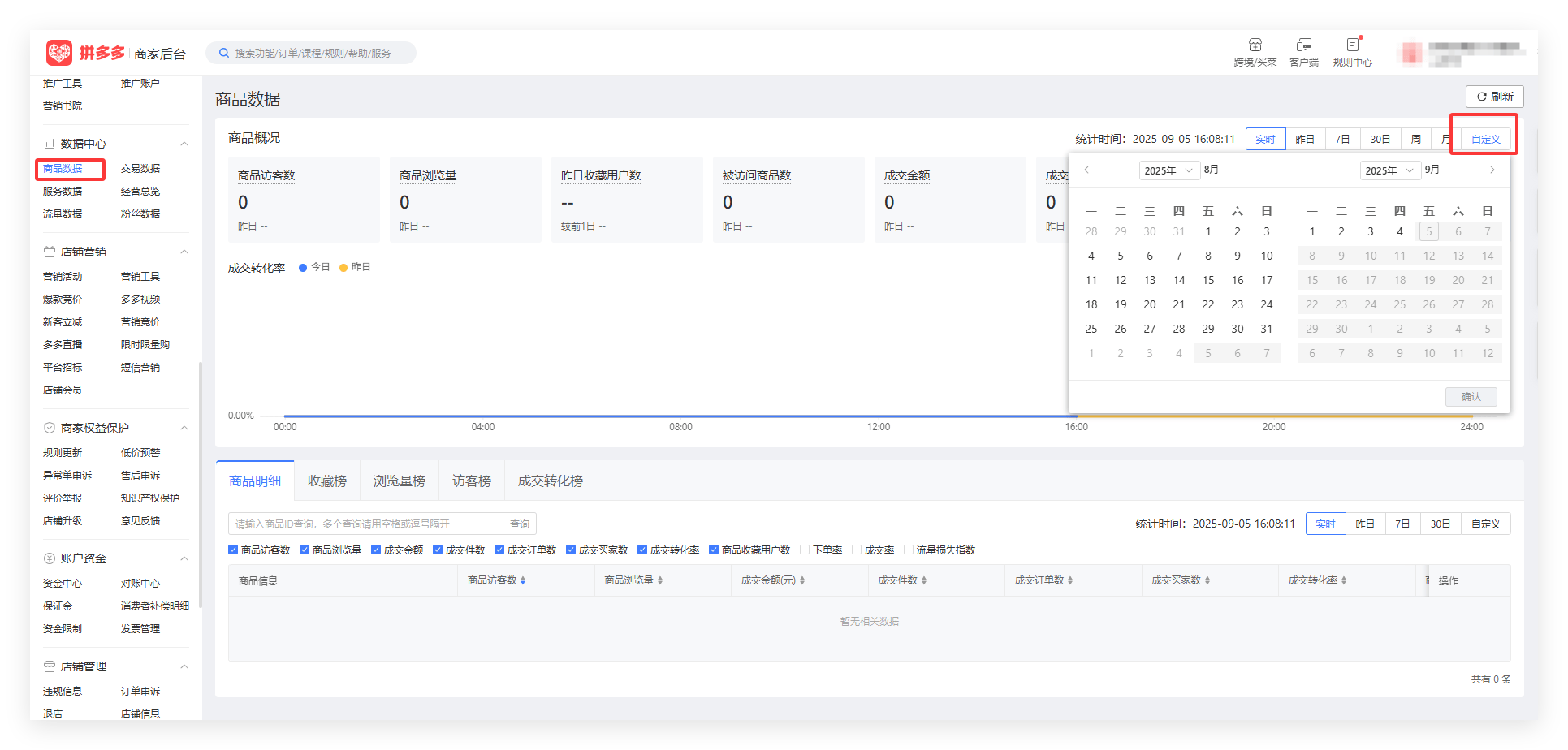
本指令实现在拼多多商家后台的【数据中心-商品数据】页面进行时间选择功能。
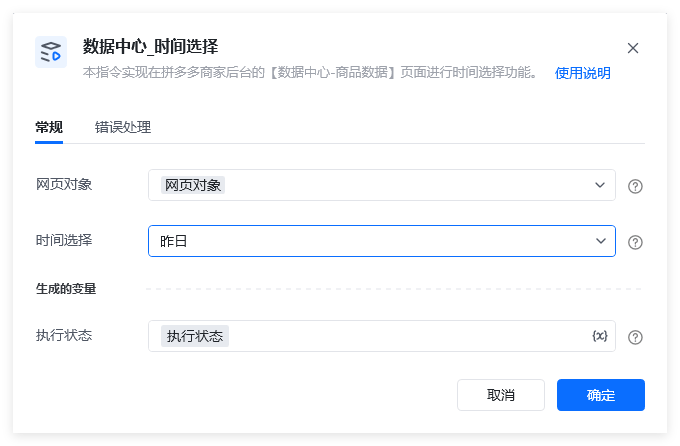
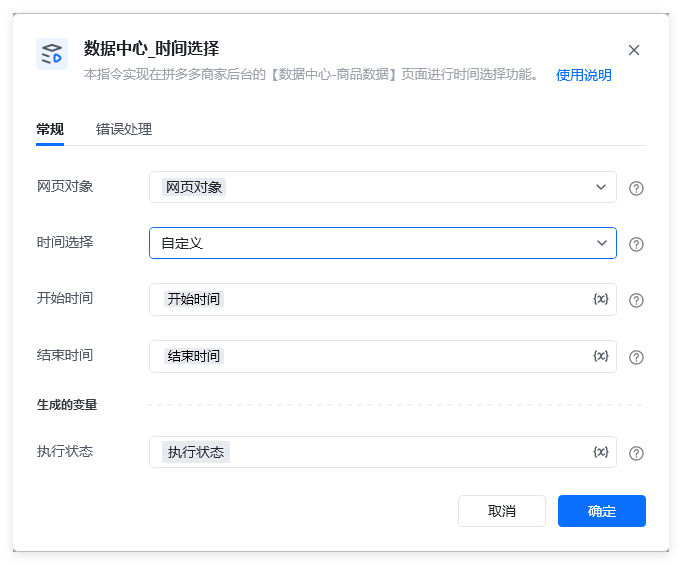 拼多多商家后台的【数据中心】中的【商品数据】分页。
 ## 参数配置
### 指令输入
网页对象: 网页对象,使用【打开网页】或者【获取已打开的网页对象】指令获取拼多多商家后台的【数据中心-商品数据】( [https://mms.pinduoduo.com/sycm/goods\_effect?msfrom=mms\_sidenav](https://mms.pinduoduo.com/sycm/goods_effect?msfrom=mms_sidenav) )的网页对象。
时间选择:单选项,可选【实时】、【昨日】、【7日】、【30日】、【周】、【月】和【自定义】。备注:【时间选择】参数选择【自定义】时,才需要进一步具体设置【开始时间】和【结束时间】参数。
开始时间: 字符串,格式如:2025-06-06
结束时间: 字符串,格式如开始时间。备注:要求1:【开始时间】不能晚于【结束时间】;要求2:【开始时间】和【结束时间】不能晚于当前日期的前 1 天;要求3:【开始时间】和【结束时间】之间间隔,最长31天;要求4:时间格式必须符合 YYYY-MM-DD,且日期合法(比如 2025-02-31 就是非法的);要求5:【开始时间】和【结束时间】不能早于当前日期的前150天。例如:当前日期为2025年9月5日,则【开始时间】最早只能设置为2025年4月9日。
### 指令输出
执行状态:指令执行结果,用于指示和判断指令执行结果,返回值如下。
## 参数配置
### 指令输入
网页对象: 网页对象,使用【打开网页】或者【获取已打开的网页对象】指令获取拼多多商家后台的【数据中心-商品数据】( [https://mms.pinduoduo.com/sycm/goods\_effect?msfrom=mms\_sidenav](https://mms.pinduoduo.com/sycm/goods_effect?msfrom=mms_sidenav) )的网页对象。
时间选择:单选项,可选【实时】、【昨日】、【7日】、【30日】、【周】、【月】和【自定义】。备注:【时间选择】参数选择【自定义】时,才需要进一步具体设置【开始时间】和【结束时间】参数。
开始时间: 字符串,格式如:2025-06-06
结束时间: 字符串,格式如开始时间。备注:要求1:【开始时间】不能晚于【结束时间】;要求2:【开始时间】和【结束时间】不能晚于当前日期的前 1 天;要求3:【开始时间】和【结束时间】之间间隔,最长31天;要求4:时间格式必须符合 YYYY-MM-DD,且日期合法(比如 2025-02-31 就是非法的);要求5:【开始时间】和【结束时间】不能早于当前日期的前150天。例如:当前日期为2025年9月5日,则【开始时间】最早只能设置为2025年4月9日。
### 指令输出
执行状态:指令执行结果,用于指示和判断指令执行结果,返回值如下。
 使用指令过程中遇到问题?前往 [八爪鱼RPA 开发者社区问答板块](https://rpa.bazhuayu.com/community/questions) 提问,获取官方与社区帮助。