> ## Documentation Index
> Fetch the complete documentation index at: https://rpa.bazhuayu.com/helpcenter/llms.txt
> Use this file to discover all available pages before exploring further.
# 上传附件
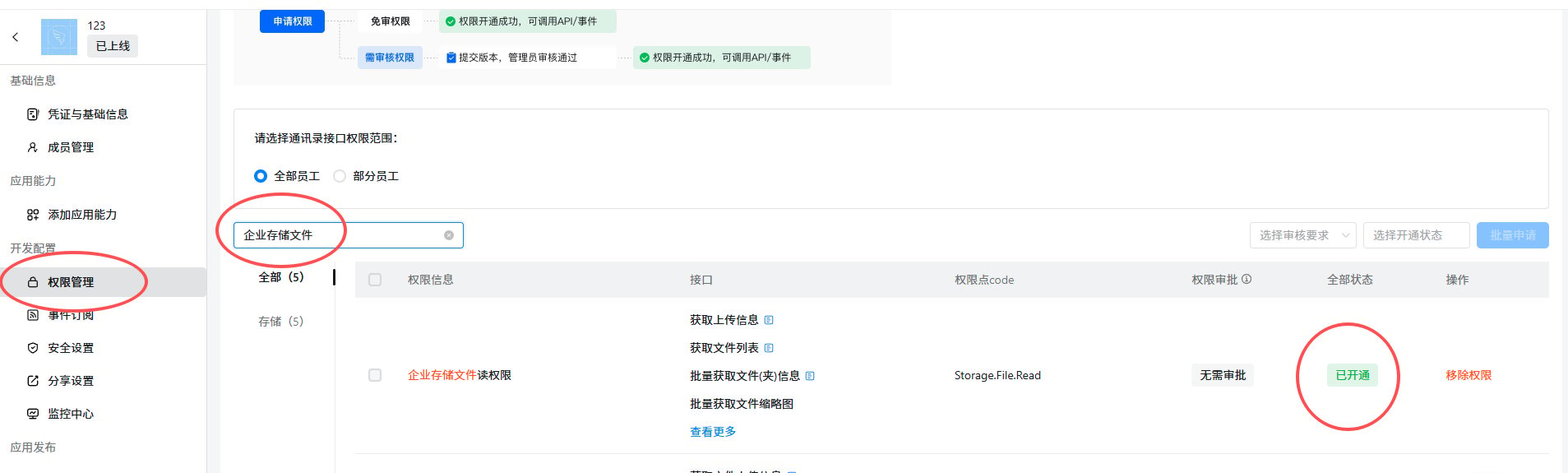
应用需要开通的API权限,企业存储文件读权限,才可以调用该API
 ## 输入
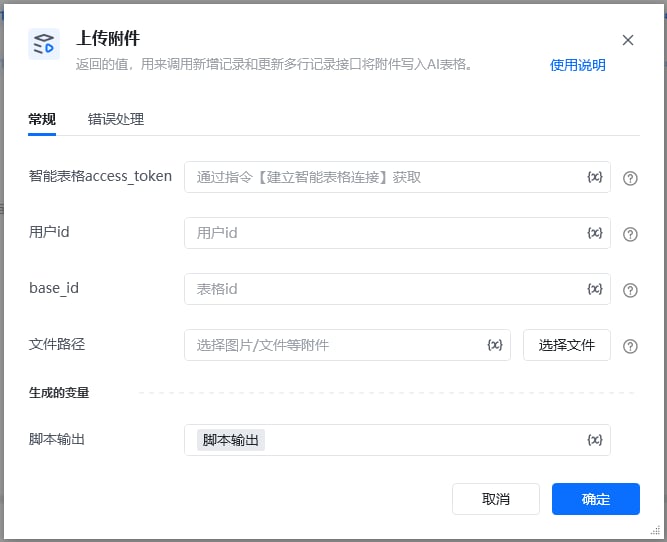
access\_token: 可通过【获取access\_token】指令获取
userid: 用户id,在钉钉后台管理——成员管理中获取到用户的UserID,可参考指令【创建数据表】指令使用说明有图文教程
base\_id: 表格id,可以从文档信息里面获取,点击文档右上角的三个小点,选择文档信息,其中文档ID就是多维表id,可以通过查看【创建数据表】指令使用说明有图文教程
## 输入
access\_token: 可通过【获取access\_token】指令获取
userid: 用户id,在钉钉后台管理——成员管理中获取到用户的UserID,可参考指令【创建数据表】指令使用说明有图文教程
base\_id: 表格id,可以从文档信息里面获取,点击文档右上角的三个小点,选择文档信息,其中文档ID就是多维表id,可以通过查看【创建数据表】指令使用说明有图文教程
 返回示例
\{
"filename": "03ae2f12a94d921cfd815d40e0d6eb35.jpg",
"size": 1746551,
"type": "image/jpeg",
"url": "/core/api/resources/img/5eecdaf48460cde5ba8cb809e943b42c21a24c9d68cb29cf75b8339e1c4c2483890798d4445e2737115b5d1153adab25a156a98577f418d563accffca2fad2863555644fa7cc261b4b68dc21f181fcbf238c5a47d68d13e2fc42f90ecce6f169",
"resourceId": "a74b2e31-6f1a-49a2-a864-05ba1d8802fe"
}
调用【新增记录】和【更新多行记录】接口将附件写入AI表格。
新建记录,附件修改为实际表格名称
返回示例
\{
"filename": "03ae2f12a94d921cfd815d40e0d6eb35.jpg",
"size": 1746551,
"type": "image/jpeg",
"url": "/core/api/resources/img/5eecdaf48460cde5ba8cb809e943b42c21a24c9d68cb29cf75b8339e1c4c2483890798d4445e2737115b5d1153adab25a156a98577f418d563accffca2fad2863555644fa7cc261b4b68dc21f181fcbf238c5a47d68d13e2fc42f90ecce6f169",
"resourceId": "a74b2e31-6f1a-49a2-a864-05ba1d8802fe"
}
调用【新增记录】和【更新多行记录】接口将附件写入AI表格。
新建记录,附件修改为实际表格名称
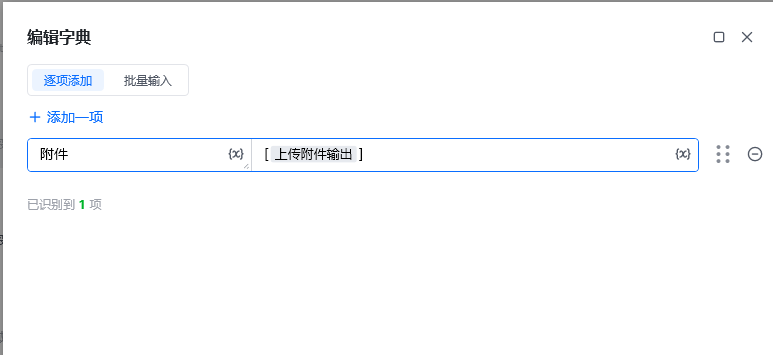 更新多行记录,任意值列表,id修改为某条数据的RECORD\_ID
官网文档[官网文档](https://open.dingtalk.com/document/development/upload-attachment)
使用指令过程中遇到问题?前往 [八爪鱼RPA 开发者社区问答板块](https://rpa.bazhuayu.com/community/questions) 提问,获取官方与社区帮助。
更新多行记录,任意值列表,id修改为某条数据的RECORD\_ID
官网文档[官网文档](https://open.dingtalk.com/document/development/upload-attachment)
使用指令过程中遇到问题?前往 [八爪鱼RPA 开发者社区问答板块](https://rpa.bazhuayu.com/community/questions) 提问,获取官方与社区帮助。