> ## Documentation Index
> Fetch the complete documentation index at: https://rpa.bazhuayu.com/helpcenter/llms.txt
> Use this file to discover all available pages before exploring further.
# 千牛-聊天记录获取(win)
# 一.功能描述
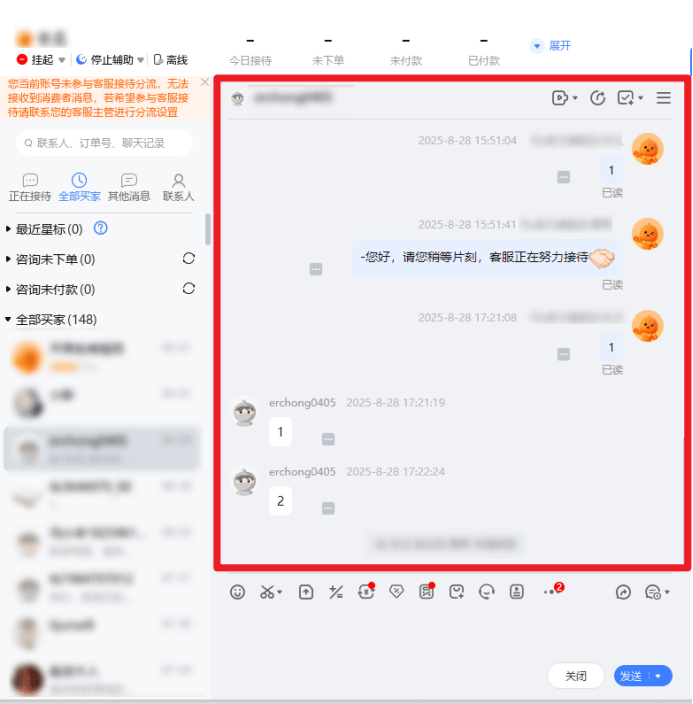
该指令实现了从千牛客户端获取当前客户的聊天记录。
 # 二.使用参数说明
## 输出参数:
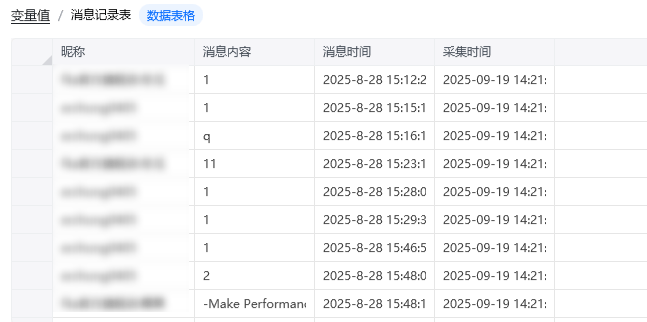
返回采集的消息记录表。
# 二.使用参数说明
## 输出参数:
返回采集的消息记录表。
 # 三.注意事项
该指令运行前需要执行以下几个步骤
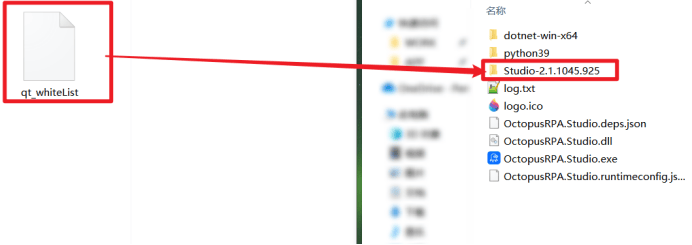
1、进入八爪鱼RPA安装目录下,移动qt\_whiteList文件,移动后重启八爪鱼RPA
文件下载链接:[https://skieer.feishu.cn/file/J6mubIui5ooTmaxHGVfc2OA4nib](https://skieer.feishu.cn/file/J6mubIui5ooTmaxHGVfc2OA4nib)
# 三.注意事项
该指令运行前需要执行以下几个步骤
1、进入八爪鱼RPA安装目录下,移动qt\_whiteList文件,移动后重启八爪鱼RPA
文件下载链接:[https://skieer.feishu.cn/file/J6mubIui5ooTmaxHGVfc2OA4nib](https://skieer.feishu.cn/file/J6mubIui5ooTmaxHGVfc2OA4nib)
 2、适用于9.88.01N(1499,64)左右的版本,若发现不适配的情况,请重新安装千牛版本。
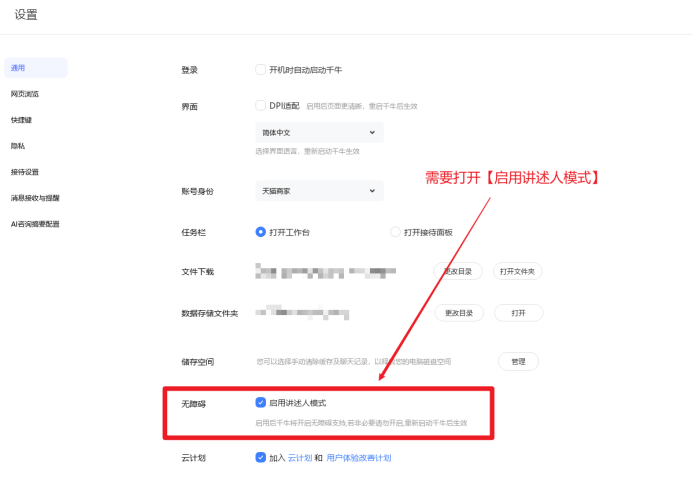
千牛设置需打开【启用讲述人模式】
2、适用于9.88.01N(1499,64)左右的版本,若发现不适配的情况,请重新安装千牛版本。
千牛设置需打开【启用讲述人模式】
 使用指令过程中遇到问题?前往 [八爪鱼RPA 开发者社区问答板块](https://rpa.bazhuayu.com/community/questions) 提问,获取官方与社区帮助。