> ## Documentation Index
> Fetch the complete documentation index at: https://rpa.bazhuayu.com/helpcenter/llms.txt
> Use this file to discover all available pages before exploring further.
# 初始化-获取access_token
参数说明:参数必须说明corpid是企业ID,获取方式参考:术语说明-corpid[术语说明-corpid](https://developer.work.weixin.qq.com/document/path/91039#14953/corpid)corpsecret是应用的凭证密钥,注意应用需要是启用状态,获取方式参考:术语说明-secret[术语说明-secret](https://developer.work.weixin.qq.com/document/path/91039#14953/secret)
权限说明:每个应用有独立的secret,获取到的access\_token只能本应用使用,所以每个应用的access\_token应该分开来获取
### corpid
每个企业都拥有唯一的corpid,获取此信息可在管理后台“我的企业”-“企业信息”下查看“企业ID”(需要有管理员权限)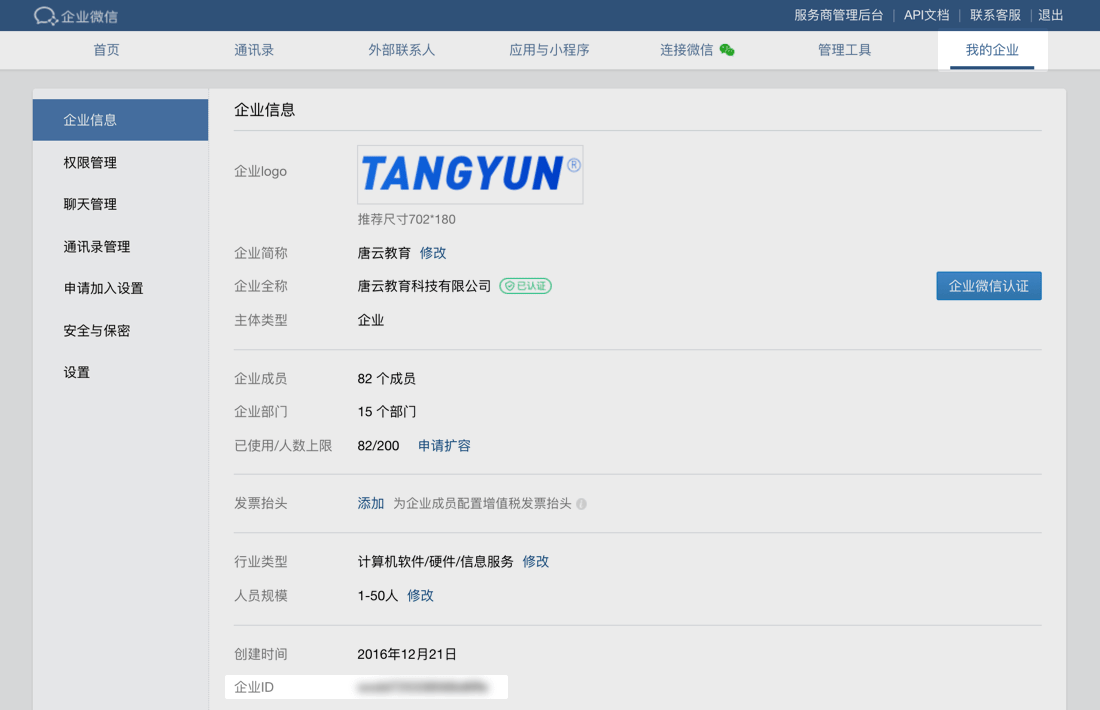 ### secret
secret是企业应用里面用于保障数据安全的“钥匙”,每一个应用都有一个独立的访问密钥,为了保证数据的安全,secret务必不能泄漏。
secret查看方法:1.在管理后台->“应用管理”->“应用”->“自建”,点进某个应用,即可看到。
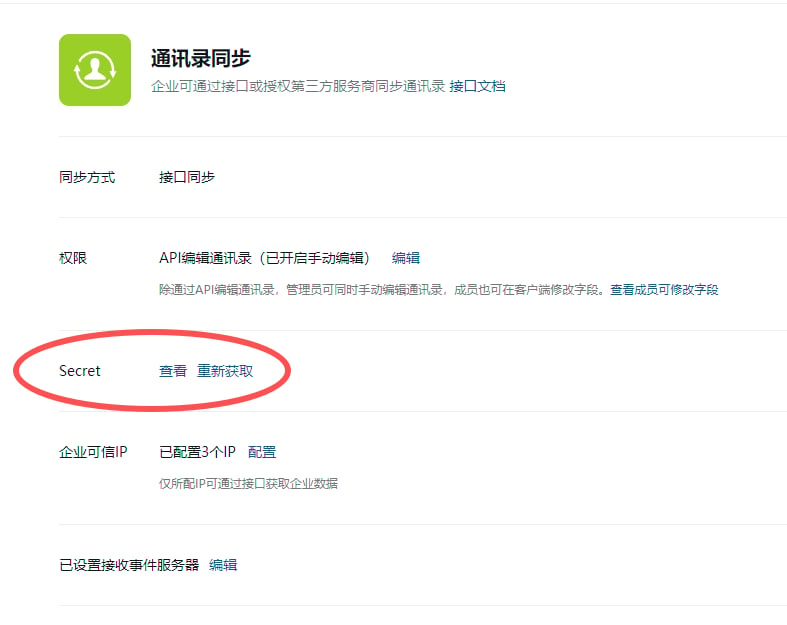
2.【获取成员ID列表】,【创建成员】,【邀请成员】【更新成员】【邮箱获取userid】这些权限需要调用通讯录同步的Secret
### secret
secret是企业应用里面用于保障数据安全的“钥匙”,每一个应用都有一个独立的访问密钥,为了保证数据的安全,secret务必不能泄漏。
secret查看方法:1.在管理后台->“应用管理”->“应用”->“自建”,点进某个应用,即可看到。
2.【获取成员ID列表】,【创建成员】,【邀请成员】【更新成员】【邮箱获取userid】这些权限需要调用通讯录同步的Secret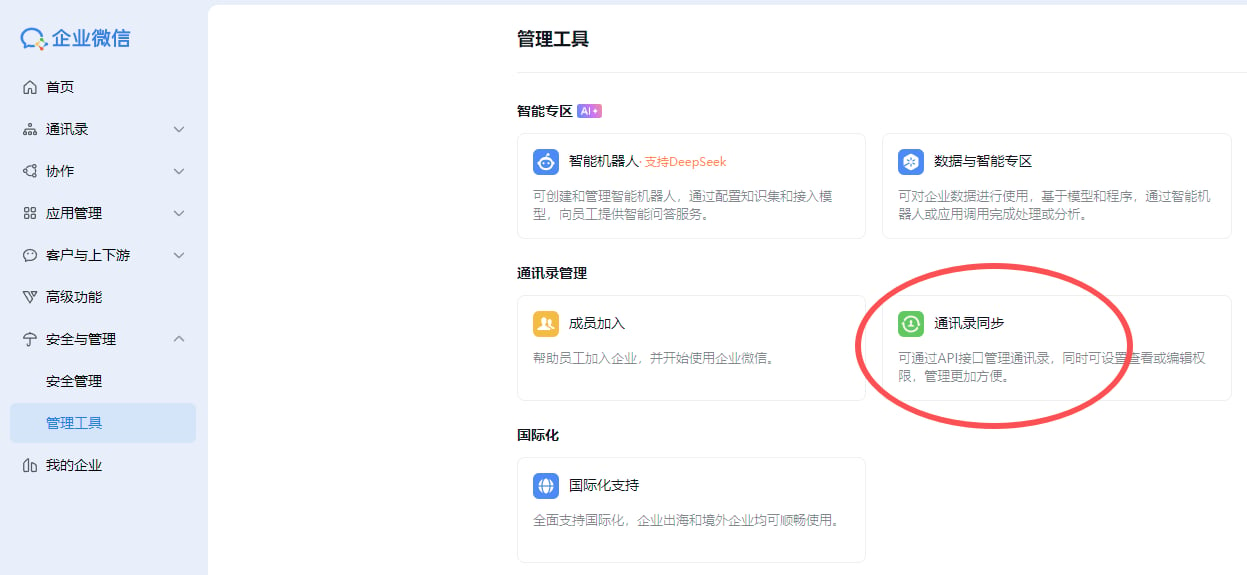
 返回结果:\{
"errcode": 0,
"errmsg": "ok",
"access\_token": "accesstoken000001",
"expires\_in": 7200
}
参数说明:
参数说明errcode出错返回码,为0表示成功,非0表示调用失败errmsg返回码提示语access\_token获取到的凭证,最长为512字节expires\_in凭证的有效时间(秒)
使用指令过程中遇到问题?前往 [八爪鱼RPA 开发者社区问答板块](https://rpa.bazhuayu.com/community/questions) 提问,获取官方与社区帮助。
返回结果:\{
"errcode": 0,
"errmsg": "ok",
"access\_token": "accesstoken000001",
"expires\_in": 7200
}
参数说明:
参数说明errcode出错返回码,为0表示成功,非0表示调用失败errmsg返回码提示语access\_token获取到的凭证,最长为512字节expires\_in凭证的有效时间(秒)
使用指令过程中遇到问题?前往 [八爪鱼RPA 开发者社区问答板块](https://rpa.bazhuayu.com/community/questions) 提问,获取官方与社区帮助。