> ## Documentation Index
> Fetch the complete documentation index at: https://rpa.bazhuayu.com/helpcenter/llms.txt
> Use this file to discover all available pages before exploring further.
# 列表组装为字典
## 一、指令概述
用于将两个一维列表按相同位置的项一一对应,组装为一个字典:列表 1 的项作为键,列表 2 对应位置的项作为值,适用于键值对映射、数据结构转换等场景,可快速将线性数据转换为可直接索引的字典结构。
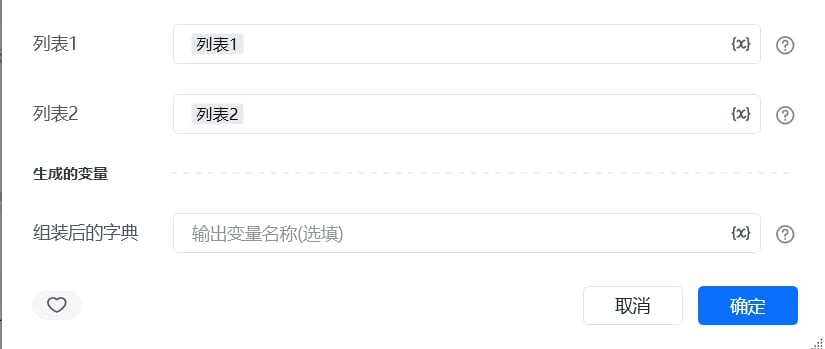 ## 二、调用参数配置参数名称配置说明约束规则列表 1作为字典键的列表(如\["姓名", "年龄", "性别"])必填;长度需与列表 2 一致列表 2作为字典值的列表(如\["张三", 25, "男"])必填;长度需与列表 1 一致,否则会导致键值不对应生成的变量存储组装后字典的变量名称必填;用于承接输出结果,供下游指令调用
## 三、输出说明
## 二、调用参数配置参数名称配置说明约束规则列表 1作为字典键的列表(如\["姓名", "年龄", "性别"])必填;长度需与列表 2 一致列表 2作为字典值的列表(如\["张三", 25, "男"])必填;长度需与列表 1 一致,否则会导致键值不对应生成的变量存储组装后字典的变量名称必填;用于承接输出结果,供下游指令调用
## 三、输出说明
 ## 四、典型操作示例
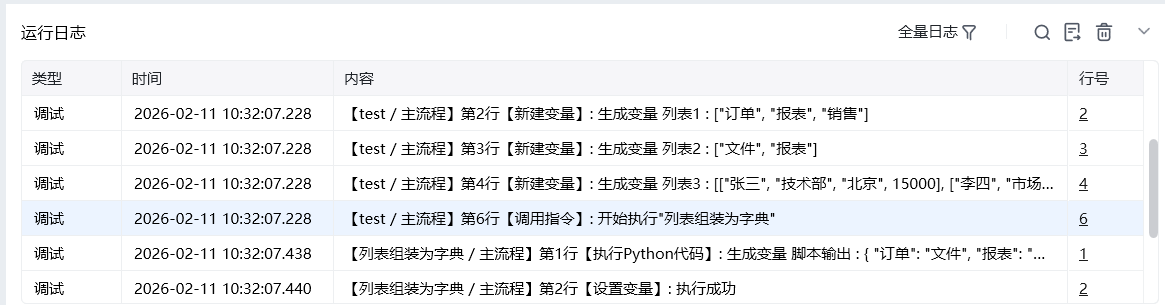
示例:将字段名与字段值组装为数据字典配置 “列表 1”:输入字段名列表\["订单ID", "客户名称", "订单金额"];配置 “列表 2”:输入对应字段值列表\["001", "张三", 1000];配置 “生成的变量”:命名为order\_dict;执行指令后,order\_dict变量存储结果为\{"订单ID": "001", "客户名称": "张三", "订单金额": 1000},可直接用于数据索引与填充。
使用指令过程中遇到问题?前往 [八爪鱼RPA 开发者社区问答板块](https://rpa.bazhuayu.com/community/questions) 提问,获取官方与社区帮助。
## 四、典型操作示例
示例:将字段名与字段值组装为数据字典配置 “列表 1”:输入字段名列表\["订单ID", "客户名称", "订单金额"];配置 “列表 2”:输入对应字段值列表\["001", "张三", 1000];配置 “生成的变量”:命名为order\_dict;执行指令后,order\_dict变量存储结果为\{"订单ID": "001", "客户名称": "张三", "订单金额": 1000},可直接用于数据索引与填充。
使用指令过程中遇到问题?前往 [八爪鱼RPA 开发者社区问答板块](https://rpa.bazhuayu.com/community/questions) 提问,获取官方与社区帮助。