> ## Documentation Index
> Fetch the complete documentation index at: https://rpa.bazhuayu.com/helpcenter/llms.txt
> Use this file to discover all available pages before exploring further.
# 阿里妈妈登录
## 指令描述
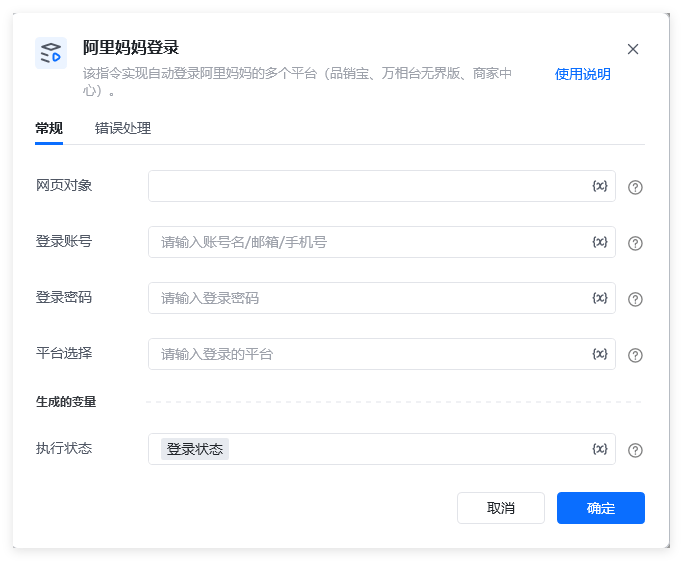 该指令实现自动登录阿里妈妈的多个平台(品销宝、商家中心、万相台无界版)。
备注:
1、阿里妈妈旗下的直通车、引力魔方、万相台三个平台服务,已迁移到万相台无界版平台。
2、【品销宝】登录网址:[https://branding.taobao.com/index.action](https://branding.taobao.com/index.action)
【商家中心】登录网址:[https://ad.alimama.com/index.htm](https://ad.alimama.com/index.htm)
【万相台无界版】登录网址:[https://1bp.taobao.com/index.html](https://1bp.taobao.com/index.html)
## 配置
### 指令输入
网页对象: 网页对象,使用【打开网页】或者【获取已打开的网页对象】指令获取阿里妈妈数智经营的登录页面的返回值(生成变量)
登录账号: 字符串,账号
登录密码: 字符串,密码
平台选择:选择需要登录的平台名称,必须是【品销宝】、【商家中心】或者【万相台无界版】
### 指令输出
执行状态:指令执行结果,用于指示和判断指令执行结果,返回值如下。登录成功返回:登录成功登录失败返回:登录失败,XXXX
备注:XXXX,可能是【账密错误】等提示。
## 使用流程说明
以登录【商家中心】为例:
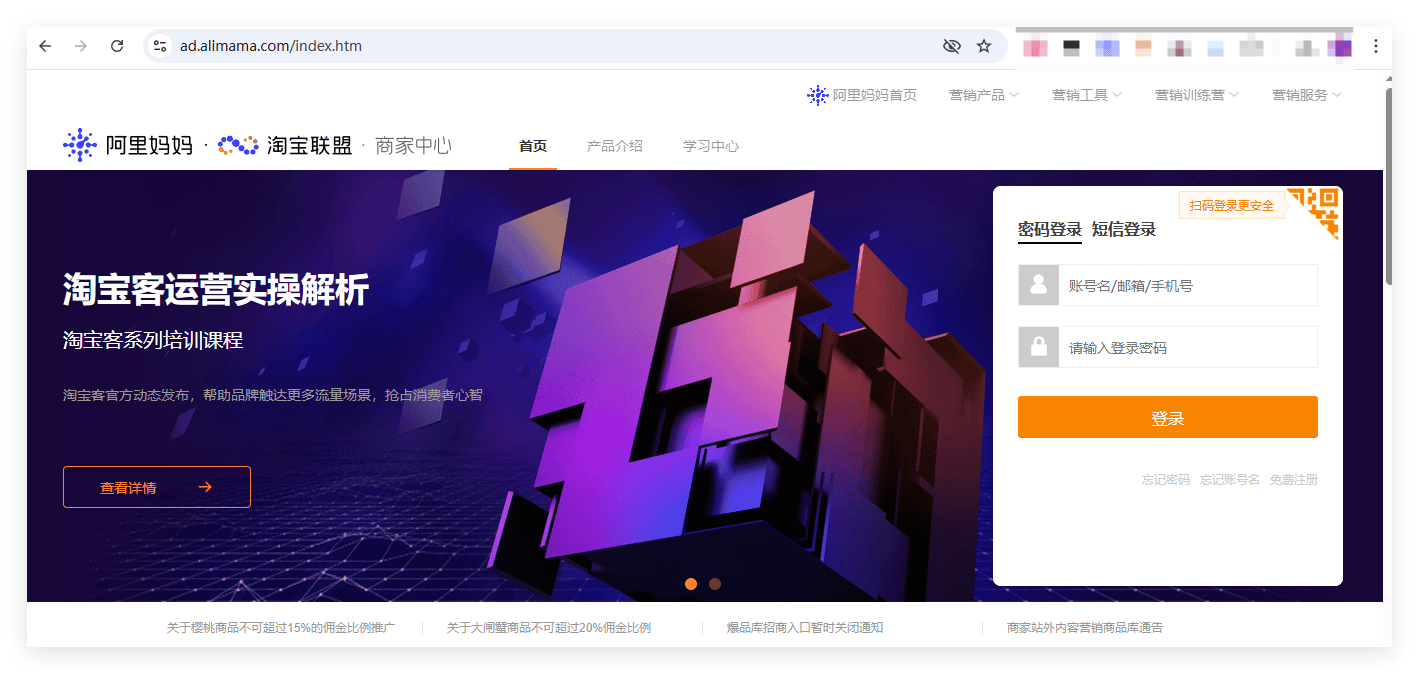
使用【商家中心】的登录网址(如下图所示)【 [https://ad.alimama.com/index.htm】作为参数,](https://ad.alimama.com/index.htm】作为参数,)
该指令实现自动登录阿里妈妈的多个平台(品销宝、商家中心、万相台无界版)。
备注:
1、阿里妈妈旗下的直通车、引力魔方、万相台三个平台服务,已迁移到万相台无界版平台。
2、【品销宝】登录网址:[https://branding.taobao.com/index.action](https://branding.taobao.com/index.action)
【商家中心】登录网址:[https://ad.alimama.com/index.htm](https://ad.alimama.com/index.htm)
【万相台无界版】登录网址:[https://1bp.taobao.com/index.html](https://1bp.taobao.com/index.html)
## 配置
### 指令输入
网页对象: 网页对象,使用【打开网页】或者【获取已打开的网页对象】指令获取阿里妈妈数智经营的登录页面的返回值(生成变量)
登录账号: 字符串,账号
登录密码: 字符串,密码
平台选择:选择需要登录的平台名称,必须是【品销宝】、【商家中心】或者【万相台无界版】
### 指令输出
执行状态:指令执行结果,用于指示和判断指令执行结果,返回值如下。登录成功返回:登录成功登录失败返回:登录失败,XXXX
备注:XXXX,可能是【账密错误】等提示。
## 使用流程说明
以登录【商家中心】为例:
使用【商家中心】的登录网址(如下图所示)【 [https://ad.alimama.com/index.htm】作为参数,](https://ad.alimama.com/index.htm】作为参数,)
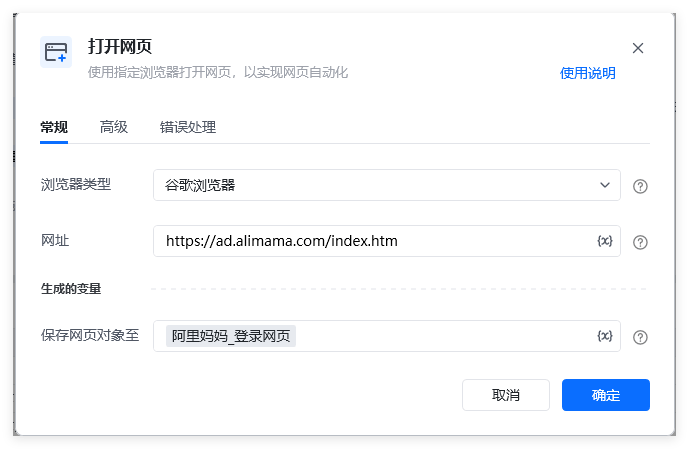
 使用【打开网页】指令打开登录网页,
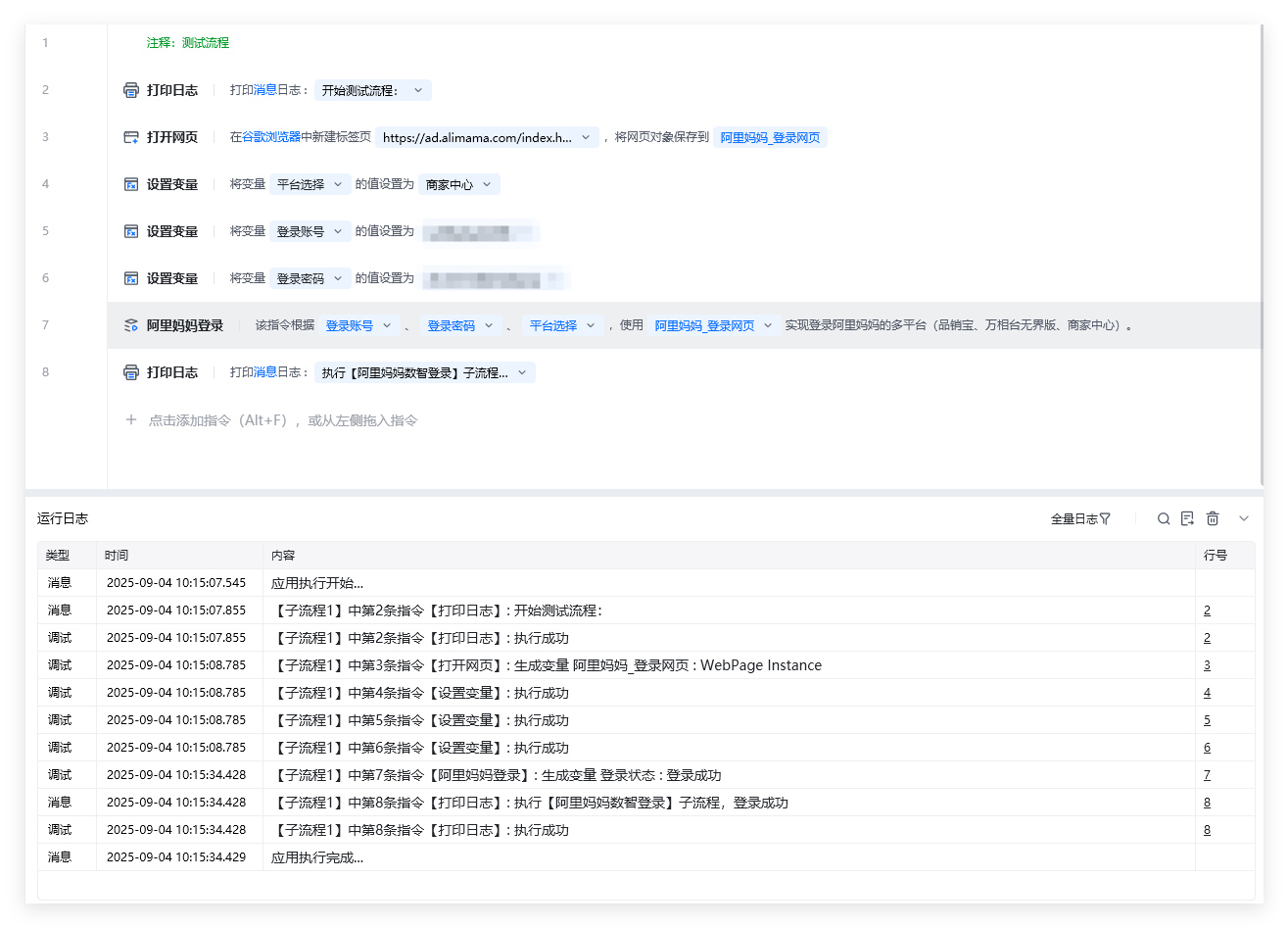
 3、示例流程代码和运行结果,如下图所示:
 ## 注意事项
### 1、关于登录流程,自动处理滑块验证的功能收费说明。
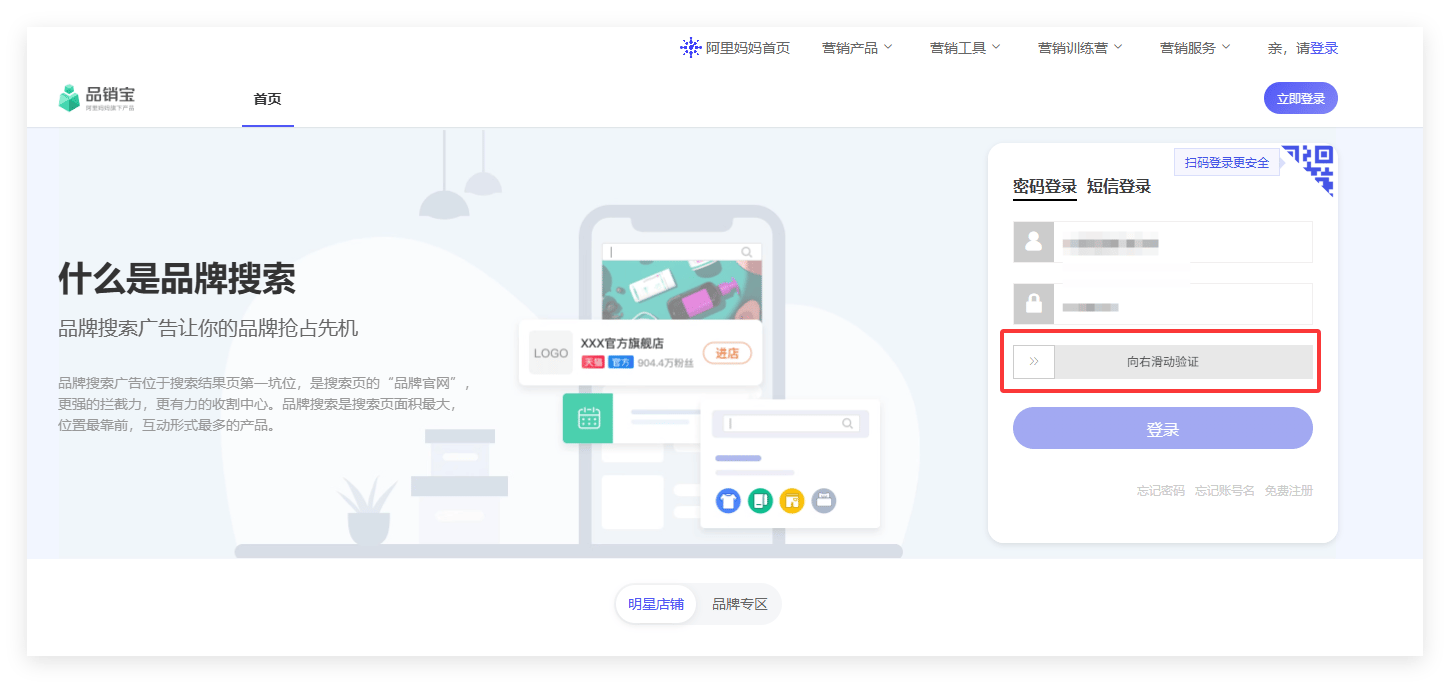
在登录流程中,偶发遇到滑块验证(如下图),本指令集成滑块验证功能,无需人工处理,指令将自动完成滑块验证(尝试20次都失败则退出登录流程)。
## 注意事项
### 1、关于登录流程,自动处理滑块验证的功能收费说明。
在登录流程中,偶发遇到滑块验证(如下图),本指令集成滑块验证功能,无需人工处理,指令将自动完成滑块验证(尝试20次都失败则退出登录流程)。
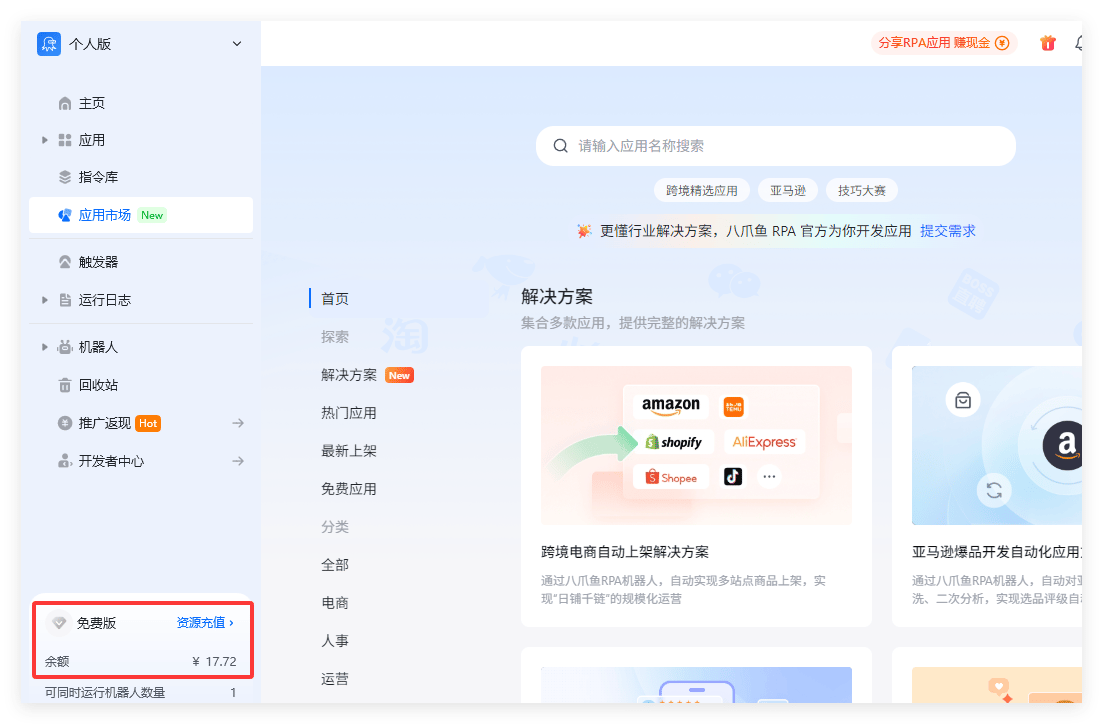
 该滑块验证功能,是收费功能,每次验证消耗¥0.02元,请注意账号余额情况(如下图中左下角红圈标注)。
 使用指令过程中遇到问题?前往 [八爪鱼RPA 开发者社区问答板块](https://rpa.bazhuayu.com/community/questions) 提问,获取官方与社区帮助。