> ## Documentation Index
> Fetch the complete documentation index at: https://rpa.bazhuayu.com/helpcenter/llms.txt
> Use this file to discover all available pages before exploring further.

# 创建多级文件夹

### 创建多级文件夹

### 描述

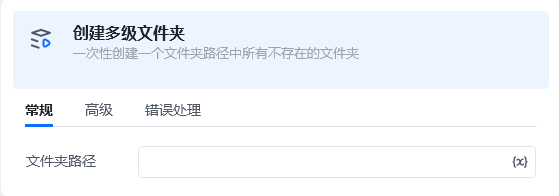
一次性创建输入的路径中所有不存在的文件夹
<img src="https://mintcdn.com/bazhuayu-rpa-docs/3qqCdvdhP7J_whXl/helpcenter/commands/custom-commands/Xtu3Dyv8/images/gQLOSX7t-01.png?fit=max&auto=format&n=3qqCdvdhP7J_whXl&q=85&s=5832e9bf6242071916d2073b1c709a5e" alt="image" width="559" height="196" data-path="helpcenter/commands/custom-commands/Xtu3Dyv8/images/gQLOSX7t-01.png" />

### 描述

一次性创建输入的路径中所有不存在的文件夹。

<strong>输入</strong>

文件夹路径

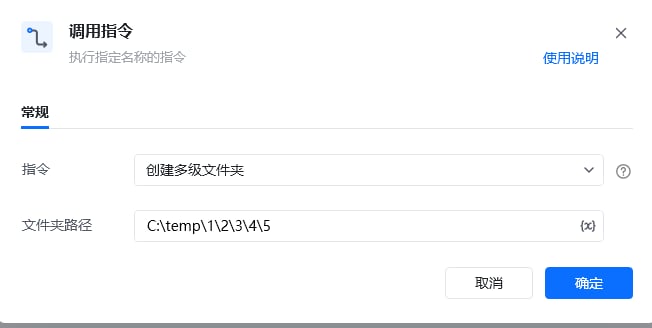
<strong>使用示例</strong>

<img src="https://mintcdn.com/bazhuayu-rpa-docs/3qqCdvdhP7J_whXl/helpcenter/commands/custom-commands/Xtu3Dyv8/images/gQLOSX7t-02.png?fit=max&auto=format&n=3qqCdvdhP7J_whXl&q=85&s=39c9e5bda7f70c867aefca7fd3301e0a" alt="image" width="652" height="328" data-path="helpcenter/commands/custom-commands/Xtu3Dyv8/images/gQLOSX7t-02.png" />

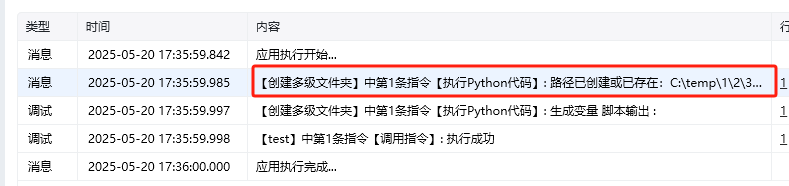
<strong>执行效果</strong>

<img src="https://mintcdn.com/bazhuayu-rpa-docs/3qqCdvdhP7J_whXl/helpcenter/commands/custom-commands/Xtu3Dyv8/images/gQLOSX7t-03.png?fit=max&auto=format&n=3qqCdvdhP7J_whXl&q=85&s=55cec81b5bc30376f9ea75cde29184e9" alt="image" width="789" height="186" data-path="helpcenter/commands/custom-commands/Xtu3Dyv8/images/gQLOSX7t-03.png" />

<img src="https://mintcdn.com/bazhuayu-rpa-docs/3qqCdvdhP7J_whXl/helpcenter/commands/custom-commands/Xtu3Dyv8/images/gQLOSX7t-04.png?fit=max&auto=format&n=3qqCdvdhP7J_whXl&q=85&s=f23c86d572237178c9c893295492ed2e" alt="image" width="648" height="91" data-path="helpcenter/commands/custom-commands/Xtu3Dyv8/images/gQLOSX7t-04.png" />

<Info>
  使用指令过程中遇到问题？前往 [八爪鱼RPA 开发者社区问答板块](https://rpa.bazhuayu.com/community/questions) 提问，获取官方与社区帮助。
</Info>