> ## Documentation Index
> Fetch the complete documentation index at: https://rpa.bazhuayu.com/helpcenter/llms.txt
> Use this file to discover all available pages before exploring further.
# 流量-流量概况-核心指标
# 描述
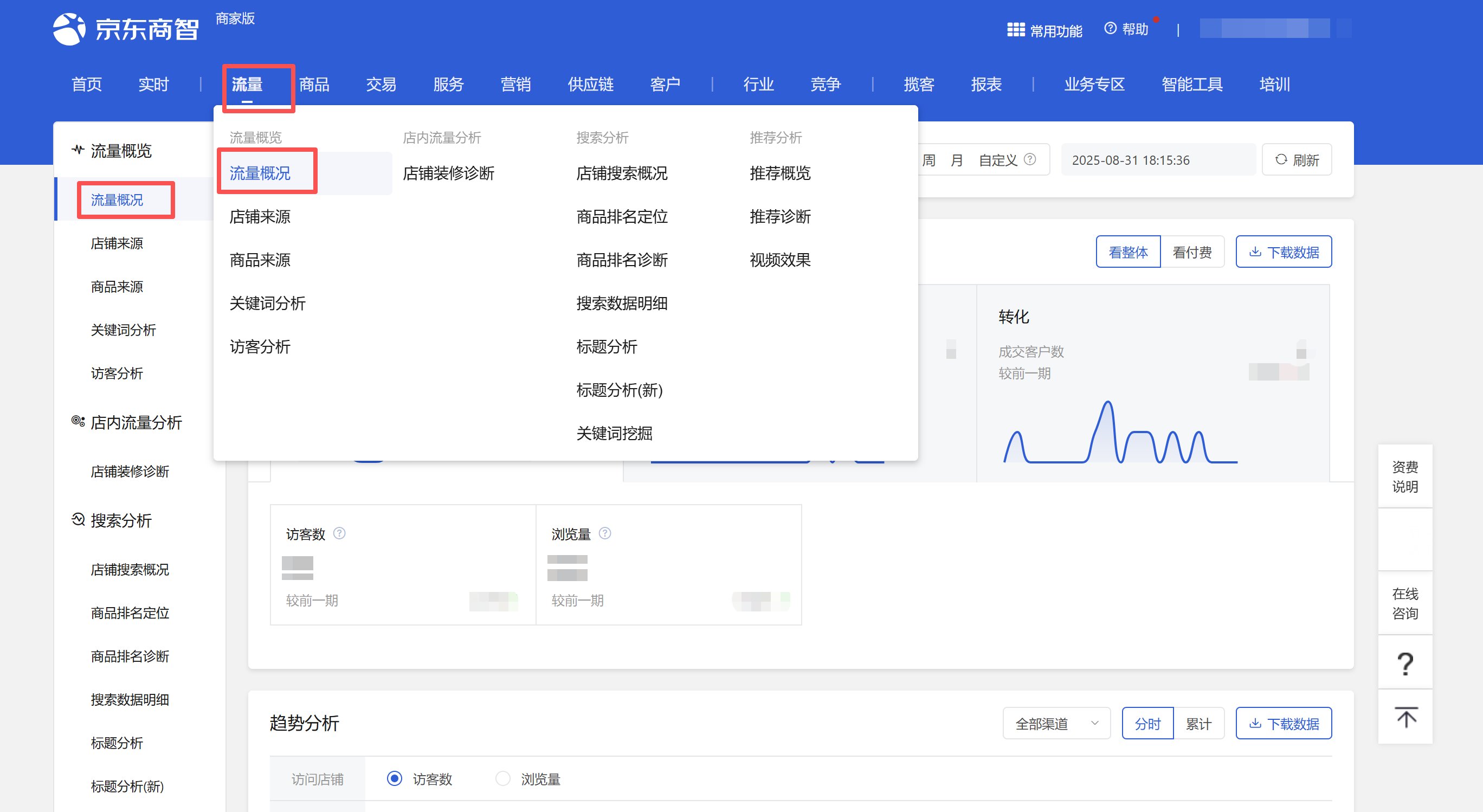
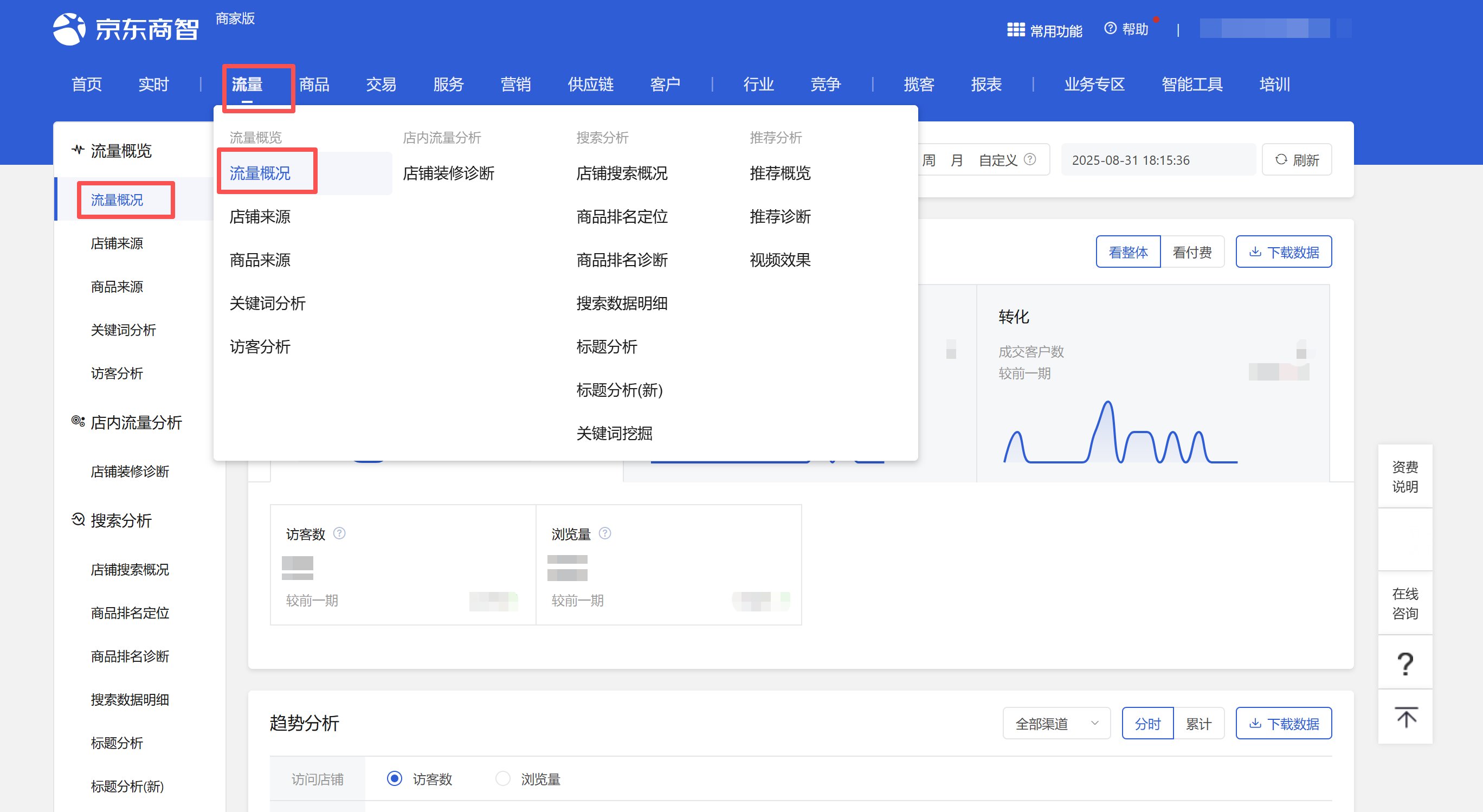
该指令实现获取流量-流量概况页面核心指标、趋势分析数据,并下载数据文件到指定位置
 # 配置说明
## 输入
网页对象:
任意一个已登录京东商智商家版后台的流量-流量概况页面的网页对象
# 配置说明
## 输入
网页对象:
任意一个已登录京东商智商家版后台的流量-流量概况页面的网页对象
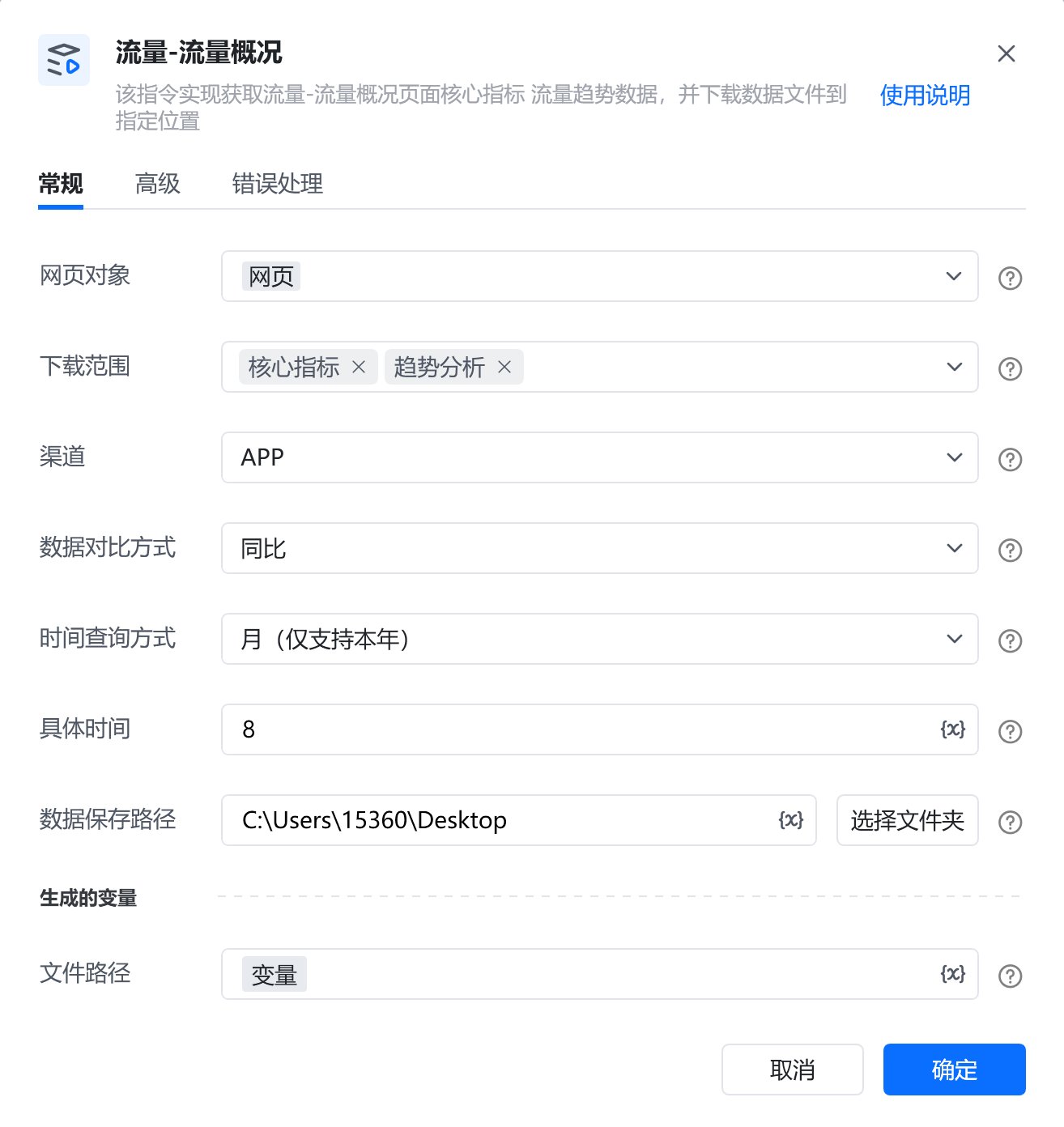
 下载范围:
复选框,可选:核心指标、趋势分析
渠道:
下拉框,可选:全部渠道、APP、PC、微信、手Q、M端,选填,若不填则使用平台默认值
数据对比方式:
下拉框,可选:同比、环比,选填,若不填则使用平台默认值
时间查询方式:
下拉框,可选:实时、天、周、月、自定义,选填,若不填则使用平台默认值
具体日期:
填写自定义具体日期,格式:YYYY-MM-DD,例如:2025-08-01。由于平台限制,开始日期与结束日期跨度不可超过31天
自定义开始日期:
填写自定义开始日期,格式:YYYY-MM-DD,例如:2025-08-01。由于平台限制,开始日期与结束日期跨度不可超过31天
自定义结束日期:
填写自定义结束日期,格式:YYYY-MM-DD,例如:2025-08-01
数据保存路径:
选择数据类型,即下载文件保存的文件夹路径
#### 自定义文件名:
输入文件下载的名称,选填,若不填则使用平台默认名称
## 输出
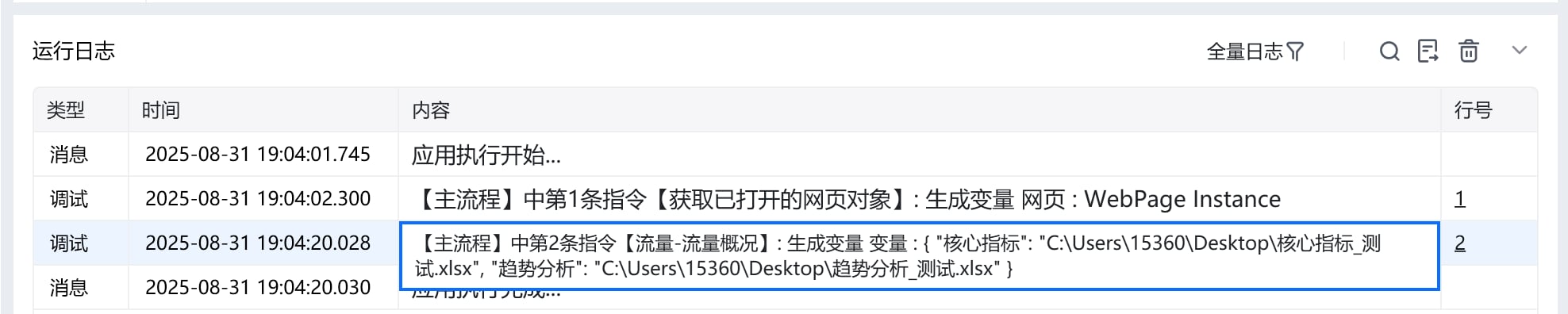
文件路径:
数据类型为字典,输出指令获取的数据保存在本地的完整文件路径
# 使用示例
下载范围:
复选框,可选:核心指标、趋势分析
渠道:
下拉框,可选:全部渠道、APP、PC、微信、手Q、M端,选填,若不填则使用平台默认值
数据对比方式:
下拉框,可选:同比、环比,选填,若不填则使用平台默认值
时间查询方式:
下拉框,可选:实时、天、周、月、自定义,选填,若不填则使用平台默认值
具体日期:
填写自定义具体日期,格式:YYYY-MM-DD,例如:2025-08-01。由于平台限制,开始日期与结束日期跨度不可超过31天
自定义开始日期:
填写自定义开始日期,格式:YYYY-MM-DD,例如:2025-08-01。由于平台限制,开始日期与结束日期跨度不可超过31天
自定义结束日期:
填写自定义结束日期,格式:YYYY-MM-DD,例如:2025-08-01
数据保存路径:
选择数据类型,即下载文件保存的文件夹路径
#### 自定义文件名:
输入文件下载的名称,选填,若不填则使用平台默认名称
## 输出
文件路径:
数据类型为字典,输出指令获取的数据保存在本地的完整文件路径
# 使用示例
 # 运行结果
 使用指令过程中遇到问题?前往 [八爪鱼RPA 开发者社区问答板块](https://rpa.bazhuayu.com/community/questions) 提问,获取官方与社区帮助。