> ## Documentation Index
> Fetch the complete documentation index at: https://rpa.bazhuayu.com/helpcenter/llms.txt
> Use this file to discover all available pages before exploring further.

# 商品-商品360-价格分析-商品力核心指标

# 描述

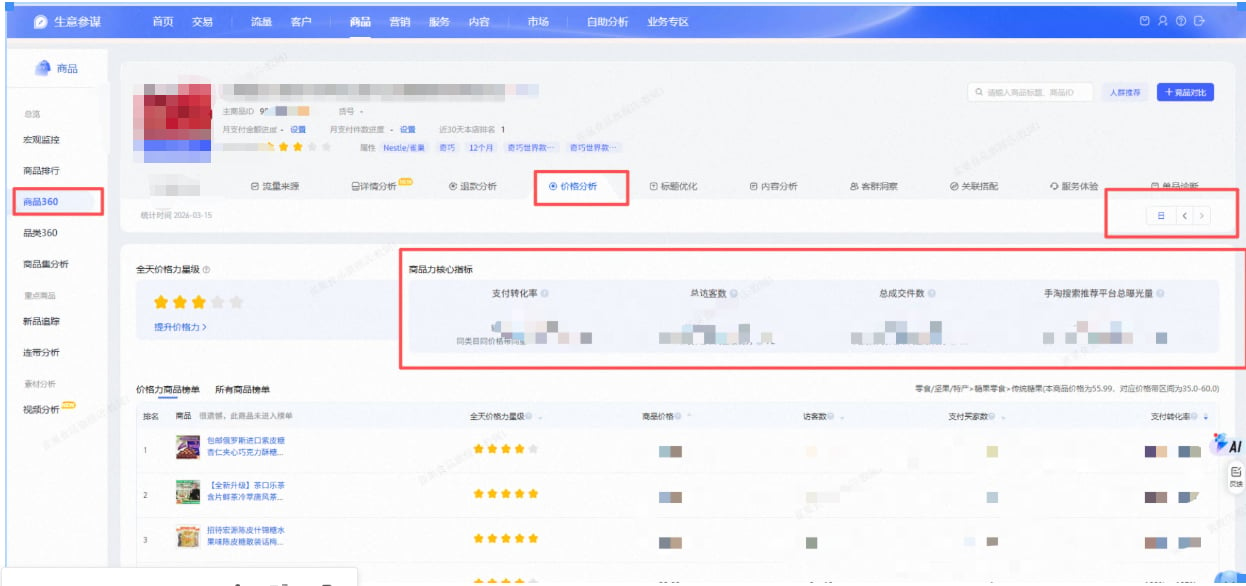
获取商品-商品360-价格分析-商品力核心指标数据，保存到指定位置

<img src="https://mintcdn.com/bazhuayu-rpa-docs/N8j9e4WuRouM7Eoc/helpcenter/commands/custom-commands/h09s9ExE/images/8rI02QfZ-01.png?fit=max&auto=format&n=N8j9e4WuRouM7Eoc&q=85&s=bffb18dafe640acfab21e10e15074394" alt="image" width="1246" height="586" data-path="helpcenter/commands/custom-commands/h09s9ExE/images/8rI02QfZ-01.png" />

# 配置说明

## 输入

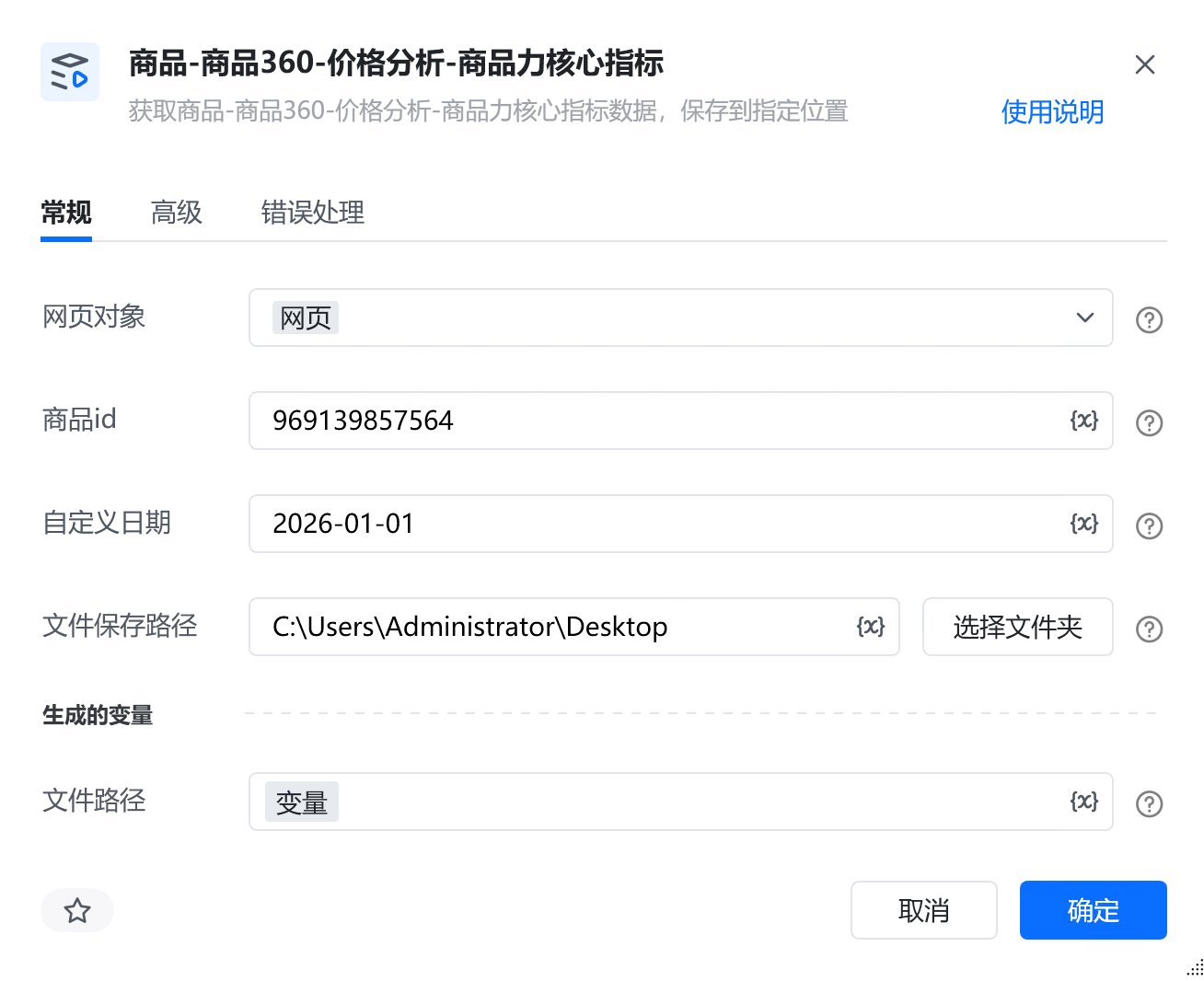
<strong>网页对象:</strong>

任意一个已登录生意参谋的网页对象

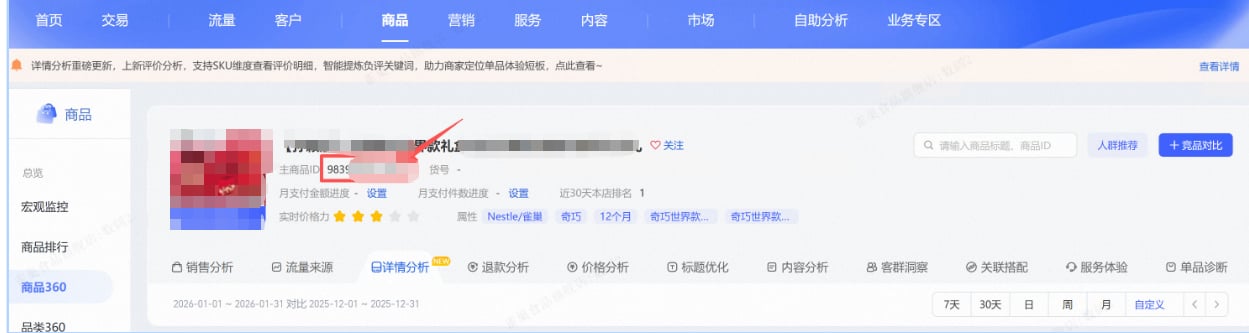
<strong>商品id:</strong>

填写商品id

<img src="https://mintcdn.com/bazhuayu-rpa-docs/N8j9e4WuRouM7Eoc/helpcenter/commands/custom-commands/h09s9ExE/images/8rI02QfZ-02.png?fit=max&auto=format&n=N8j9e4WuRouM7Eoc&q=85&s=8504673abf629f0d57641df2c1955841" alt="image" width="1249" height="333" data-path="helpcenter/commands/custom-commands/h09s9ExE/images/8rI02QfZ-02.png" />

<strong>自定义日期:</strong>

指定 1 天，格式必须为：YYYY-MM-DD

<strong>文件保存路径：</strong>

选择文件保存路径

<strong>自定义文件名称：</strong>

自定义文件名称，若不填则使用默认文件名

## 输出

<strong>文件路径：</strong>

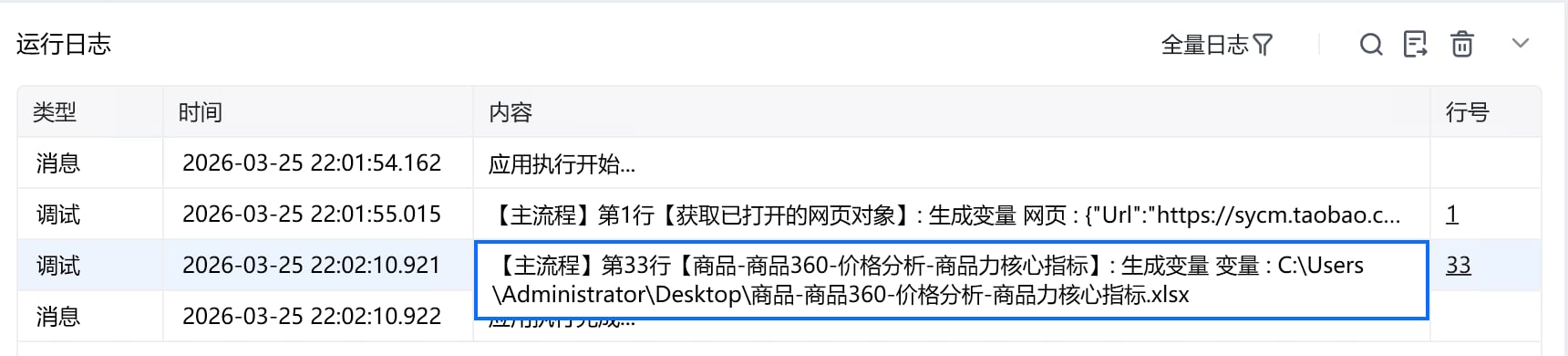
输出完整的文件路径，文本类型

# 使用示例

<img src="https://mintcdn.com/bazhuayu-rpa-docs/N8j9e4WuRouM7Eoc/helpcenter/commands/custom-commands/h09s9ExE/images/8rI02QfZ-03.png?fit=max&auto=format&n=N8j9e4WuRouM7Eoc&q=85&s=34b55f9cdac456cc90a677552a955f1e" alt="image" width="1308" height="1066" data-path="helpcenter/commands/custom-commands/h09s9ExE/images/8rI02QfZ-03.png" />

# 运行结果

<img src="https://mintcdn.com/bazhuayu-rpa-docs/N8j9e4WuRouM7Eoc/helpcenter/commands/custom-commands/h09s9ExE/images/8rI02QfZ-04.png?fit=max&auto=format&n=N8j9e4WuRouM7Eoc&q=85&s=fce5cffce0db9bcabe52c2b9248efe45" alt="image" width="1720" height="390" data-path="helpcenter/commands/custom-commands/h09s9ExE/images/8rI02QfZ-04.png" />

<Info>
  使用指令过程中遇到问题？前往 [八爪鱼RPA 开发者社区问答板块](https://rpa.bazhuayu.com/community/questions) 提问，获取官方与社区帮助。
</Info>