> ## Documentation Index
> Fetch the complete documentation index at: https://rpa.bazhuayu.com/helpcenter/llms.txt
> Use this file to discover all available pages before exploring further.
# 亚马逊-市场-子商品业务报告下载
## 描述
该指令实现了亚马逊的业务报告中详情页面销售和流量(按子商品)报告的下载功能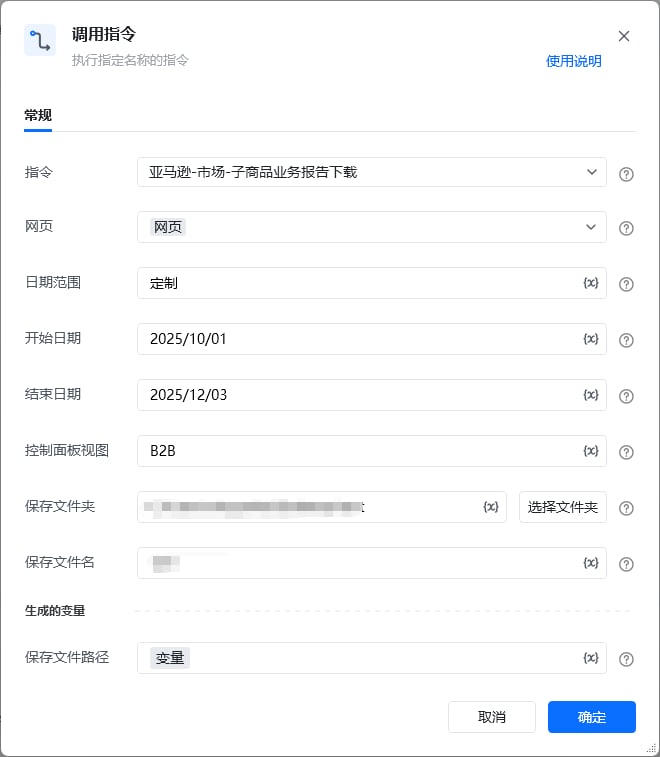 ## 参数配置
### 指令输入
参数字段: 类型;参数描述
#### 常规
网页对象: web对象;待操作的网页对象
日期范围: 字符串;日期的范围,可选项:昨天、本周至今、本月至今、年初至今、定制
开始日期: 字符串;报告的开始日期,仅事件日期为'定制'时填写,格式为YYYY/MM/dd
结束日期: 字符串;报告的结束日期,仅事件日期为'定制'时填写,格式为YYYY/MM/dd
控制面板视图: 字符串;控制面板视图的名称,可选项:默认,所有列,B2B
保存文件夹: 字符串;下载文件保存的文件夹目录
保存文件名: 字符串;下载文件保存的文件名称,默认:日期范围+报告类型
### 指令输出
保存下载文件路径至: 字符串;保存下载文件的路径
## 参考案例
### 场景
[https://sellercentral.amazon.com/\[https://sellercentral.amazon.com/](https://sellercentral.amazon.com/\[https://sellercentral.amazon.com/)]\([https://sellercentral.amazon.com/)business-reports/ref=xx\_sitemetric\_favb\_xx#/report?id=102:DetailSalesTrafficByChildItem](https://sellercentral.amazon.com/\)business-reports/ref=xx_sitemetric_favb_xx#/report?id=102:DetailSalesTrafficByChildItem)
从亚马逊的业务报告中下载详情页面销售和流量(按子商品)报告
## 参数配置
### 指令输入
参数字段: 类型;参数描述
#### 常规
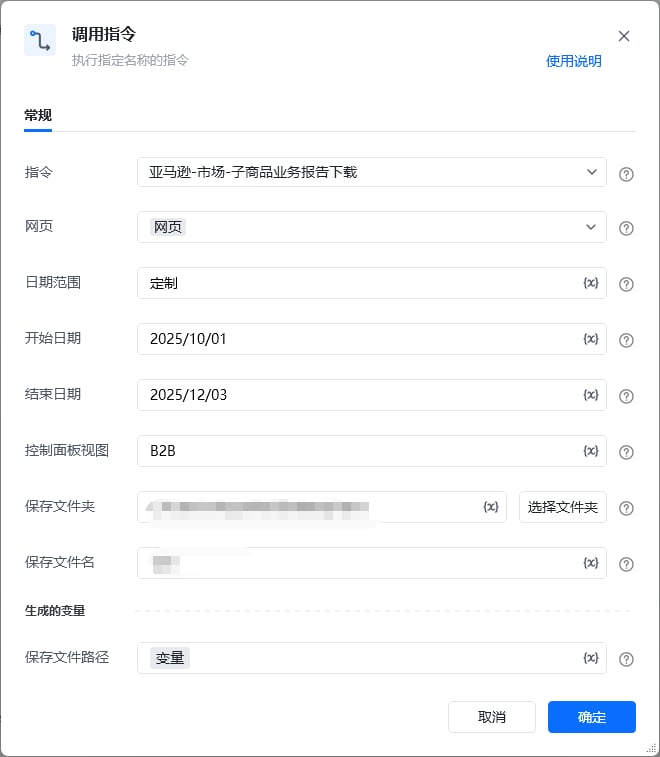
网页对象: web对象;待操作的网页对象
日期范围: 字符串;日期的范围,可选项:昨天、本周至今、本月至今、年初至今、定制
开始日期: 字符串;报告的开始日期,仅事件日期为'定制'时填写,格式为YYYY/MM/dd
结束日期: 字符串;报告的结束日期,仅事件日期为'定制'时填写,格式为YYYY/MM/dd
控制面板视图: 字符串;控制面板视图的名称,可选项:默认,所有列,B2B
保存文件夹: 字符串;下载文件保存的文件夹目录
保存文件名: 字符串;下载文件保存的文件名称,默认:日期范围+报告类型
### 指令输出
保存下载文件路径至: 字符串;保存下载文件的路径
## 参考案例
### 场景
[https://sellercentral.amazon.com/\[https://sellercentral.amazon.com/](https://sellercentral.amazon.com/\[https://sellercentral.amazon.com/)]\([https://sellercentral.amazon.com/)business-reports/ref=xx\_sitemetric\_favb\_xx#/report?id=102:DetailSalesTrafficByChildItem](https://sellercentral.amazon.com/\)business-reports/ref=xx_sitemetric_favb_xx#/report?id=102:DetailSalesTrafficByChildItem)
从亚马逊的业务报告中下载详情页面销售和流量(按子商品)报告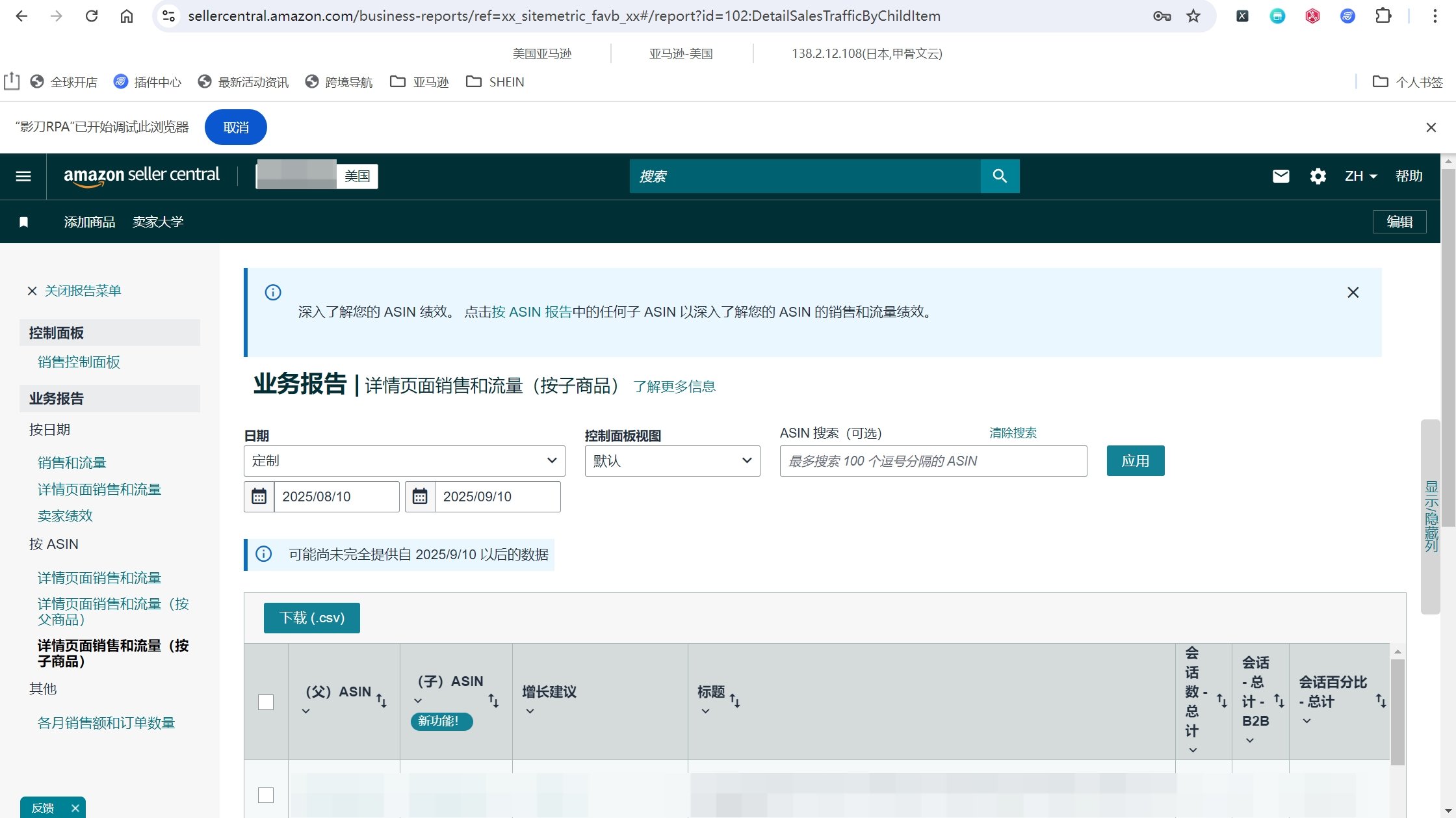 参考流程
参考流程
 使用指令过程中遇到问题?前往 [八爪鱼RPA 开发者社区问答板块](https://rpa.bazhuayu.com/community/questions) 提问,获取官方与社区帮助。