> ## Documentation Index
> Fetch the complete documentation index at: https://rpa.bazhuayu.com/helpcenter/llms.txt
> Use this file to discover all available pages before exploring further.

# 亚马逊-绩效-货件处理进度监控

## 描述

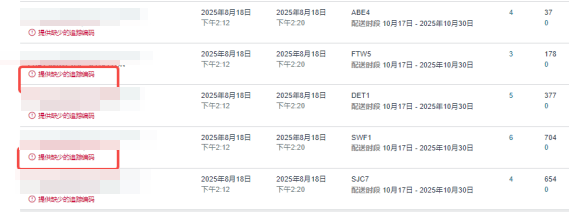
该指令获取亚马逊-库存-货件页面指定条件下已发货、运输中的存在红色提醒字段数量及货品编码

## 参数配置

### 指令输入

<strong>参数字段: </strong><em>类型；</em>参数描述

#### 常规

<strong>网页：</strong><em>web对象,</em>待操作的网页对象

<strong>采集页数:</strong>填写采集页数，填0默认采集所有页面符合条件的数据

### 指令输出

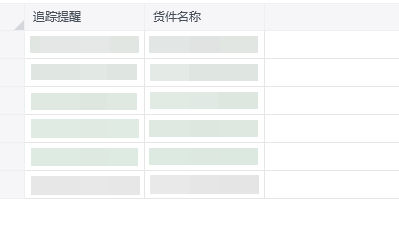
<strong>数据采集结果：</strong>数据表格

## 参考案例

### 场景

<strong>场景描述</strong>

[https://sellercentral.amazon.com/gp/ssof/shipping-queue.html\[https://sellercentral.amazon.com/gp/ssof/shipping-queue.html](https://sellercentral.amazon.com/gp/ssof/shipping-queue.html\[https://sellercentral.amazon.com/gp/ssof/shipping-queue.html)]\([https://sellercentral.amazon.com/gp/ssof/shipping-queue.html](https://sellercentral.amazon.com/gp/ssof/shipping-queue.html))
从亚马逊-库存-货件页面指定条件下已发货、运输中的存在红色提醒字段数量及其编码<img src="https://mintcdn.com/bazhuayu-rpa-docs/qGPHCkSKwUDLmBv4/helpcenter/commands/custom-commands/i7qgA3P8/images/QQWrZQ6w-01.png?fit=max&auto=format&n=qGPHCkSKwUDLmBv4&q=85&s=235c994813f4c881f75fe4be90dc9248" alt="image" width="570" height="213" data-path="helpcenter/commands/custom-commands/i7qgA3P8/images/QQWrZQ6w-01.png" />
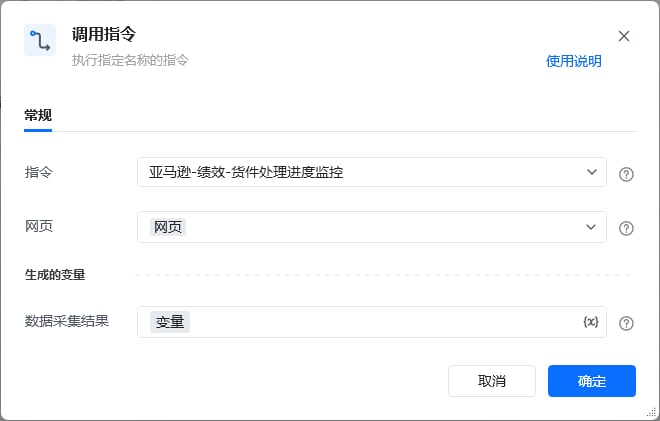
<strong>参考流程</strong>

<img src="https://mintcdn.com/bazhuayu-rpa-docs/qGPHCkSKwUDLmBv4/helpcenter/commands/custom-commands/i7qgA3P8/images/QQWrZQ6w-02.png?fit=max&auto=format&n=qGPHCkSKwUDLmBv4&q=85&s=24f93315dc8c60cd340c6e73287ac549" alt="image" width="660" height="421" data-path="helpcenter/commands/custom-commands/i7qgA3P8/images/QQWrZQ6w-02.png" />

<strong>运行结果</strong>

<img src="https://mintcdn.com/bazhuayu-rpa-docs/qGPHCkSKwUDLmBv4/helpcenter/commands/custom-commands/i7qgA3P8/images/QQWrZQ6w-03.png?fit=max&auto=format&n=qGPHCkSKwUDLmBv4&q=85&s=4a46f543908c04eaad1d6c03e77ae30d" alt="image" width="399" height="231" data-path="helpcenter/commands/custom-commands/i7qgA3P8/images/QQWrZQ6w-03.png" />

<Info>
  使用指令过程中遇到问题？前往 [八爪鱼RPA 开发者社区问答板块](https://rpa.bazhuayu.com/community/questions) 提问，获取官方与社区帮助。
</Info>