> ## Documentation Index
> Fetch the complete documentation index at: https://rpa.bazhuayu.com/helpcenter/llms.txt
> Use this file to discover all available pages before exploring further.

# 图片链接转图片插入指定列

# 描述

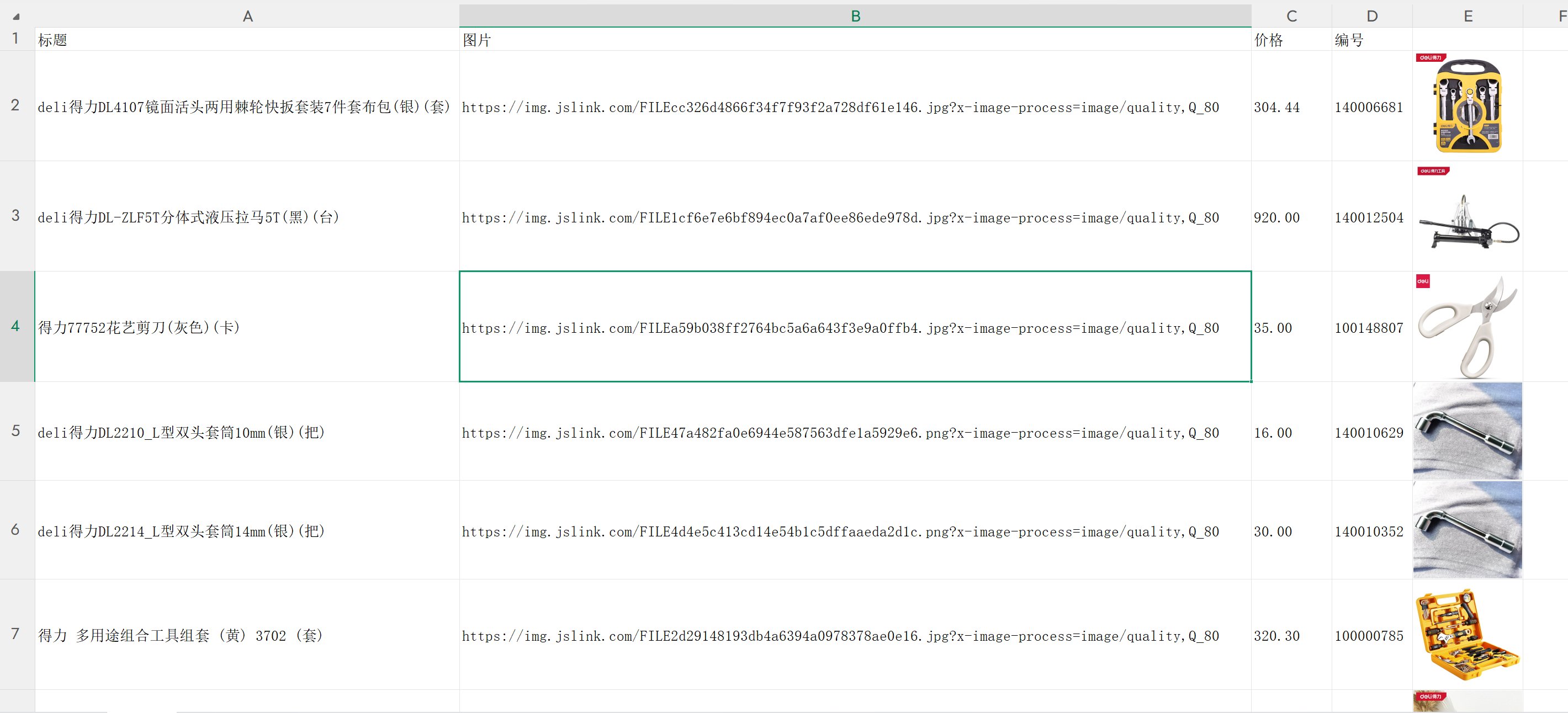
把 Excel 指定列的图片链接转成图片，插入到指定列(仅支持wps)

# 配置说明

## 输入

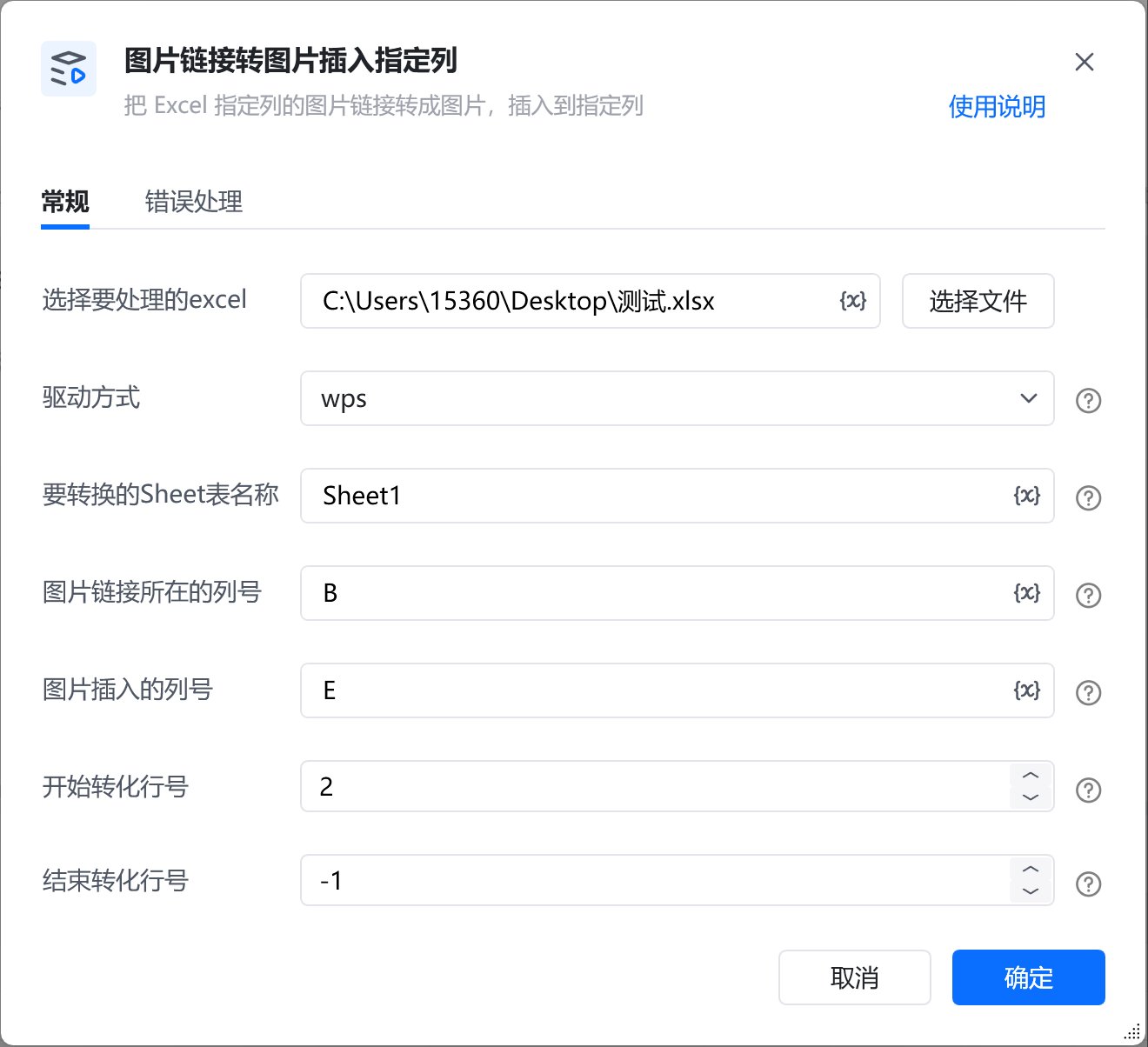
<strong>选择要处理的excel:</strong>

选择需要处理的excel

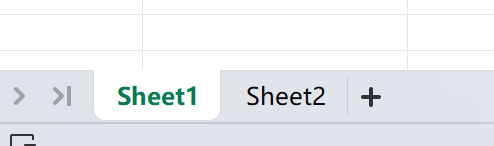
<strong>要转换的Sheet表名称:</strong>

填写要转换的Sheet表名称，例如：Sheet1

<img src="https://mintcdn.com/bazhuayu-rpa-docs/fkelk-KKO1W71Pr3/helpcenter/commands/custom-commands/j3MiFQmW/images/M4UgaP5Z-01.png?fit=max&auto=format&n=fkelk-KKO1W71Pr3&q=85&s=c5542cfef2e56aafdc4112583aa4c724" alt="image" width="494" height="146" data-path="helpcenter/commands/custom-commands/j3MiFQmW/images/M4UgaP5Z-01.png" />

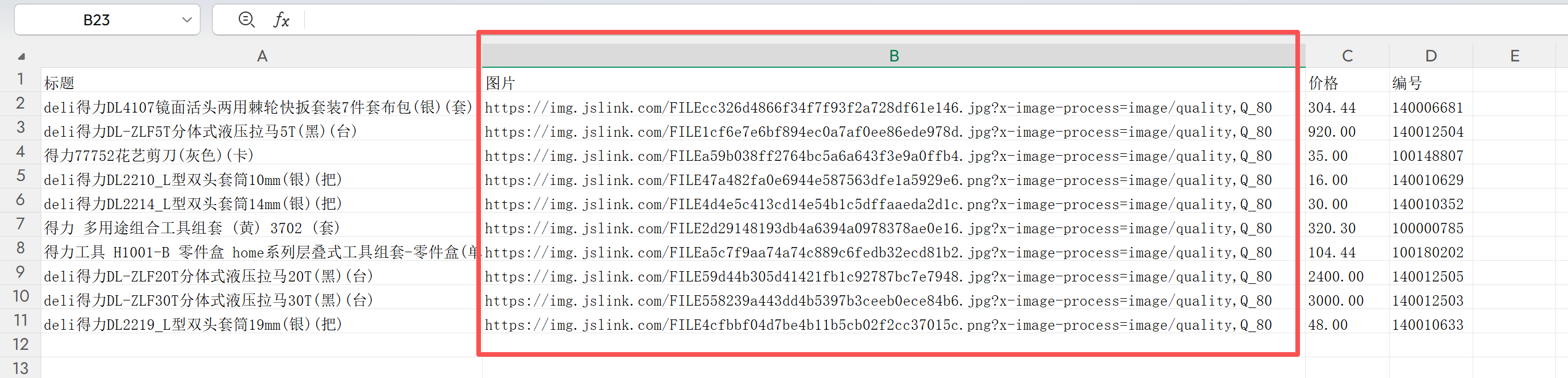
<strong>图片链接所在的列号:</strong>

填写图片链接所在的列号，例如：B

<img src="https://mintcdn.com/bazhuayu-rpa-docs/fkelk-KKO1W71Pr3/helpcenter/commands/custom-commands/j3MiFQmW/images/M4UgaP5Z-02.png?fit=max&auto=format&n=fkelk-KKO1W71Pr3&q=85&s=44cf2c228bc18d38e7eff9dc16f6aca1" alt="image" width="2732" height="658" data-path="helpcenter/commands/custom-commands/j3MiFQmW/images/M4UgaP5Z-02.png" />

<strong>图片插入的列:</strong>

填写图片插入的列号，例如：C

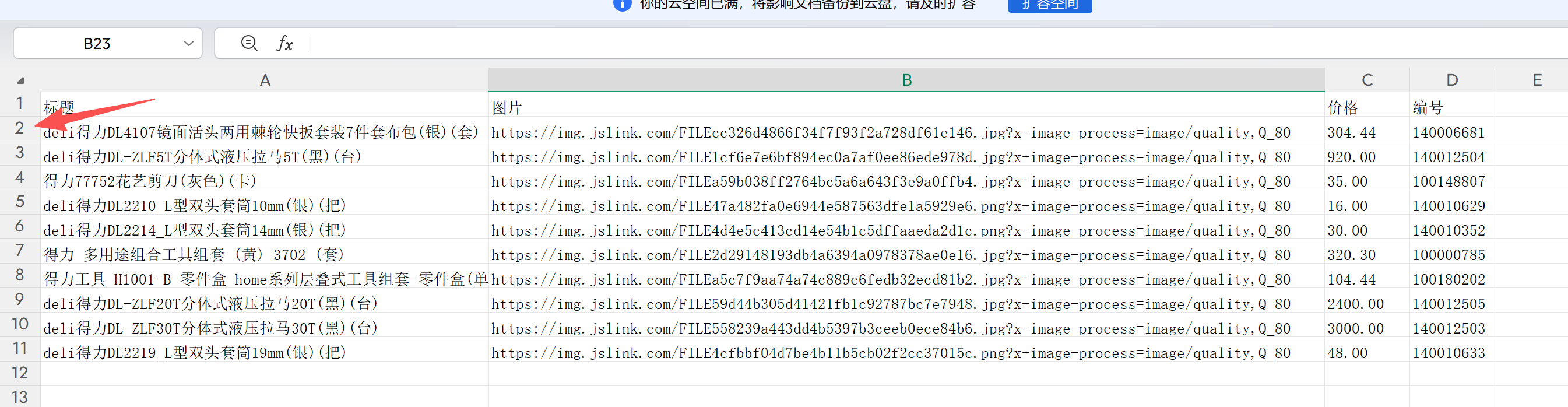
<strong>开始转化行号:</strong>

填写你想开始转化的行号，例如：2（一般第1行为表头，所以从2行开始）

<img src="https://mintcdn.com/bazhuayu-rpa-docs/fkelk-KKO1W71Pr3/helpcenter/commands/custom-commands/j3MiFQmW/images/M4UgaP5Z-03.png?fit=max&auto=format&n=fkelk-KKO1W71Pr3&q=85&s=c18df1bfb8b640236e6f4365e866b75e" alt="image" width="2690" height="698" data-path="helpcenter/commands/custom-commands/j3MiFQmW/images/M4UgaP5Z-03.png" />

<strong>结束转化行号:</strong>

填写你想结束转化的行号，例如：10（若想转化全部，可填-1）

## 输出

该指令无参数输出

## 使用示例

<img src="https://mintcdn.com/bazhuayu-rpa-docs/fkelk-KKO1W71Pr3/helpcenter/commands/custom-commands/j3MiFQmW/images/M4UgaP5Z-04.png?fit=max&auto=format&n=fkelk-KKO1W71Pr3&q=85&s=bfa53a8aa8320570fd4524256bf5cb32" alt="image" width="1320" height="1204" data-path="helpcenter/commands/custom-commands/j3MiFQmW/images/M4UgaP5Z-04.png" />

<img src="https://mintcdn.com/bazhuayu-rpa-docs/fkelk-KKO1W71Pr3/helpcenter/commands/custom-commands/j3MiFQmW/images/M4UgaP5Z-05.png?fit=max&auto=format&n=fkelk-KKO1W71Pr3&q=85&s=27a6ed9ba4e1db8441316160feb9b150" alt="image" width="2840" height="1292" data-path="helpcenter/commands/custom-commands/j3MiFQmW/images/M4UgaP5Z-05.png" />

<Info>
  使用指令过程中遇到问题？前往 [八爪鱼RPA 开发者社区问答板块](https://rpa.bazhuayu.com/community/questions) 提问，获取官方与社区帮助。
</Info>