> ## Documentation Index
> Fetch the complete documentation index at: https://rpa.bazhuayu.com/helpcenter/llms.txt
> Use this file to discover all available pages before exploring further.

# 首页-运营视窗整体看板数据获取

# <strong>首页-运营视窗整体看板数据获取描述</strong>

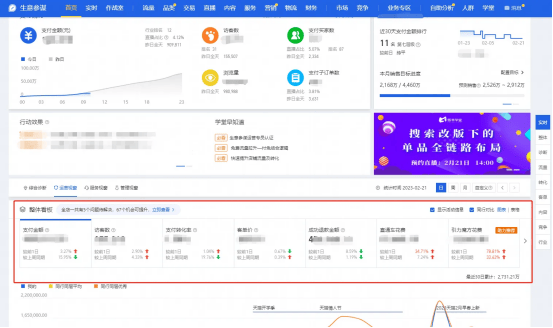
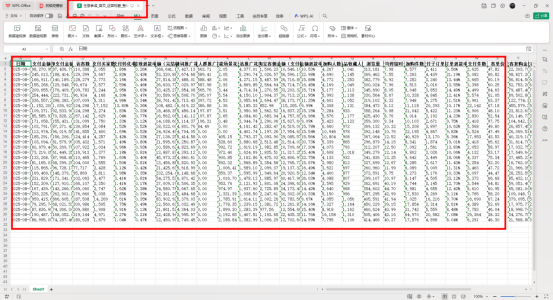
该指令实现了【生意参谋】->【首页】->【运营视窗】->【整体看板】部分的数据获取，并将数据写入到Excel文件保存到指定路径下；

<img src="https://mintcdn.com/bazhuayu-rpa-docs/AQoj0la5o3OJK8xY/helpcenter/commands/custom-commands/msJPZK69/images/bxHz5Yeb-01.png?fit=max&auto=format&n=AQoj0la5o3OJK8xY&q=85&s=ef161d58c69386580a7f554438ac173c" alt="image" width="553" height="328" data-path="helpcenter/commands/custom-commands/msJPZK69/images/bxHz5Yeb-01.png" />

# <strong>配置说明</strong>

## <strong>适用的浏览器类型</strong>

1. Google Chrome浏览器

## <strong>输入</strong>

保存文件夹：请输入数据文件保存的文件夹路径

网页对象：获取打开的浏览器对象

日期类型：选择想要取数的时间日期类型(日，周，月)

## <strong>输出</strong>

输出文件路径：输出数据文件的路径

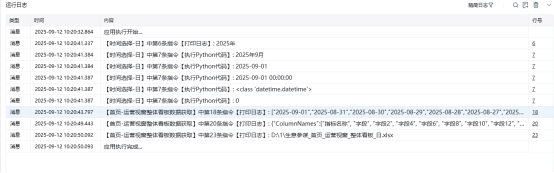
## <strong>运行日志</strong>

<img src="https://mintcdn.com/bazhuayu-rpa-docs/AQoj0la5o3OJK8xY/helpcenter/commands/custom-commands/msJPZK69/images/bxHz5Yeb-02.png?fit=max&auto=format&n=AQoj0la5o3OJK8xY&q=85&s=032235ff510d0e547f3a8cc0dbd4a580" alt="image" width="554" height="173" data-path="helpcenter/commands/custom-commands/msJPZK69/images/bxHz5Yeb-02.png" />

## <strong>数据展示</strong>

<img src="https://mintcdn.com/bazhuayu-rpa-docs/AQoj0la5o3OJK8xY/helpcenter/commands/custom-commands/msJPZK69/images/bxHz5Yeb-03.png?fit=max&auto=format&n=AQoj0la5o3OJK8xY&q=85&s=39f7ff614401984aea851fac53322b00" alt="image" width="553" height="300" data-path="helpcenter/commands/custom-commands/msJPZK69/images/bxHz5Yeb-03.png" />

<Info>
  使用指令过程中遇到问题？前往 [八爪鱼RPA 开发者社区问答板块](https://rpa.bazhuayu.com/community/questions) 提问，获取官方与社区帮助。
</Info>