> ## Documentation Index
> Fetch the complete documentation index at: https://rpa.bazhuayu.com/helpcenter/llms.txt
> Use this file to discover all available pages before exploring further.

# 营销-内容概览

# 描述

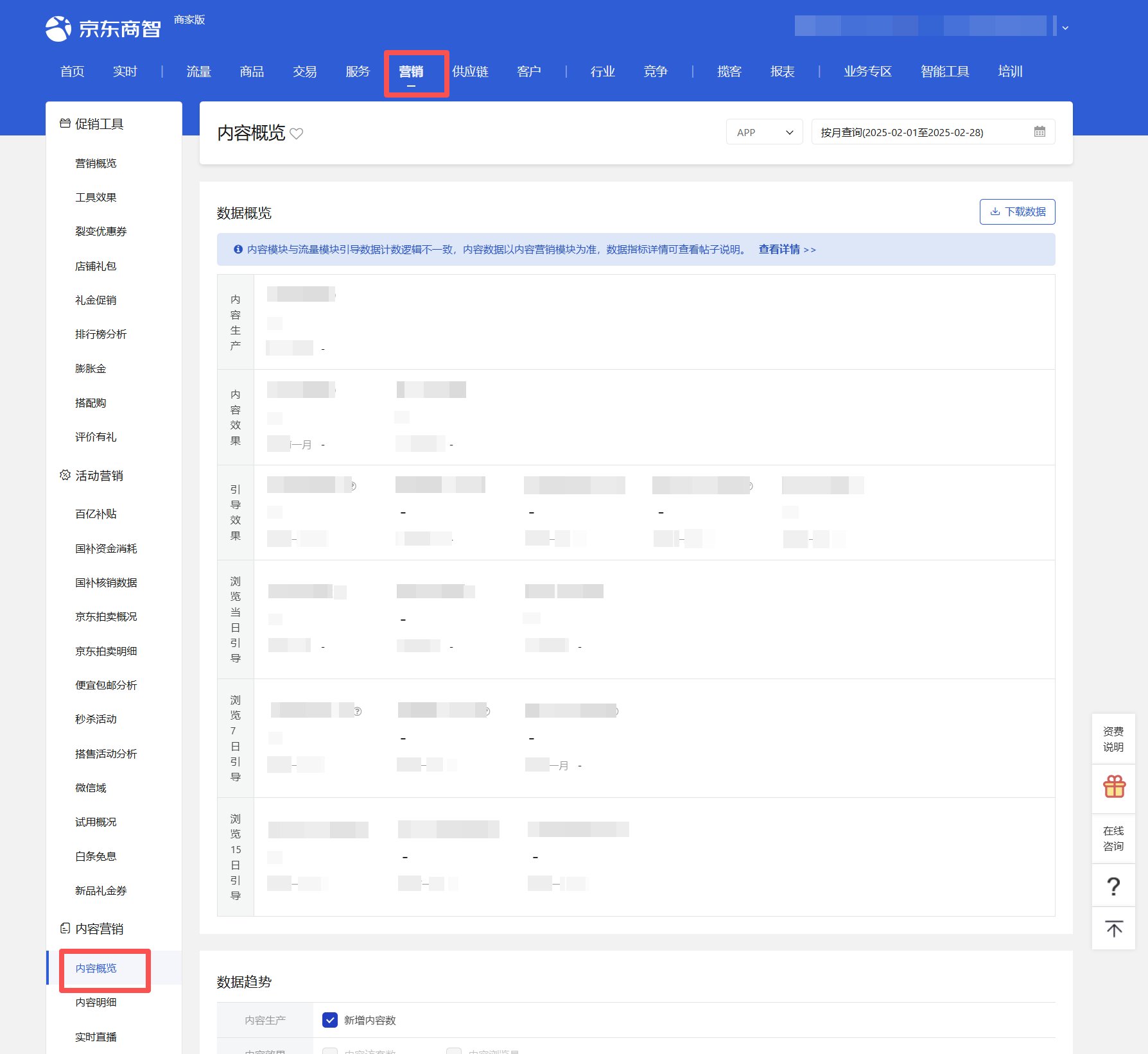
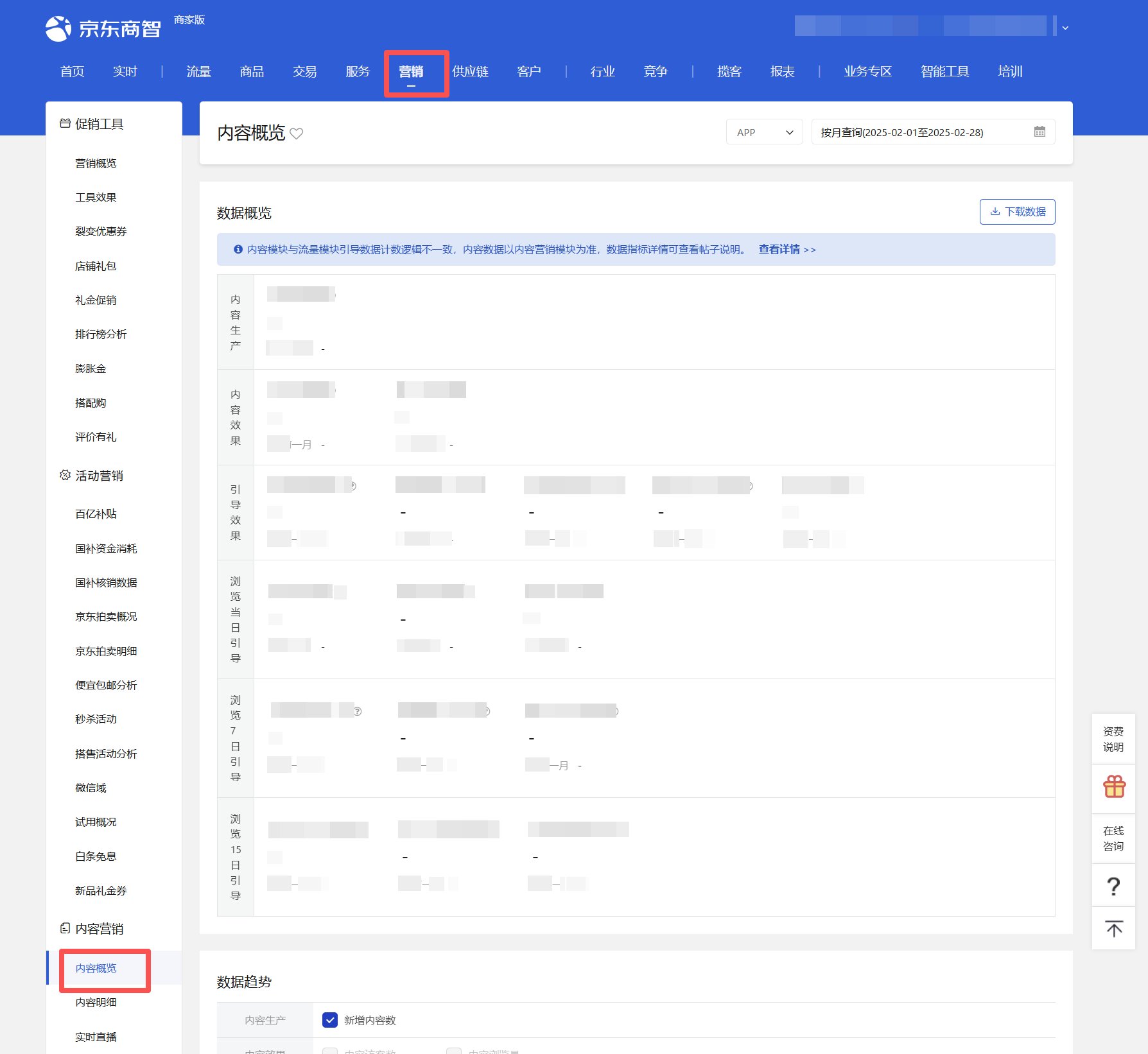
该指令实现获取营销-内容概览页面数据概览、类型分布数据, 并下载数据文件到指定位置
<img src="https://mintcdn.com/bazhuayu-rpa-docs/4W5J52gbJSzg7g9B/helpcenter/commands/custom-commands/p798DRLy/images/u8zcFMK1-01.png?fit=max&auto=format&n=4W5J52gbJSzg7g9B&q=85&s=748bb5172d59e710f25b0a93cd6d58db" alt="image" width="1788" height="1642" data-path="helpcenter/commands/custom-commands/p798DRLy/images/u8zcFMK1-01.png" />

# 配置项说明

## 指令输入

#### 网页对象：

任意一个已登录京东商智商家版后台营销-内容概览页面的网页对象

<img src="https://mintcdn.com/bazhuayu-rpa-docs/4W5J52gbJSzg7g9B/helpcenter/commands/custom-commands/p798DRLy/images/u8zcFMK1-02.png?fit=max&auto=format&n=4W5J52gbJSzg7g9B&q=85&s=d843a1061e292dd4747388d577353ffb" alt="image" width="1788" height="1642" data-path="helpcenter/commands/custom-commands/p798DRLy/images/u8zcFMK1-02.png" />

#### 数据板块：

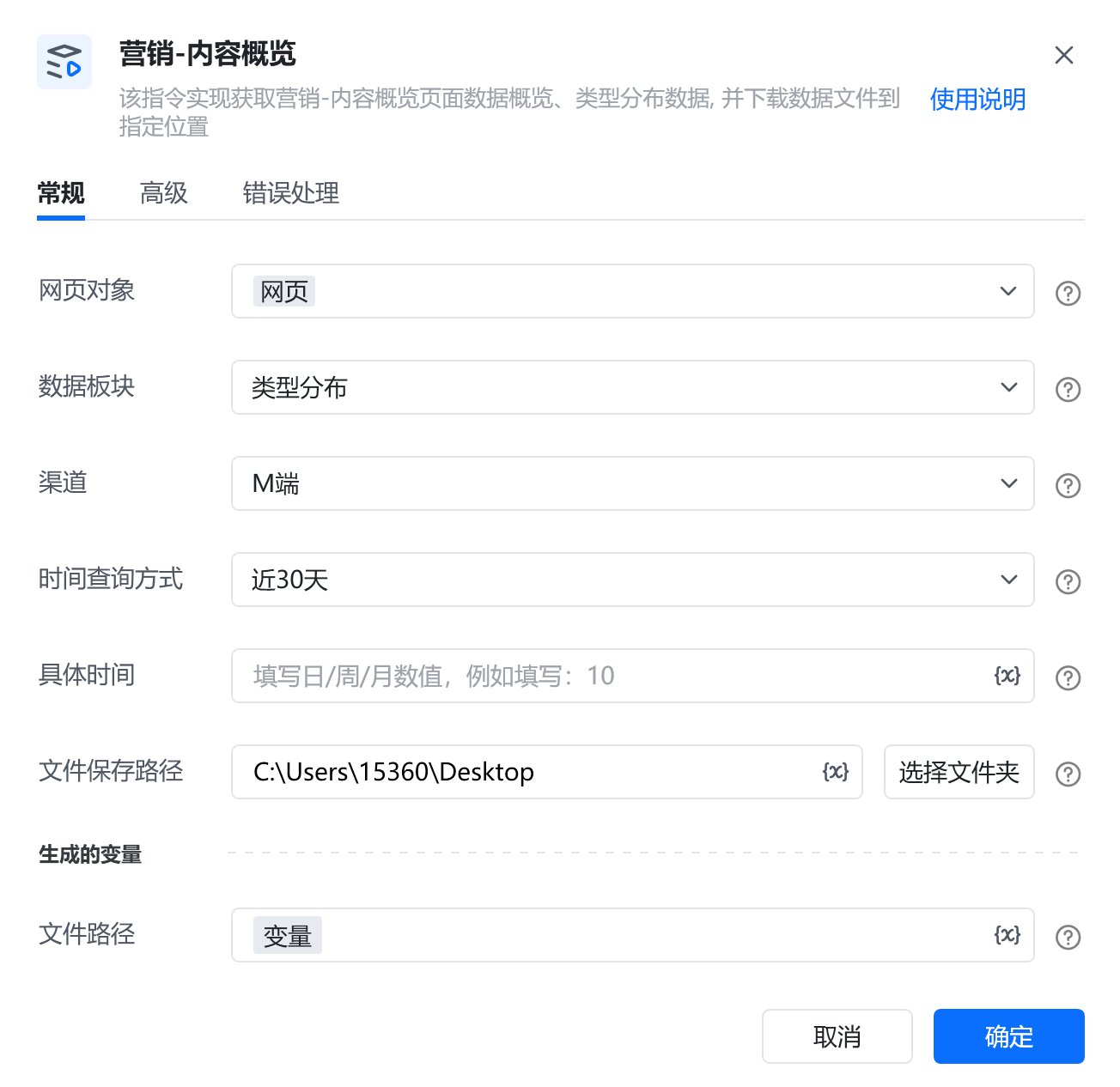
下拉框，可选择：数据概览、类型分布，必填项

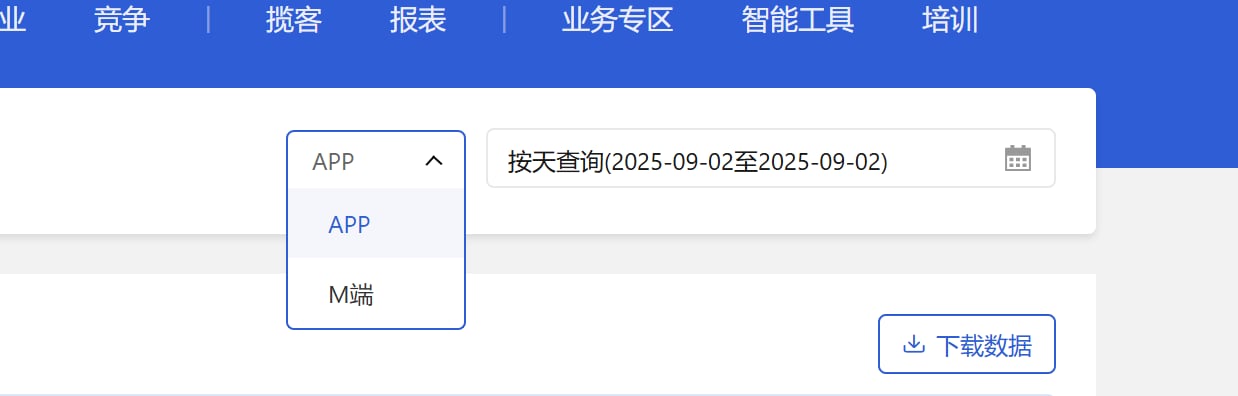
#### 渠道：

下拉框，可选：APP、M端，选填，若不填则默认APP

<img src="https://mintcdn.com/bazhuayu-rpa-docs/4W5J52gbJSzg7g9B/helpcenter/commands/custom-commands/p798DRLy/images/u8zcFMK1-03.png?fit=max&auto=format&n=4W5J52gbJSzg7g9B&q=85&s=b8149262db9ea66dfbf528b6b72b22b2" alt="image" width="1238" height="396" data-path="helpcenter/commands/custom-commands/p798DRLy/images/u8zcFMK1-03.png" />

#### 时间查询方式：

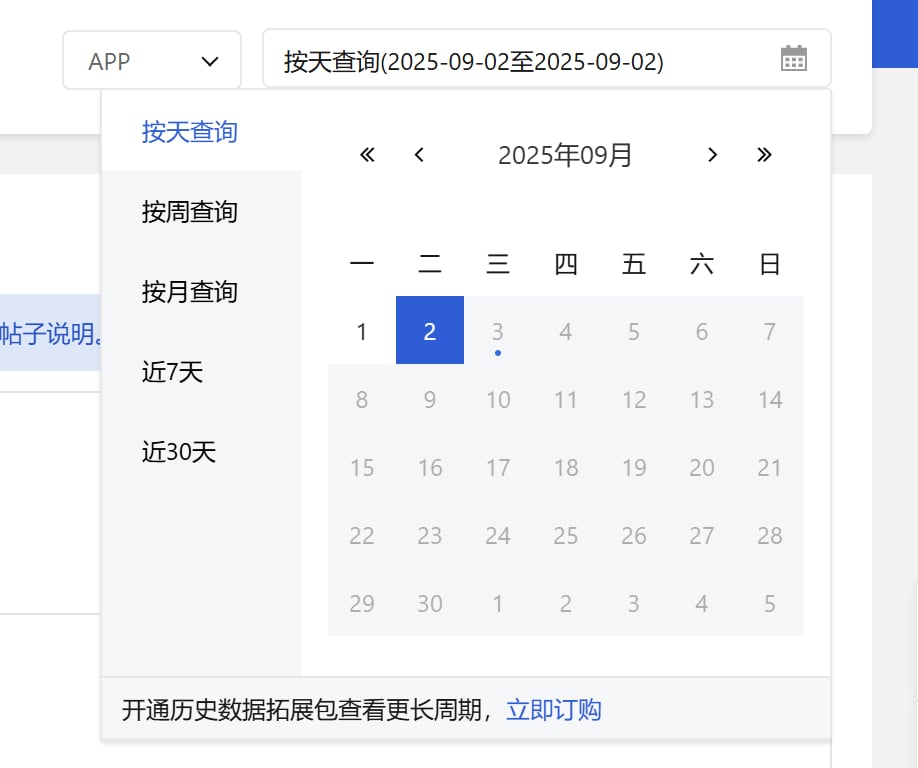
下拉框，可选择：按天查询、按周查询、按月查询、近7天、近30天，选填，若不填则使用平台默认值

<img src="https://mintcdn.com/bazhuayu-rpa-docs/4W5J52gbJSzg7g9B/helpcenter/commands/custom-commands/p798DRLy/images/u8zcFMK1-04.png?fit=max&auto=format&n=4W5J52gbJSzg7g9B&q=85&s=af018483028b25c2157f97a3868456c6" alt="image" width="918" height="768" data-path="helpcenter/commands/custom-commands/p798DRLy/images/u8zcFMK1-04.png" />

#### 具体时间：

填写具体时间，格式：YYYY-MM-DD，例如：2025-08-01

#### 文件保存路径：

下载的文件保存的文件夹路径，支持本地文件夹预览和变量传参，必填项

#### 自定义文件名：

下载或生成文件保存的名称，选填，若不填则使用平台默认值

## 指令输出

#### 文件路径：

返回文本类型，完整的文件下载路径

# 使用示例

<img src="https://mintcdn.com/bazhuayu-rpa-docs/4W5J52gbJSzg7g9B/helpcenter/commands/custom-commands/p798DRLy/images/u8zcFMK1-05.png?fit=max&auto=format&n=4W5J52gbJSzg7g9B&q=85&s=92c6632500e7ec56e2406264888e49ef" alt="image" width="1304" height="1266" data-path="helpcenter/commands/custom-commands/p798DRLy/images/u8zcFMK1-05.png" />

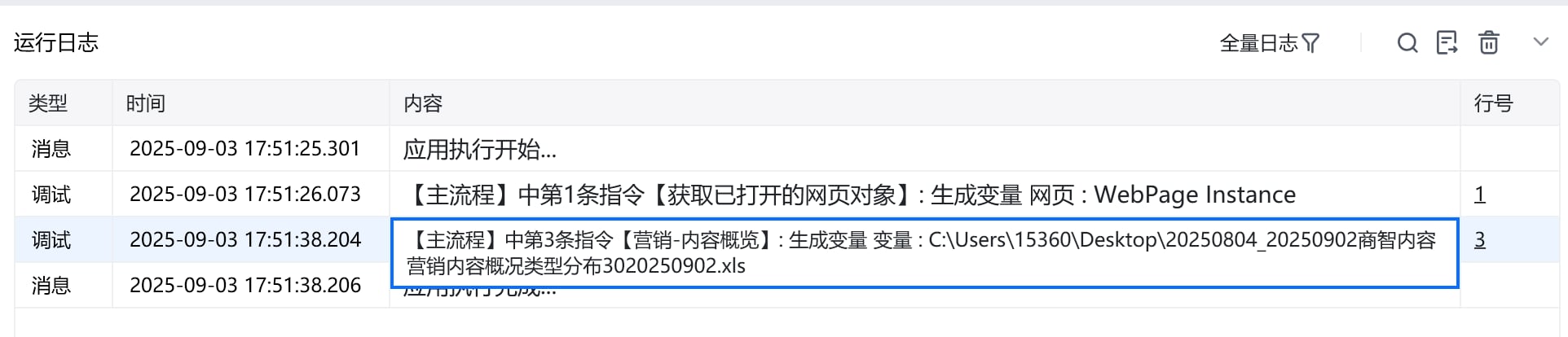
# 运行结果

<img src="https://mintcdn.com/bazhuayu-rpa-docs/4W5J52gbJSzg7g9B/helpcenter/commands/custom-commands/p798DRLy/images/u8zcFMK1-06.png?fit=max&auto=format&n=4W5J52gbJSzg7g9B&q=85&s=fd882c2c1bb9ff93ef917e53ad61b753" alt="image" width="1924" height="414" data-path="helpcenter/commands/custom-commands/p798DRLy/images/u8zcFMK1-06.png" />

<img src="https://mintcdn.com/bazhuayu-rpa-docs/4W5J52gbJSzg7g9B/helpcenter/commands/custom-commands/p798DRLy/images/u8zcFMK1-07.png?fit=max&auto=format&n=4W5J52gbJSzg7g9B&q=85&s=7f13a46e4c93ebb1d9c8d1504f83d66c" alt="image" width="2792" height="302" data-path="helpcenter/commands/custom-commands/p798DRLy/images/u8zcFMK1-07.png" />

<Info>
  使用指令过程中遇到问题？前往 [八爪鱼RPA 开发者社区问答板块](https://rpa.bazhuayu.com/community/questions) 提问，获取官方与社区帮助。
</Info>