> ## Documentation Index
> Fetch the complete documentation index at: https://rpa.bazhuayu.com/helpcenter/llms.txt
> Use this file to discover all available pages before exploring further.
# 机器人接收消息
# 指令输入
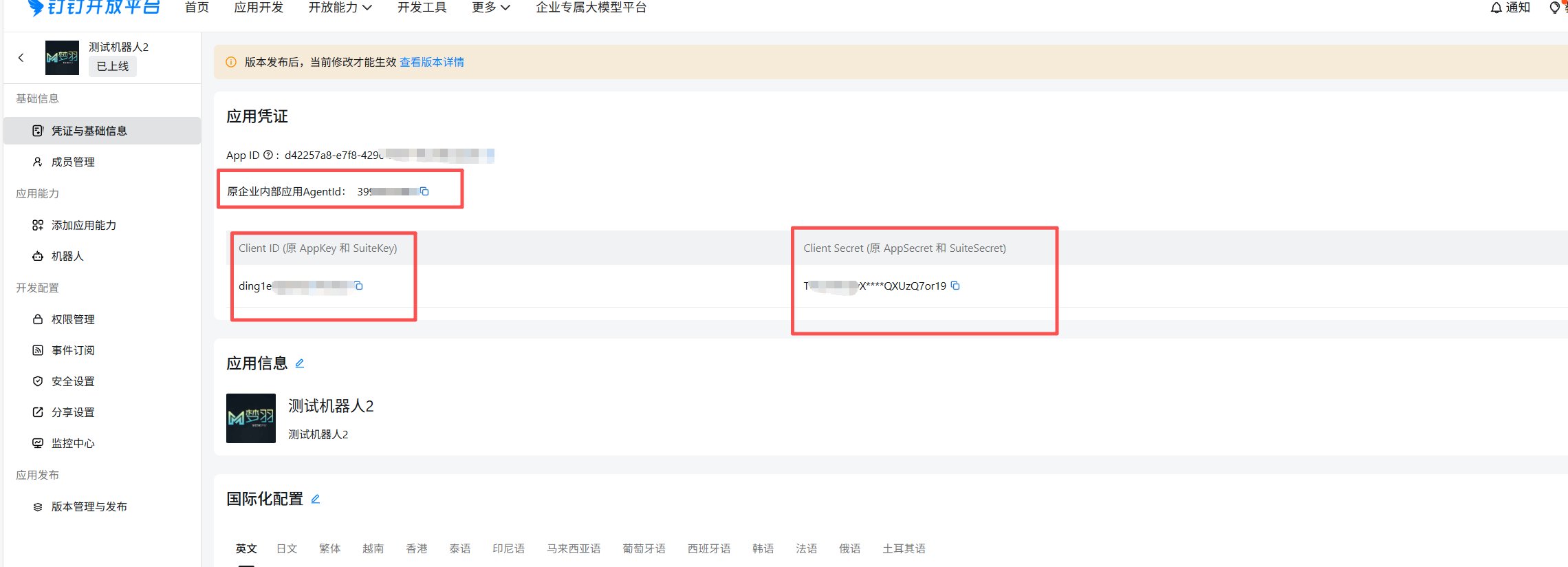
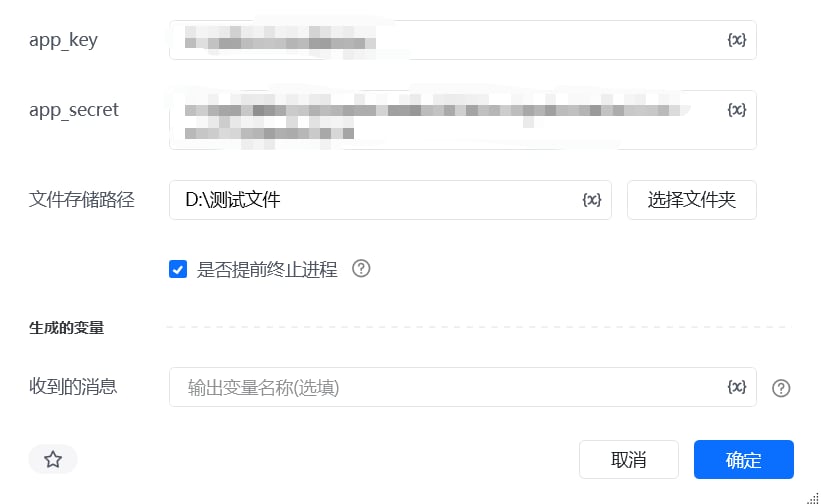 app\_key:获取方式如下
app\_secret: 获取方式如下
文件存储路径:用来存放输出消息文件的路径。
是否提前终止进程:布尔值类型
收到的消息:当选择提前终止进程时,会返回当前收到的消息
当是否提前终止进程为false:机器人会持续监听钉钉消息,并将接收到的消息数据写入日志文件;日志文件按自然日划分,每日生成一个独立文件,存储路径格式为:文件夹路径\YYYYMMDD.txt(例如:D:\ 测试文件 \20260228.txt)。
当是否提前终止进程为True:机器人仅监听一条钉钉消息,收到消息后立即停止监听;监听到的消息数据会写入按自然日划分的日志文件(路径格式:文件夹路径\YYYYMMDD.txt,示例:D:\ 测试文件 \20260228.txt,每日生成一个独立文件),同时返回该条消息的文本内容。
企业内部应用获取 AppKey 和 AppSecret,开通机器人
打开网址[https://open-dev.dingtalk.com/fe/app](https://open-dev.dingtalk.com/fe/app) 登录钉钉开发者后台
1.创建企业内部应用
app\_key:获取方式如下
app\_secret: 获取方式如下
文件存储路径:用来存放输出消息文件的路径。
是否提前终止进程:布尔值类型
收到的消息:当选择提前终止进程时,会返回当前收到的消息
当是否提前终止进程为false:机器人会持续监听钉钉消息,并将接收到的消息数据写入日志文件;日志文件按自然日划分,每日生成一个独立文件,存储路径格式为:文件夹路径\YYYYMMDD.txt(例如:D:\ 测试文件 \20260228.txt)。
当是否提前终止进程为True:机器人仅监听一条钉钉消息,收到消息后立即停止监听;监听到的消息数据会写入按自然日划分的日志文件(路径格式:文件夹路径\YYYYMMDD.txt,示例:D:\ 测试文件 \20260228.txt,每日生成一个独立文件),同时返回该条消息的文本内容。
企业内部应用获取 AppKey 和 AppSecret,开通机器人
打开网址[https://open-dev.dingtalk.com/fe/app](https://open-dev.dingtalk.com/fe/app) 登录钉钉开发者后台
1.创建企业内部应用
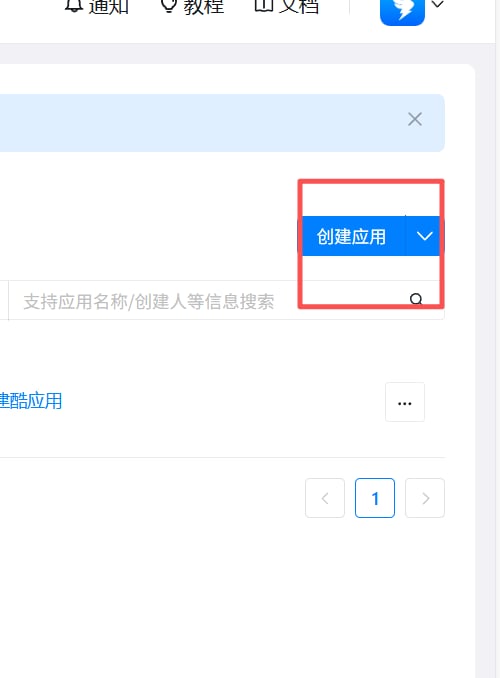 2.填写创建应用相关信息:
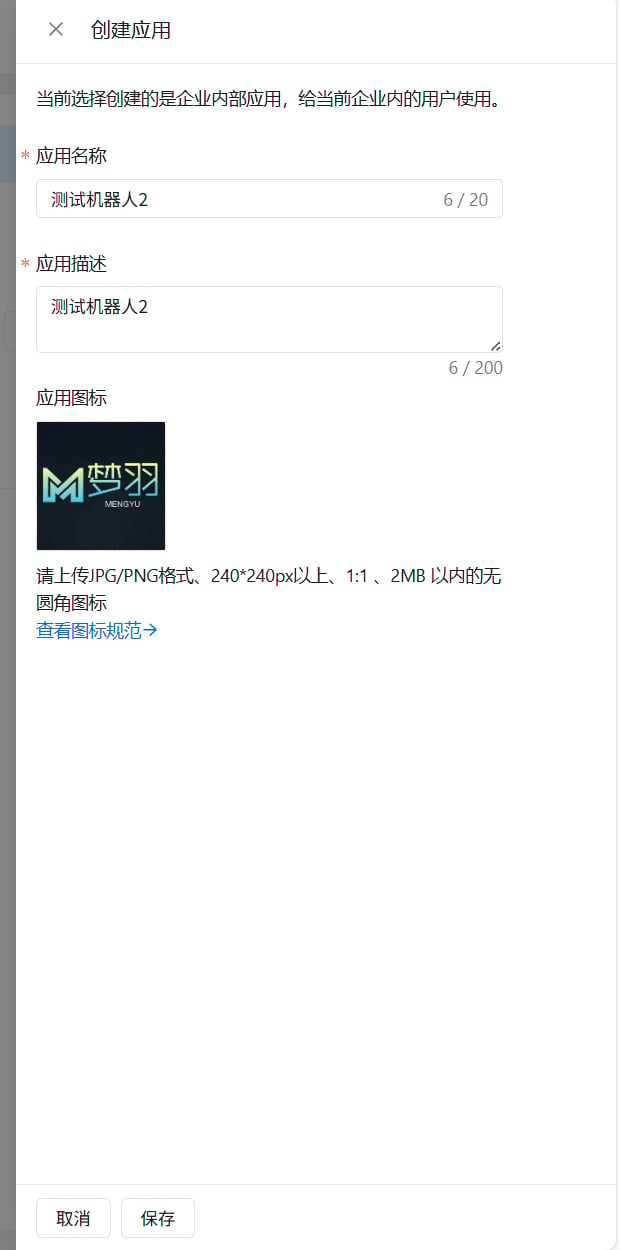 3.添加机器人
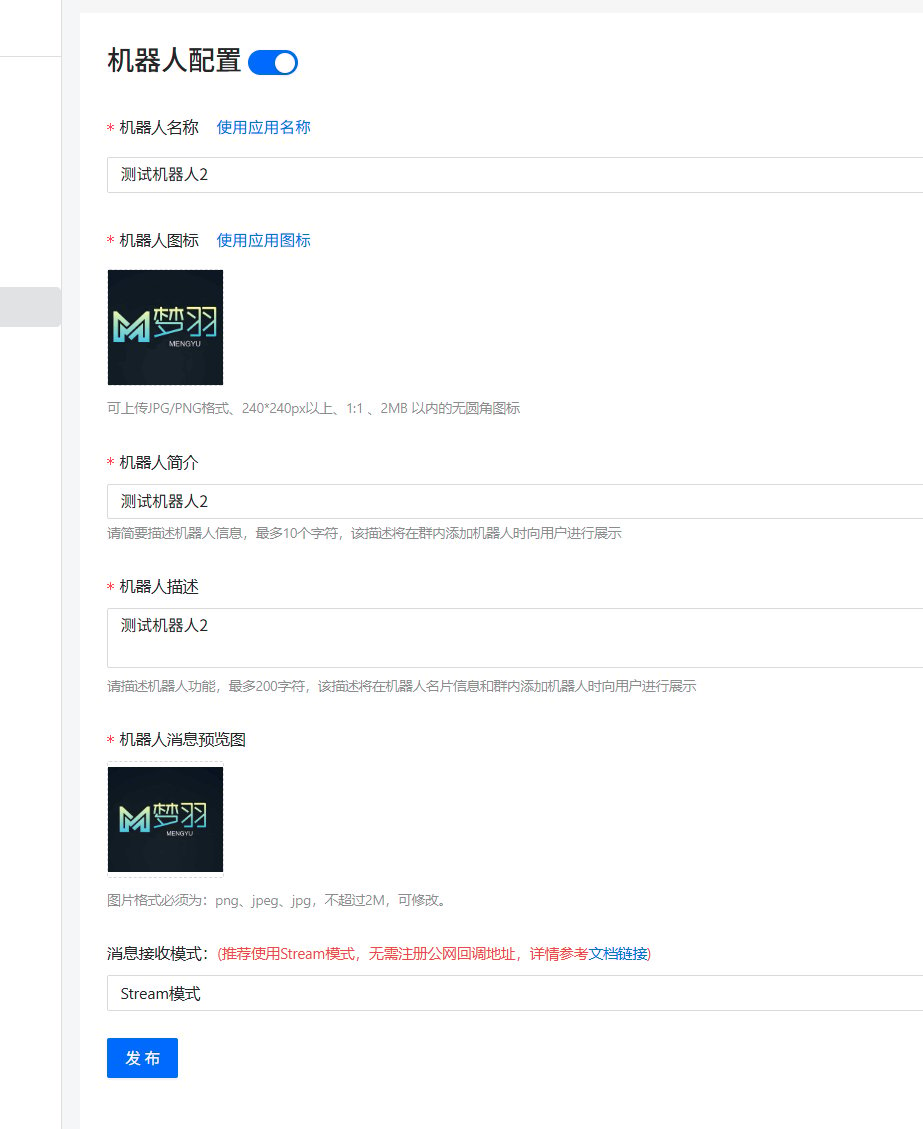
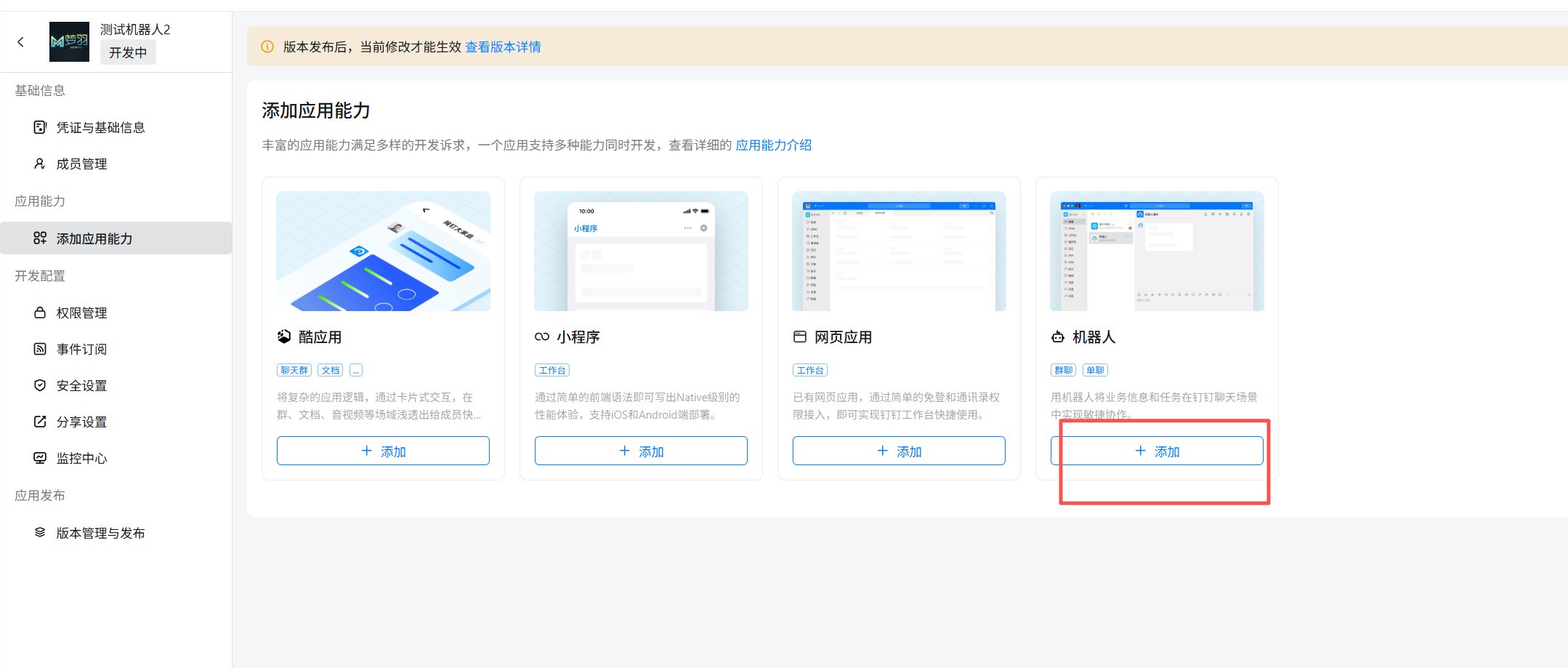 4.机器人配置并发布机器人
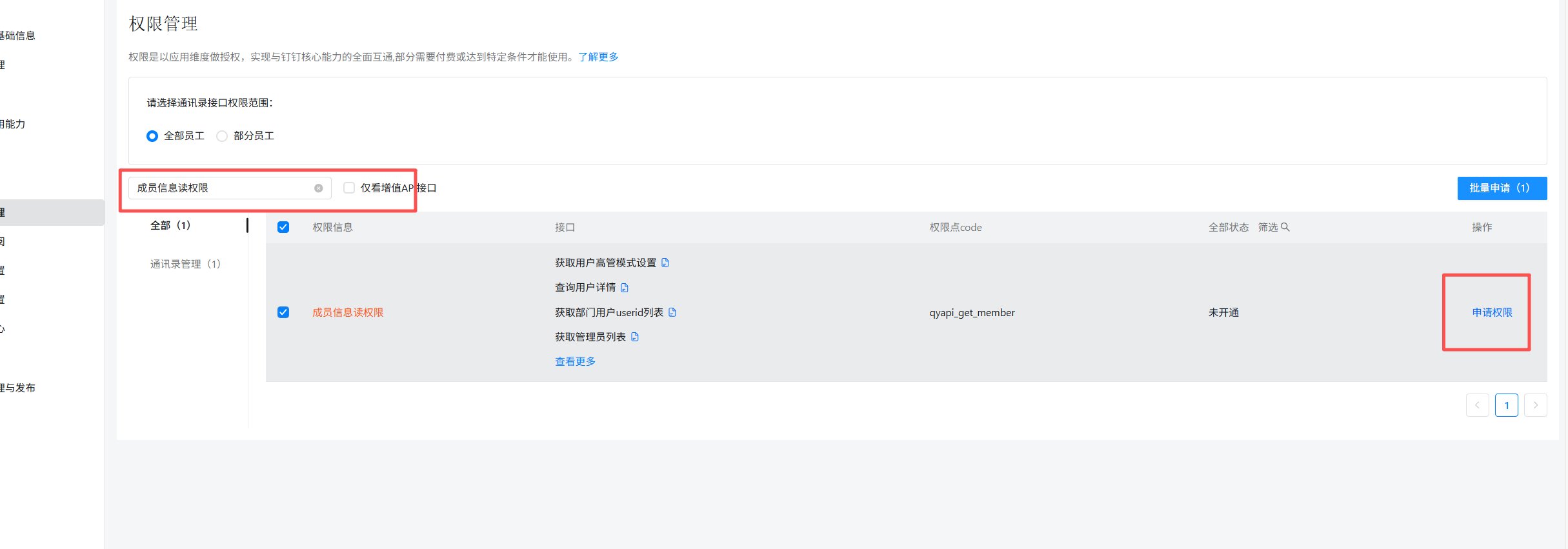
 5.需开通一下权限: 成员信息读权限,调用企业API基础权限,企业内机器人发送消息权限,3个权限都需要开通
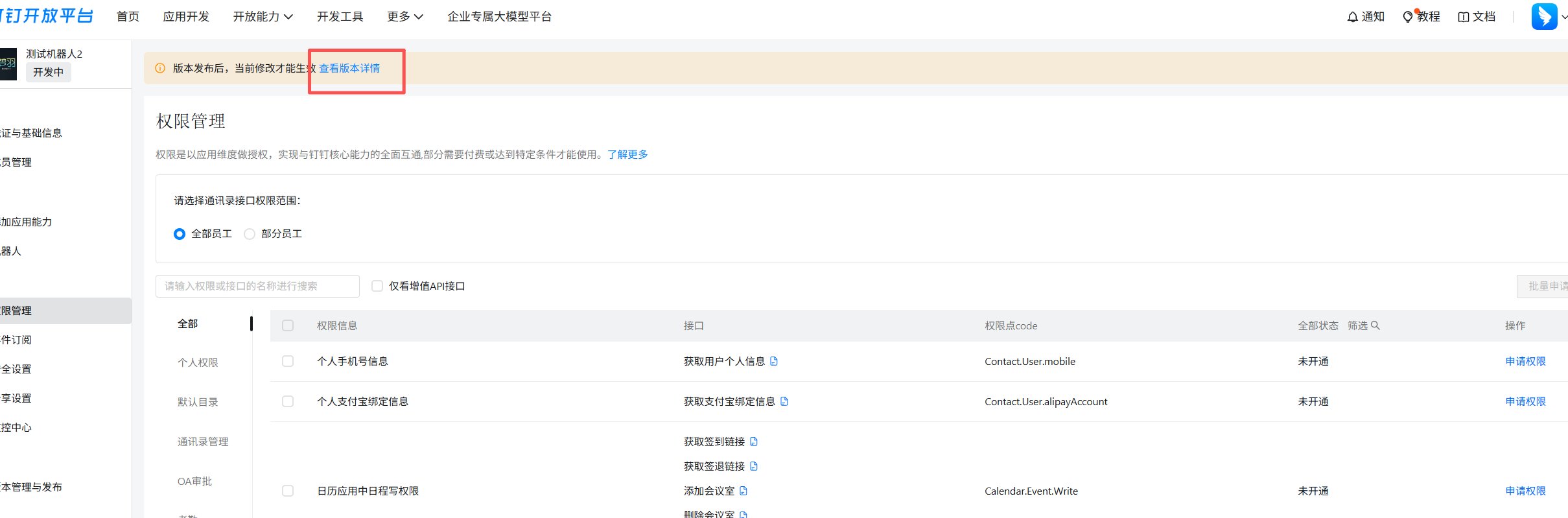
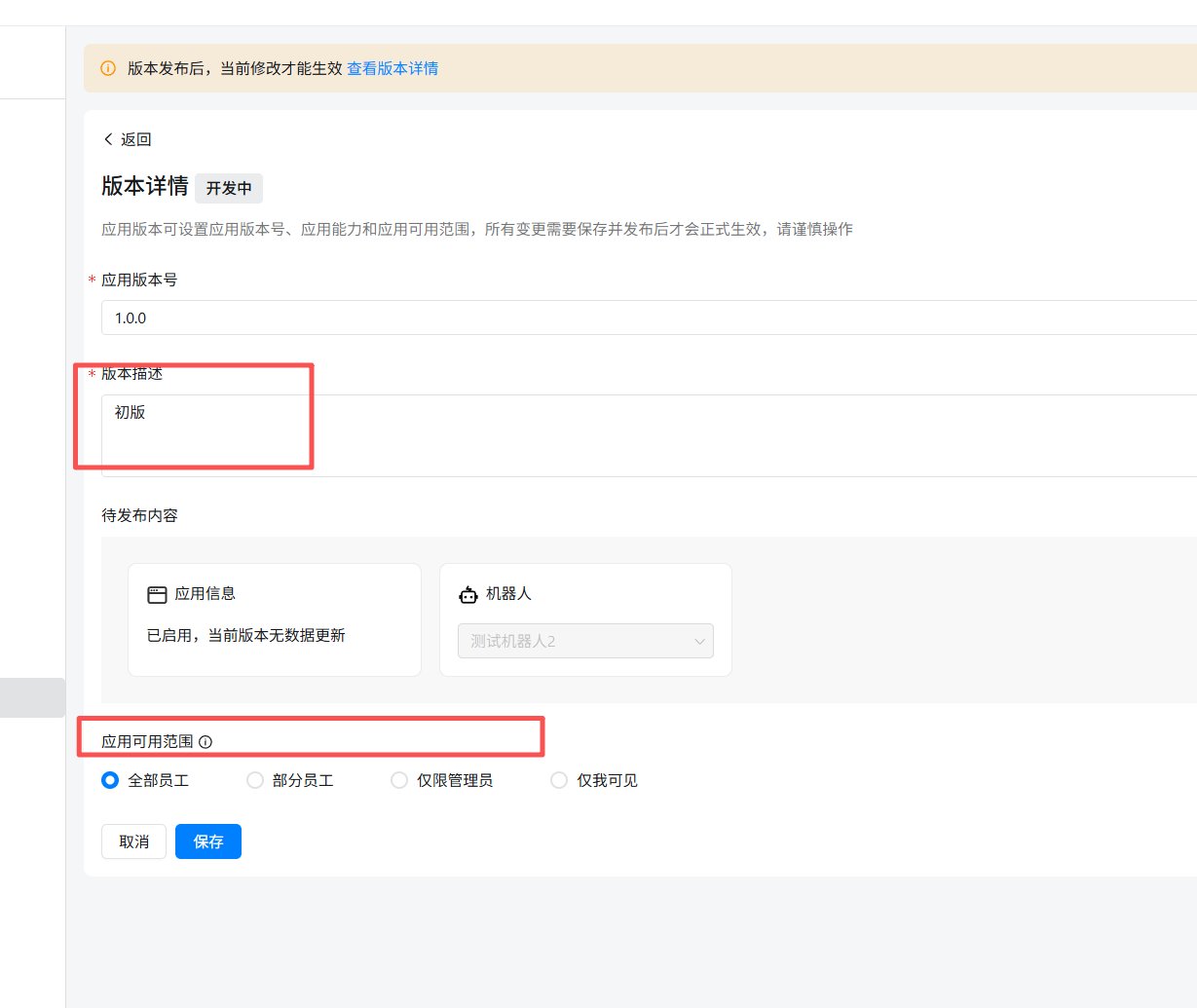
 6.应用发布:
点击查看版本详情
6.应用发布:
点击查看版本详情
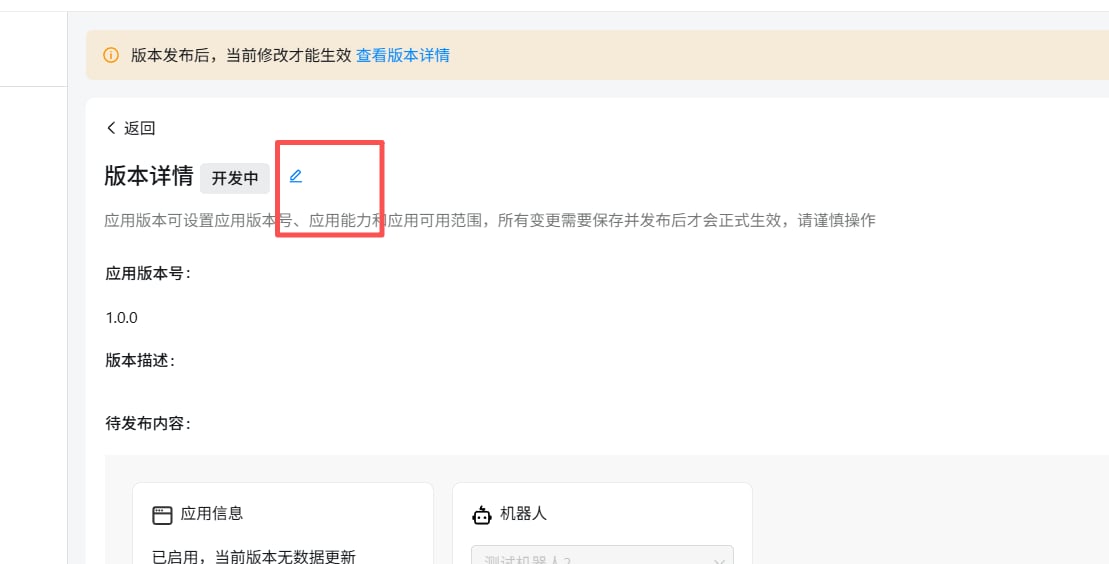
 点击编辑标志,把版本信息补充完整
 ### 获取 AppKey 和 AppSecret
 ## 应用功能介绍:
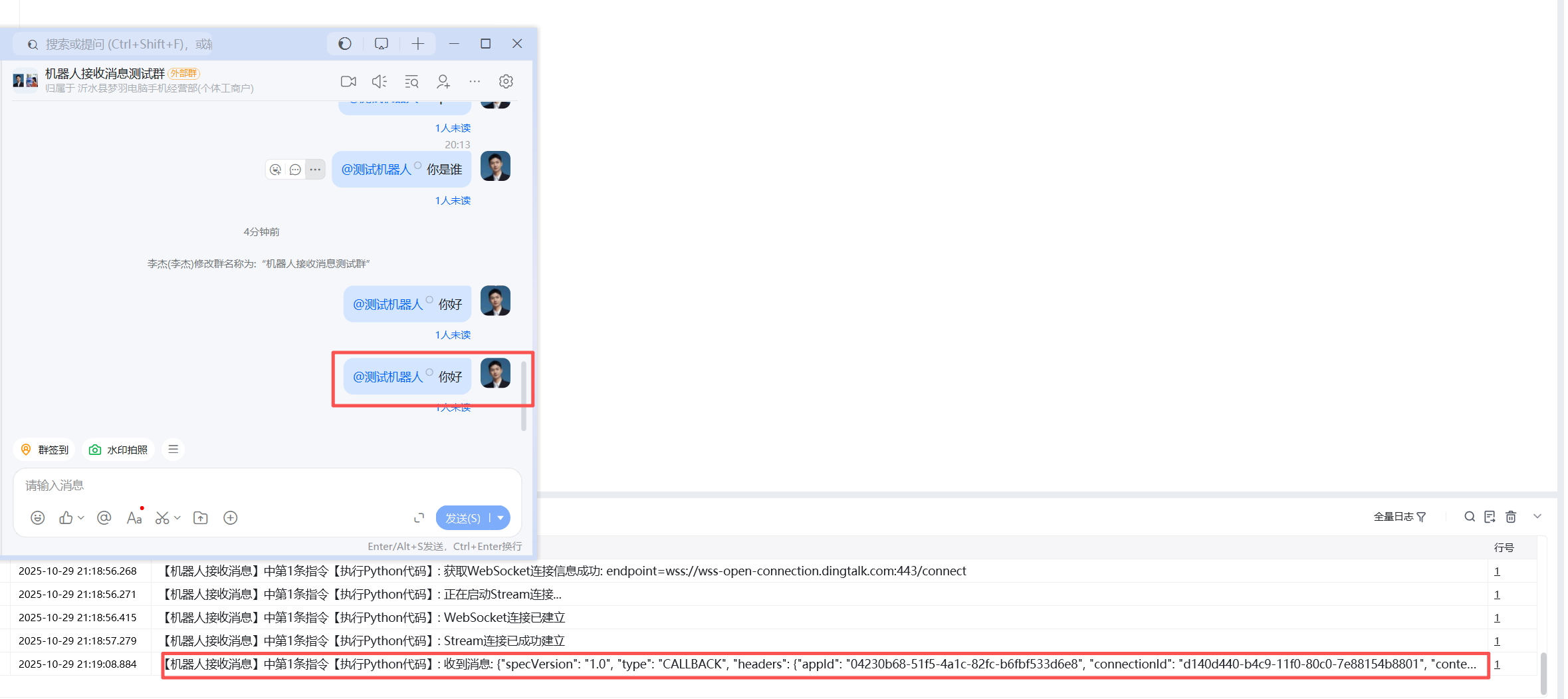
开发完成后,你需要添加机器人入群[添加机器人入群](https://open.dingtalk.com/document/dingstart/add-robot-to-group#),当你@机器人发送“你好”,服务端接收消息格式如下:
## 应用功能介绍:
开发完成后,你需要添加机器人入群[添加机器人入群](https://open.dingtalk.com/document/dingstart/add-robot-to-group#),当你@机器人发送“你好”,服务端接收消息格式如下:
 \{
"specVersion": "1.0",
"type": "CALLBACK",
"headers": \{
"appId": "04230b68-51f5-4a1c-82fc-b6fbf533d6e8",
"connectionId": "d140d440-b4c9-11f0-80c0-7e88154b8801",
"contentType": "application/json",
"messageId": "bf8fbd2\_cb7\_19a253627d1\_be1219",
"time": "1761743946669",
"topic": "/v1.0/im/bot/messages/get"
},
"data": "\{"senderPlatform":"Win","conversationId":"cidOiieLDYJxHfrB1hBWzQpEQ==","atUsers":\[\{"dingtalkId":"$:LWCP_v1:$8DTBn0eia1aGdGgC6f7xwcA7d/J5O826"}],"chatbotCorpId":"dingd8b60689774870bd4ac5d6980864d335","chatbotUserId":"$:LWCP_v1:$8DTBn0eia1aGdGgC6f7xwcA7d/J5O826","openThreadId":"cidOiieLDYJxHfrB1hBWzQpEQ==","msgId":"msg7P5xLAscj5F9hsF92D5fxA==","senderNick":"李杰","isAdmin":true,"senderStaffId":"014642481450846306","sessionWebhookExpiredTime":1761749346646,"createAt":1761743946379,"senderCorpId":"dingd8b60689774870bd4ac5d6980864d335","conversationType":"2","senderId":"$:LWCP_v1:$50JPibHrGYbxrBSiKEjpeeugJTCEnq7v","conversationTitle":"机器人接收消息测试群","isInAtList":true,"sessionWebhook":"[https://oapi.dingtalk.com/robot/sendBySession?session=42aaaa8895a53636c7cda100a5cb22ef\\",\\"senderUnionId\\":\\"XiSYLMsEjy52jBIYfHHiiIgwiEiE\\",\\"text\\":\\\{\\"content\\":\\](https://oapi.dingtalk.com/robot/sendBySession?session=42aaaa8895a53636c7cda100a5cb22ef\\",\\"senderUnionId\\":\\"XiSYLMsEjy52jBIYfHHiiIgwiEiE\\",\\"text\\":\\\{\\"content\\":\\)" 你好"},"robotCode":"dingbkjzpxkfcjlhfsat","msgtype":"text"}"
使用指令过程中遇到问题?前往 [八爪鱼RPA 开发者社区问答板块](https://rpa.bazhuayu.com/community/questions) 提问,获取官方与社区帮助。
\{
"specVersion": "1.0",
"type": "CALLBACK",
"headers": \{
"appId": "04230b68-51f5-4a1c-82fc-b6fbf533d6e8",
"connectionId": "d140d440-b4c9-11f0-80c0-7e88154b8801",
"contentType": "application/json",
"messageId": "bf8fbd2\_cb7\_19a253627d1\_be1219",
"time": "1761743946669",
"topic": "/v1.0/im/bot/messages/get"
},
"data": "\{"senderPlatform":"Win","conversationId":"cidOiieLDYJxHfrB1hBWzQpEQ==","atUsers":\[\{"dingtalkId":"$:LWCP_v1:$8DTBn0eia1aGdGgC6f7xwcA7d/J5O826"}],"chatbotCorpId":"dingd8b60689774870bd4ac5d6980864d335","chatbotUserId":"$:LWCP_v1:$8DTBn0eia1aGdGgC6f7xwcA7d/J5O826","openThreadId":"cidOiieLDYJxHfrB1hBWzQpEQ==","msgId":"msg7P5xLAscj5F9hsF92D5fxA==","senderNick":"李杰","isAdmin":true,"senderStaffId":"014642481450846306","sessionWebhookExpiredTime":1761749346646,"createAt":1761743946379,"senderCorpId":"dingd8b60689774870bd4ac5d6980864d335","conversationType":"2","senderId":"$:LWCP_v1:$50JPibHrGYbxrBSiKEjpeeugJTCEnq7v","conversationTitle":"机器人接收消息测试群","isInAtList":true,"sessionWebhook":"[https://oapi.dingtalk.com/robot/sendBySession?session=42aaaa8895a53636c7cda100a5cb22ef\\",\\"senderUnionId\\":\\"XiSYLMsEjy52jBIYfHHiiIgwiEiE\\",\\"text\\":\\\{\\"content\\":\\](https://oapi.dingtalk.com/robot/sendBySession?session=42aaaa8895a53636c7cda100a5cb22ef\\",\\"senderUnionId\\":\\"XiSYLMsEjy52jBIYfHHiiIgwiEiE\\",\\"text\\":\\\{\\"content\\":\\)" 你好"},"robotCode":"dingbkjzpxkfcjlhfsat","msgtype":"text"}"
使用指令过程中遇到问题?前往 [八爪鱼RPA 开发者社区问答板块](https://rpa.bazhuayu.com/community/questions) 提问,获取官方与社区帮助。