> ## Documentation Index
> Fetch the complete documentation index at: https://rpa.bazhuayu.com/helpcenter/llms.txt
> Use this file to discover all available pages before exploring further.

# 标记邮件

## 指令说明

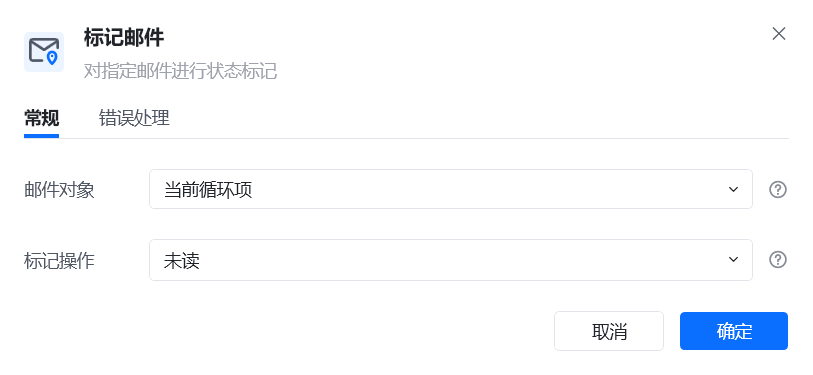
**描述：** 对指定的邮件标注为已读或未读

## 参数说明

<Tabs>
  <Tab title="常规">
    <img src="https://mintcdn.com/bazhuayu-rpa-docs/D5GDQBvL8QxS-YtY/helpcenter/commands/email/images/addflagtoemailcommand-03.png?fit=max&auto=format&n=D5GDQBvL8QxS-YtY&q=85&s=083f14763be8529112cc3074ca3ef082" alt="标记邮件指令参数面板" width="813" height="375" data-path="helpcenter/commands/email/images/addflagtoemailcommand-03.png" />

    | 参数       | 说明                                                            |
    | -------- | ------------------------------------------------------------- |
    | **邮件对象** | 选择需要标记的邮件对象。这个邮件得先从邮箱中获取，把获取到的邮箱列表依次进行循环，每个循环项即是每一封可以进行回复的邮件。 |
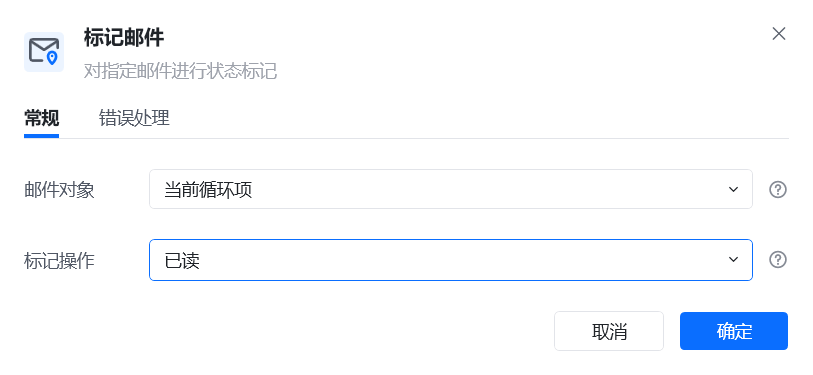
    | **标记操作** | 可以标记为已读或未读                                                    |
  </Tab>

  <Tab title="高级">
    本指令暂无高级参数。
  </Tab>
</Tabs>

## 使用示例

<img src="https://mintcdn.com/bazhuayu-rpa-docs/D5GDQBvL8QxS-YtY/helpcenter/commands/email/images/addflagtoemailcommand-04.png?fit=max&auto=format&n=D5GDQBvL8QxS-YtY&q=85&s=f52b60339b0f8a461b05e62fa16d6c34" alt="标记邮件使用示例" width="813" height="375" data-path="helpcenter/commands/email/images/addflagtoemailcommand-04.png" />

<img src="https://mintcdn.com/bazhuayu-rpa-docs/D5GDQBvL8QxS-YtY/helpcenter/commands/email/images/addflagtoemailcommand-05.png?fit=max&auto=format&n=D5GDQBvL8QxS-YtY&q=85&s=b08075da7cad9b11ee4cc720e2b684da" alt="标记邮件使用示例" width="1073" height="944" data-path="helpcenter/commands/email/images/addflagtoemailcommand-05.png" />

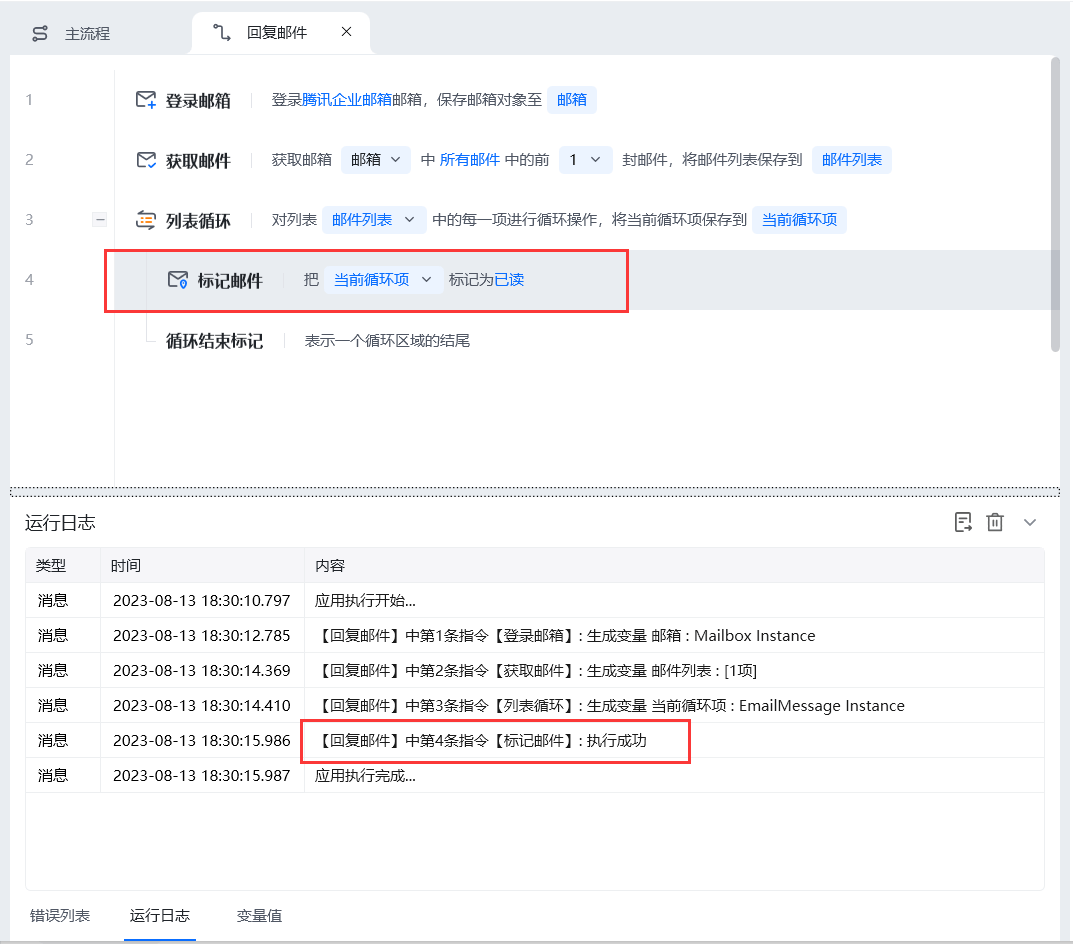
**该流程执行逻辑：**

1. 使用【登录邮箱】创建邮箱对象，再获取需要处理的邮件列表。
2. 从列表中选择当前邮件对象，并在【标记邮件】中设置“已读”或“未读”。
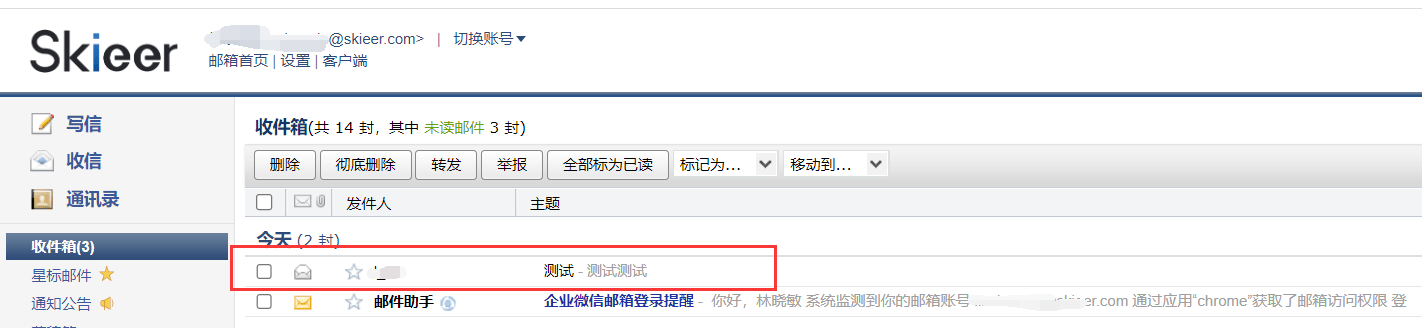
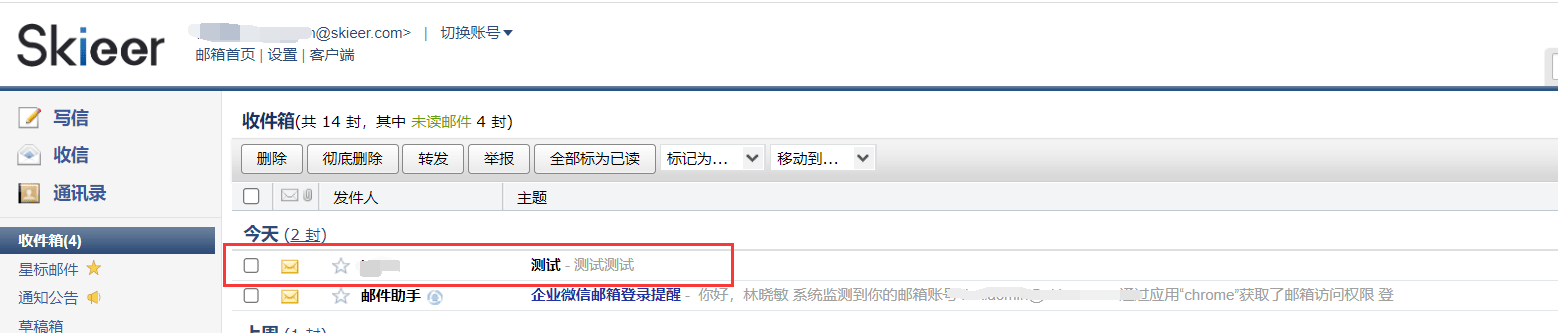
3. 运行后，目标邮件的状态按设置更新，可在邮箱列表中查看标记结果。

### 效果展示

<img src="https://mintcdn.com/bazhuayu-rpa-docs/D5GDQBvL8QxS-YtY/helpcenter/commands/email/images/addflagtoemailcommand-01.png?fit=max&auto=format&n=D5GDQBvL8QxS-YtY&q=85&s=b40bd81fa9fcb36e7c46951106827b15" alt="标记邮件效果展示" width="1422" height="328" data-path="helpcenter/commands/email/images/addflagtoemailcommand-01.png" />

<img src="https://mintcdn.com/bazhuayu-rpa-docs/D5GDQBvL8QxS-YtY/helpcenter/commands/email/images/addflagtoemailcommand-02.png?fit=max&auto=format&n=D5GDQBvL8QxS-YtY&q=85&s=808eb803aec913fba97881fa250fc433" alt="标记邮件效果展示" width="1558" height="333" data-path="helpcenter/commands/email/images/addflagtoemailcommand-02.png" />

<Info>
  使用指令过程中遇到问题？前往 [八爪鱼RPA 开发者社区问答板块](https://rpa.bazhuayu.com/community/questions) 提问，获取官方与社区帮助。
</Info>