> ## Documentation Index
> Fetch the complete documentation index at: https://rpa.bazhuayu.com/helpcenter/llms.txt
> Use this file to discover all available pages before exploring further.
# 下载邮件附件
## 指令说明
**描述:** 下载邮件中的附件到本地
## 参数说明
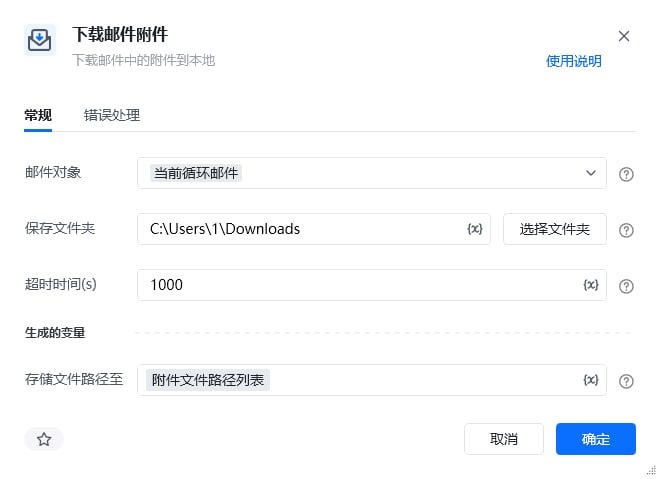 | 参数 | 说明 |
| ----------- | ------------------------------ |
| **邮件对象** | 选择当前要进行操作的邮件对象,通过【登录邮箱】指令获取该对象 |
| **保存文件夹** | 选择下载后附件保存的文件夹地址 |
| **超时时间** | 等待下载附件的最长时间 |
| **存储文件路径至** | 指定一个变量名称,将下载后的文件的路径存储到这个变量里 |
本指令暂无高级参数。
## 使用示例
| 参数 | 说明 |
| ----------- | ------------------------------ |
| **邮件对象** | 选择当前要进行操作的邮件对象,通过【登录邮箱】指令获取该对象 |
| **保存文件夹** | 选择下载后附件保存的文件夹地址 |
| **超时时间** | 等待下载附件的最长时间 |
| **存储文件路径至** | 指定一个变量名称,将下载后的文件的路径存储到这个变量里 |
本指令暂无高级参数。
## 使用示例
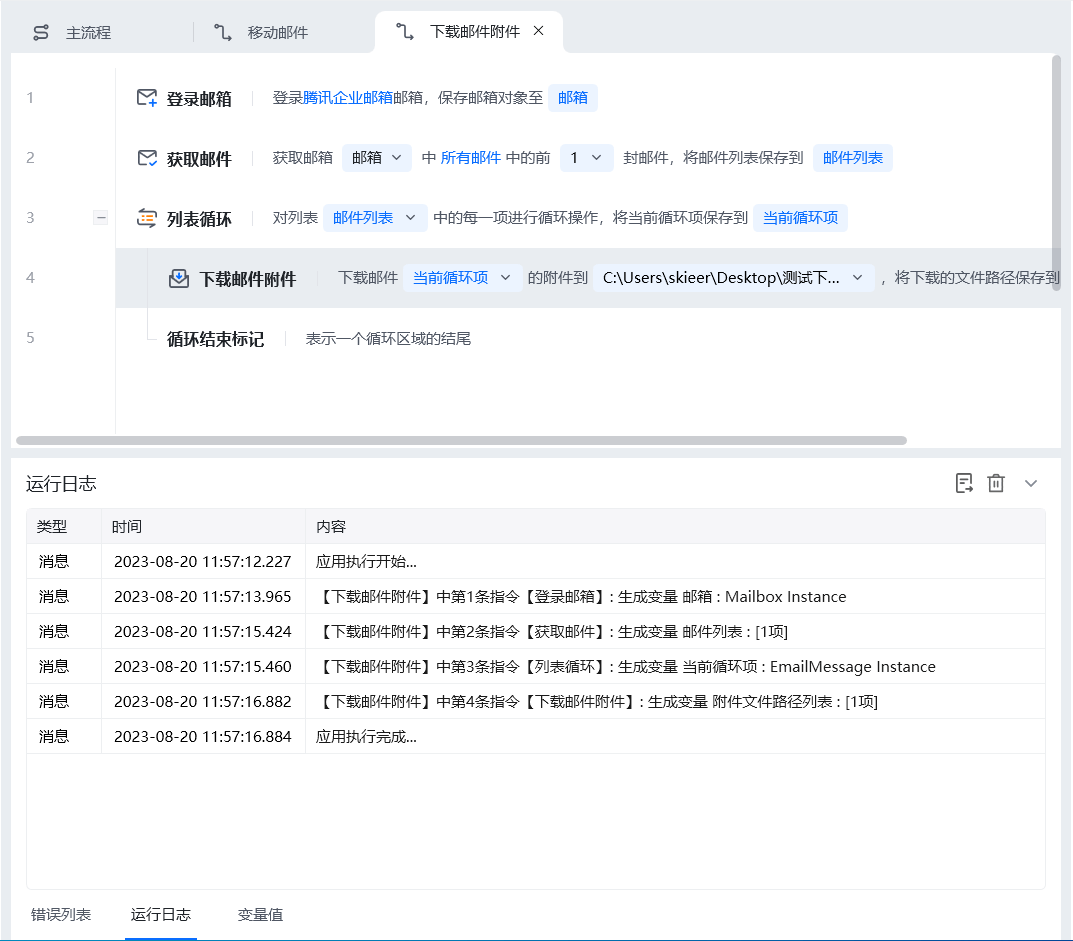 **该流程执行逻辑:**
1. 使用【登录邮箱】创建邮箱对象,再通过【获取邮件】得到需要处理的邮件列表。
2. 使用列表循环逐封处理邮件,每个“当前循环项”代表本次要操作的邮件对象。
3. 在循环中执行【下载邮件附件】,选择当前邮件并指定本地保存文件夹。
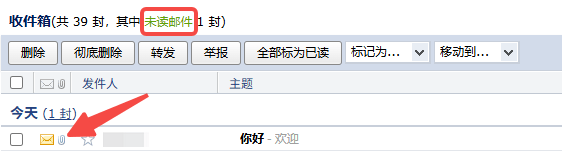
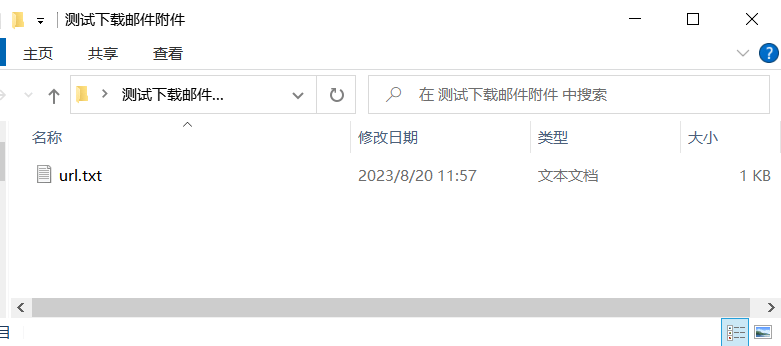
4. 流程运行后,邮件附件被下载到目标文件夹;可对照示例中的运行前、运行后截图确认新增文件。
### 效果展示
**该流程执行逻辑:**
1. 使用【登录邮箱】创建邮箱对象,再通过【获取邮件】得到需要处理的邮件列表。
2. 使用列表循环逐封处理邮件,每个“当前循环项”代表本次要操作的邮件对象。
3. 在循环中执行【下载邮件附件】,选择当前邮件并指定本地保存文件夹。
4. 流程运行后,邮件附件被下载到目标文件夹;可对照示例中的运行前、运行后截图确认新增文件。
### 效果展示
 使用指令过程中遇到问题?前往 [八爪鱼RPA 开发者社区问答板块](https://rpa.bazhuayu.com/community/questions) 提问,获取官方与社区帮助。