> ## Documentation Index
> Fetch the complete documentation index at: https://rpa.bazhuayu.com/helpcenter/llms.txt
> Use this file to discover all available pages before exploring further.

# 登录邮箱

## 指令说明

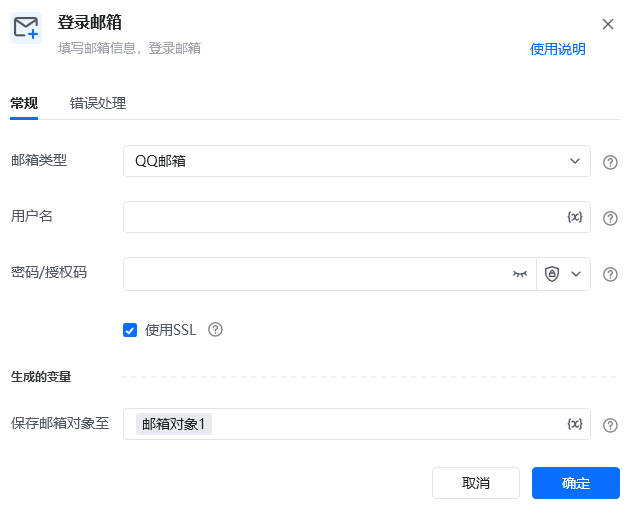
**描述：** 填写邮箱信息，用于登录邮箱

## 参数说明

<Tabs>
  <Tab title="常规">
    <img src="https://mintcdn.com/bazhuayu-rpa-docs/D5GDQBvL8QxS-YtY/helpcenter/commands/email/images/logintomailboxcommand-01.png?fit=max&auto=format&n=D5GDQBvL8QxS-YtY&q=85&s=a0d63bdc1cdb2bd15b68943450a6af69" alt="登录邮箱指令参数面板" width="637" height="509" data-path="helpcenter/commands/email/images/logintomailboxcommand-01.png" />

    | 参数         | 说明                                                |
    | ---------- | ------------------------------------------------- |
    | **邮箱类型**   | QQ邮箱、163邮箱、126邮箱、腾讯企业邮箱、网易企业邮箱、Outlook、谷歌邮箱、自定义邮箱 |
    | **用户名**    | 填入要登录的邮箱的用户名                                      |
    | **密码/授权码** | 密码：输入邮箱密码、 授权码：授权码的获取方式可参考 如何获取邮箱的登录配置信息          |
    | **使用SSL**  | 勾选是否使用SSL，一般在具体的邮箱个人设置中配置                         |
  </Tab>

  <Tab title="高级">
    本指令暂无高级参数。
  </Tab>
</Tabs>

## 使用示例

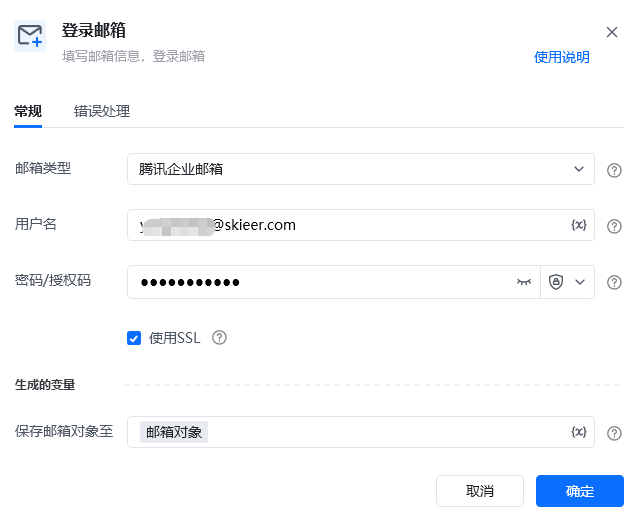
<img src="https://mintcdn.com/bazhuayu-rpa-docs/D5GDQBvL8QxS-YtY/helpcenter/commands/email/images/logintomailboxcommand-03.png?fit=max&auto=format&n=D5GDQBvL8QxS-YtY&q=85&s=395b06cd5fef1ef403b4a2fa4fe6b5ed" alt="登录邮箱使用示例" width="639" height="521" data-path="helpcenter/commands/email/images/logintomailboxcommand-03.png" />

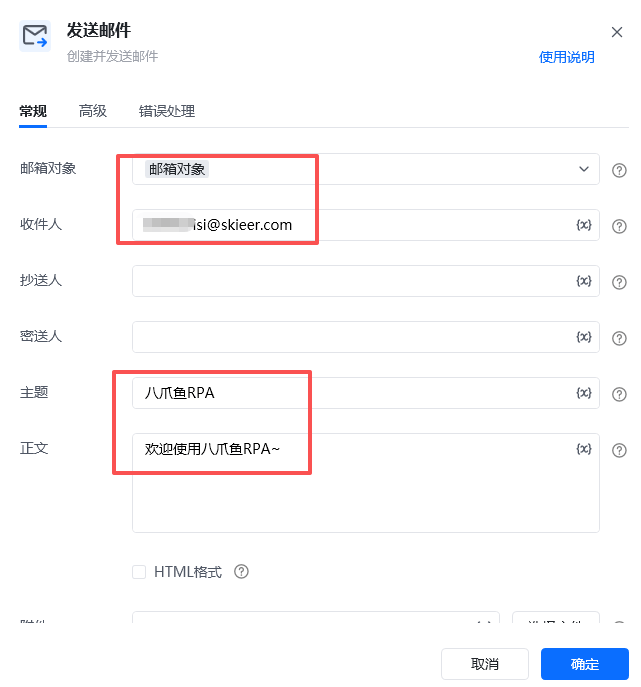
<img src="https://mintcdn.com/bazhuayu-rpa-docs/D5GDQBvL8QxS-YtY/helpcenter/commands/email/images/logintomailboxcommand-04.png?fit=max&auto=format&n=D5GDQBvL8QxS-YtY&q=85&s=807b62f1d6ece6686b040ccd0f751663" alt="登录邮箱使用示例" width="641" height="687" data-path="helpcenter/commands/email/images/logintomailboxcommand-04.png" />

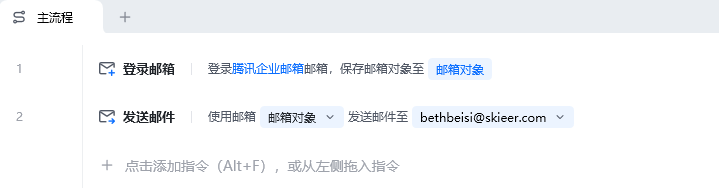
<img src="https://mintcdn.com/bazhuayu-rpa-docs/D5GDQBvL8QxS-YtY/helpcenter/commands/email/images/logintomailboxcommand-02.png?fit=max&auto=format&n=D5GDQBvL8QxS-YtY&q=85&s=046091860a82ca4850f438efef052a32" alt="登录邮箱使用示例 - 流程搭建" width="719" height="188" data-path="helpcenter/commands/email/images/logintomailboxcommand-02.png" />

**该流程执行逻辑：**

【登录邮箱】登录腾讯企业邮箱

【发送邮件】填写接收邮箱（如有多个可用分号隔开），填写主题正文并添加附件，发送邮件。

### 效果展示

<img src="https://mintcdn.com/bazhuayu-rpa-docs/D5GDQBvL8QxS-YtY/helpcenter/commands/email/images/logintomailboxcommand-05.png?fit=max&auto=format&n=D5GDQBvL8QxS-YtY&q=85&s=096a5d3cd7d0efafd81235bc86b5dd0d" alt="登录邮箱使用示例 - 效果展示" width="1336" height="240" data-path="helpcenter/commands/email/images/logintomailboxcommand-05.png" />

<img src="https://mintcdn.com/bazhuayu-rpa-docs/D5GDQBvL8QxS-YtY/helpcenter/commands/email/images/logintomailboxcommand-06.png?fit=max&auto=format&n=D5GDQBvL8QxS-YtY&q=85&s=2c35f8e49cc648dfe1bf3d45b86db550" alt="登录邮箱使用示例 - 效果展示" width="1347" height="204" data-path="helpcenter/commands/email/images/logintomailboxcommand-06.png" />

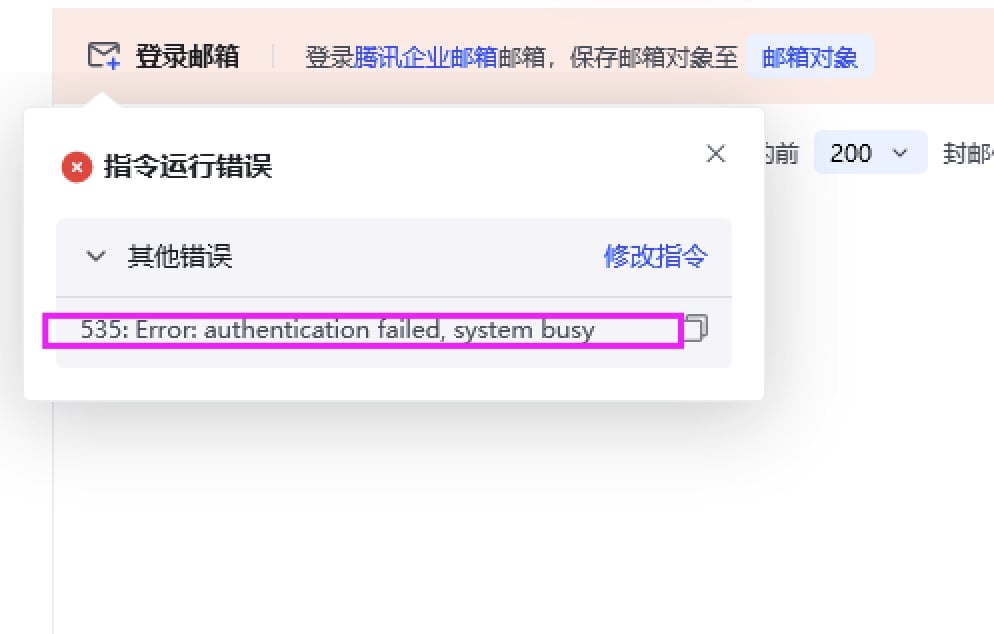
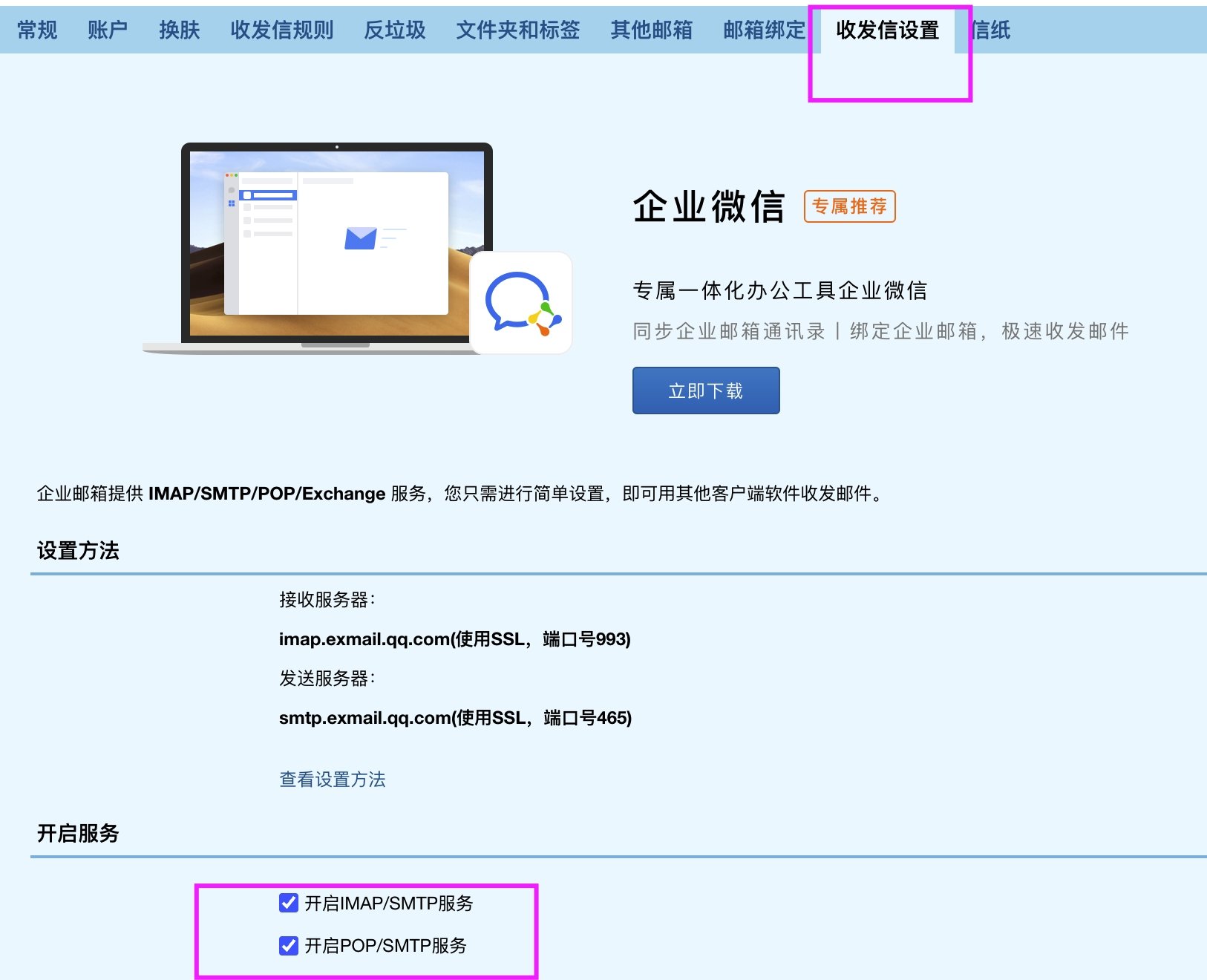
常见报错处理

报错信息： Error: authentication falled, system busy

原因是没有勾选上开启IMAP/SMTP服务 和 开启POP/SMTP服务，把这两个勾选上即可。

<img src="https://mintcdn.com/bazhuayu-rpa-docs/D5GDQBvL8QxS-YtY/helpcenter/commands/email/images/logintomailboxcommand-07.png?fit=max&auto=format&n=D5GDQBvL8QxS-YtY&q=85&s=70210f79d13db86e3e4d2ac4d3210861" alt="登录邮箱常见报错处理" width="994" height="634" data-path="helpcenter/commands/email/images/logintomailboxcommand-07.png" />

<img src="https://mintcdn.com/bazhuayu-rpa-docs/D5GDQBvL8QxS-YtY/helpcenter/commands/email/images/logintomailboxcommand-08.png?fit=max&auto=format&n=D5GDQBvL8QxS-YtY&q=85&s=7c3dcfec3fa9296f4845ff84295c9d8c" alt="登录邮箱常见报错处理" width="1626" height="1320" data-path="helpcenter/commands/email/images/logintomailboxcommand-08.png" />

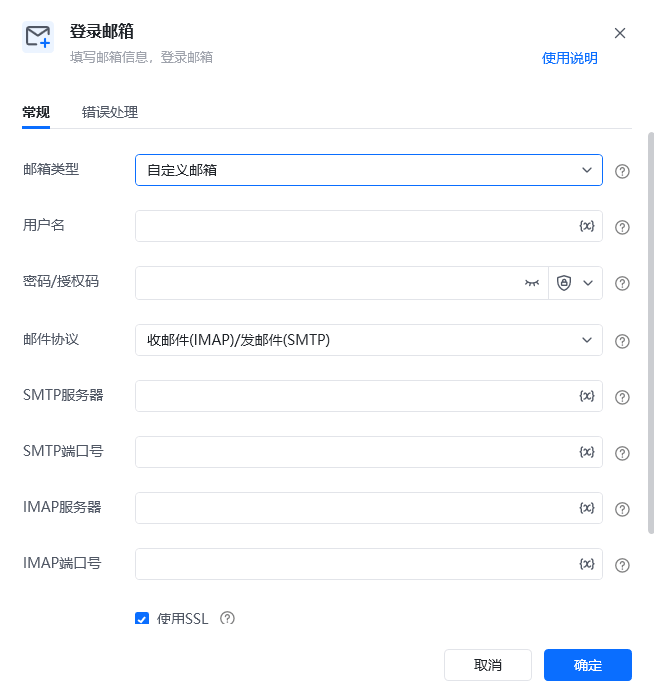
## 使用小Tips

支持【自定义邮箱】

<img src="https://mintcdn.com/bazhuayu-rpa-docs/D5GDQBvL8QxS-YtY/helpcenter/commands/email/images/logintomailboxcommand-09.png?fit=max&auto=format&n=D5GDQBvL8QxS-YtY&q=85&s=4dde3886315bfd06252a8892ad345aac" alt="登录邮箱使用小Tips" width="654" height="699" data-path="helpcenter/commands/email/images/logintomailboxcommand-09.png" />

<Info>
  使用指令过程中遇到问题？前往 [八爪鱼RPA 开发者社区问答板块](https://rpa.bazhuayu.com/community/questions) 提问，获取官方与社区帮助。
</Info>