> ## Documentation Index
> Fetch the complete documentation index at: https://rpa.bazhuayu.com/helpcenter/llms.txt
> Use this file to discover all available pages before exploring further.

# 发送邮件

## 指令说明

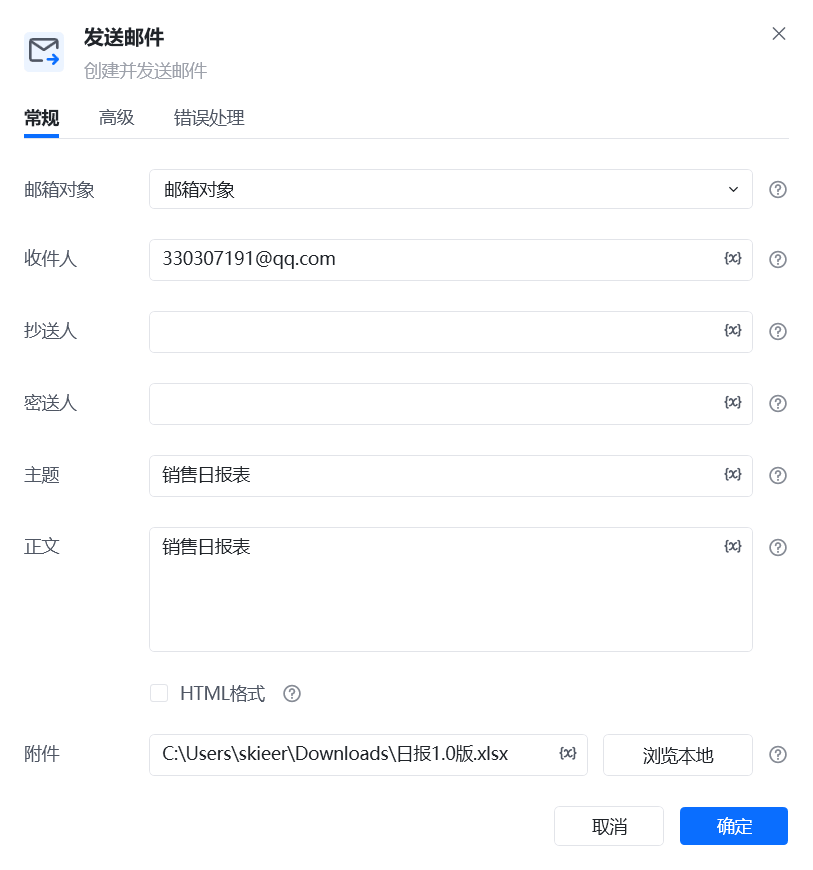
**描述：** 根据收件人、主题、正文和附件等配置创建并发送邮件。

## 参数说明

<Tabs>
  <Tab title="常规">
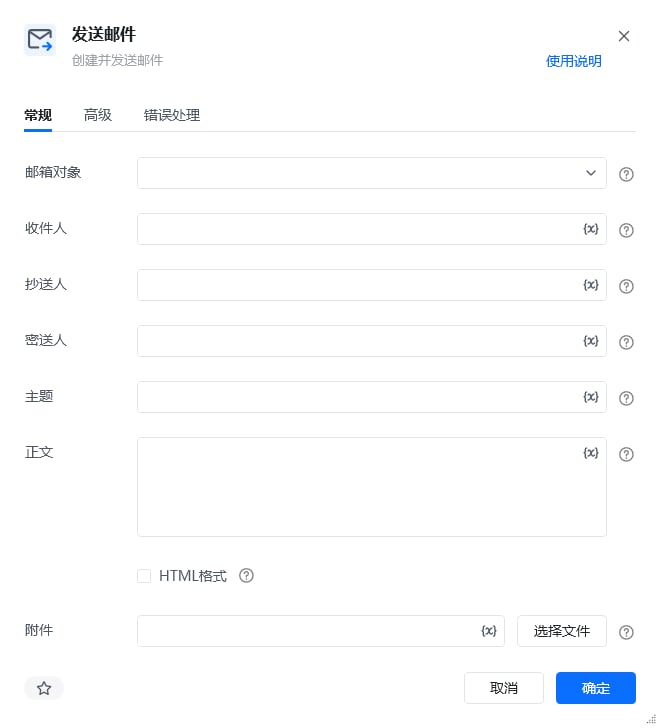
    <img src="https://mintcdn.com/bazhuayu-rpa-docs/D5GDQBvL8QxS-YtY/helpcenter/commands/email/images/sendemailcommand-01.png?fit=max&auto=format&n=D5GDQBvL8QxS-YtY&q=85&s=050d51ff487e13b854c86fe3115be9b9" alt="发送邮件常规参数面板" width="660" height="728" data-path="helpcenter/commands/email/images/sendemailcommand-01.png" />

    | 参数         | 说明                                         |
    | ---------- | ------------------------------------------ |
    | **邮箱对象**   | 输入一个已获取的邮箱对象，通常由【登录邮箱】指令创建。                |
    | **收件人**    | 填写收件人邮箱地址；多个地址可使用英文分号分隔。                   |
    | **抄送人**    | 填写抄送人邮箱地址；多个地址可使用英文分号分隔。                   |
    | **密送人**    | 填写密送人邮箱地址；多个地址可使用英文分号分隔。                   |
    | **主题**     | 填写邮件主题。                                    |
    | **正文**     | 填写邮件正文。                                    |
    | **HTML格式** | 勾选后，邮件正文将按 HTML 格式发送。                      |
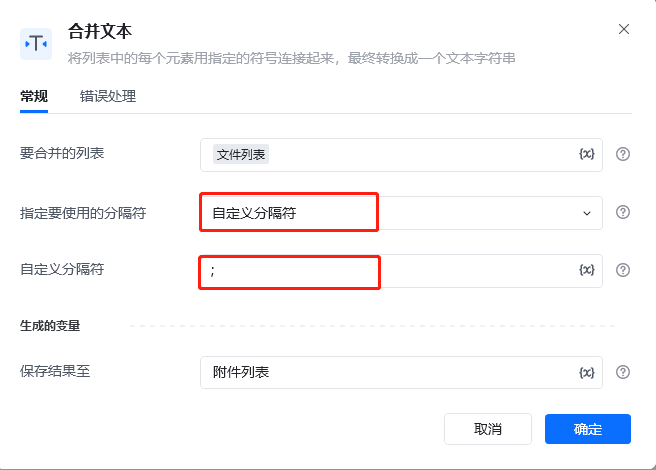
    | **附件**     | 填写附件文件路径。多个文件使用英文分号分隔，也可传入保存了附件路径列表的字符串变量。 |
  </Tab>

  <Tab title="高级">
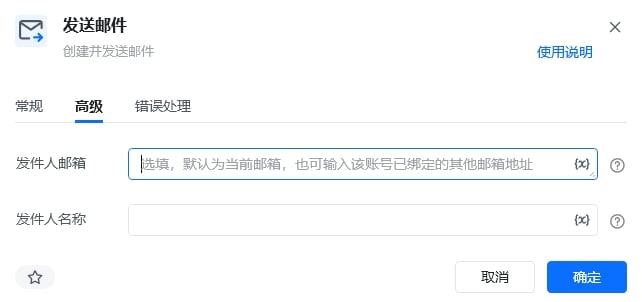
    <img src="https://mintcdn.com/bazhuayu-rpa-docs/D5GDQBvL8QxS-YtY/helpcenter/commands/email/images/sendemailcommand-13.jpg?fit=max&auto=format&n=D5GDQBvL8QxS-YtY&q=85&s=b0257e5e1af0c2e6c5f4fa2e924b5b5f" alt="发送邮件高级参数面板" width="642" height="302" data-path="helpcenter/commands/email/images/sendemailcommand-13.jpg" />

    | 参数        | 说明                                |
    | --------- | --------------------------------- |
    | **发件人邮箱** | 选填。默认使用当前邮箱地址，也可以填写该账号已绑定的其他邮箱地址。 |
    | **发件人名称** | 选填。设置收件人看到的发件人显示名称。               |
  </Tab>
</Tabs>

## 使用示例

<img src="https://mintcdn.com/bazhuayu-rpa-docs/D5GDQBvL8QxS-YtY/helpcenter/commands/email/images/sendemailcommand-03.png?fit=max&auto=format&n=D5GDQBvL8QxS-YtY&q=85&s=af126ffdc9c1cceac1a7952e1404c555" alt="发送邮件使用示例 - 流程搭建" width="822" height="229" data-path="helpcenter/commands/email/images/sendemailcommand-03.png" />

<img src="https://mintcdn.com/bazhuayu-rpa-docs/D5GDQBvL8QxS-YtY/helpcenter/commands/email/images/sendemailcommand-05.png?fit=max&auto=format&n=D5GDQBvL8QxS-YtY&q=85&s=705c14225857c300e03bd289e19038a4" alt="发送邮件使用示例 - 合并附件路径" width="656" height="470" data-path="helpcenter/commands/email/images/sendemailcommand-05.png" />

<img src="https://mintcdn.com/bazhuayu-rpa-docs/D5GDQBvL8QxS-YtY/helpcenter/commands/email/images/sendemailcommand-08.png?fit=max&auto=format&n=D5GDQBvL8QxS-YtY&q=85&s=d4bd5ea86858a5c7a4a9ddc31511c0a4" alt="发送邮件使用示例 - 登录邮箱" width="813" height="627" data-path="helpcenter/commands/email/images/sendemailcommand-08.png" />

<img src="https://mintcdn.com/bazhuayu-rpa-docs/D5GDQBvL8QxS-YtY/helpcenter/commands/email/images/sendemailcommand-09.png?fit=max&auto=format&n=D5GDQBvL8QxS-YtY&q=85&s=14067e04c7b2cb2f4f851198d37c04a6" alt="发送邮件使用示例 - 指令配置" width="813" height="870" data-path="helpcenter/commands/email/images/sendemailcommand-09.png" />

### 批量附件处理流程图

<img src="https://mintcdn.com/bazhuayu-rpa-docs/D5GDQBvL8QxS-YtY/helpcenter/commands/email/images/sendemailcommand-06.png?fit=max&auto=format&n=D5GDQBvL8QxS-YtY&q=85&s=00ab3c0caf9e1813db536614d038484f" alt="批量附件处理 - 获取文件列表" width="654" height="536" data-path="helpcenter/commands/email/images/sendemailcommand-06.png" />

<img src="https://mintcdn.com/bazhuayu-rpa-docs/D5GDQBvL8QxS-YtY/helpcenter/commands/email/images/sendemailcommand-10.png?fit=max&auto=format&n=D5GDQBvL8QxS-YtY&q=85&s=42d21c4a28ea9dbaef5e5b5caa0eca12" alt="批量附件处理 - 设置附件变量" width="640" height="462" data-path="helpcenter/commands/email/images/sendemailcommand-10.png" />

<img src="https://mintcdn.com/bazhuayu-rpa-docs/D5GDQBvL8QxS-YtY/helpcenter/commands/email/images/sendemailcommand-02.png?fit=max&auto=format&n=D5GDQBvL8QxS-YtY&q=85&s=4d43f4458d6eb201a41885bf66d92ee9" alt="批量附件处理 - 列表循环流程" width="827" height="341" data-path="helpcenter/commands/email/images/sendemailcommand-02.png" />

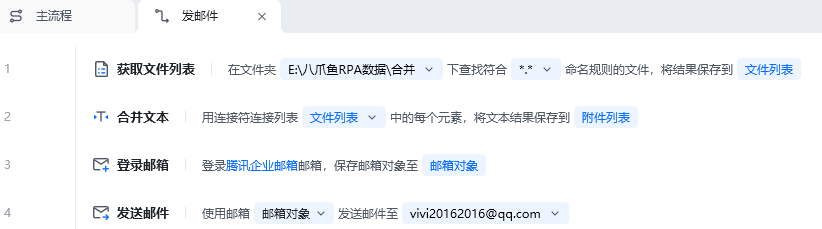
**该流程执行逻辑：**

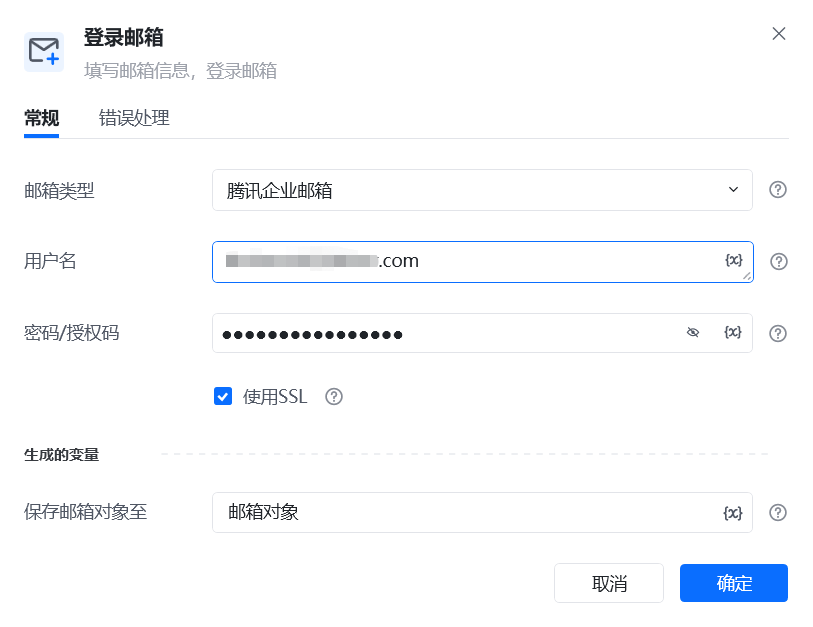
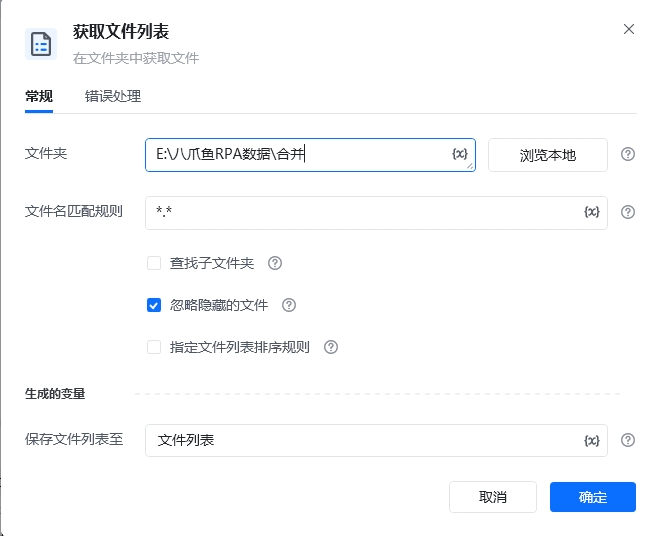
先使用【获取文件列表】获取附件路径，并通过【合并文本】将文件列表转换为以英文分号分隔的附件路径字符串；再使用【登录邮箱】创建邮箱对象，最后由【发送邮件】填写收件人、主题、正文和附件并发送。

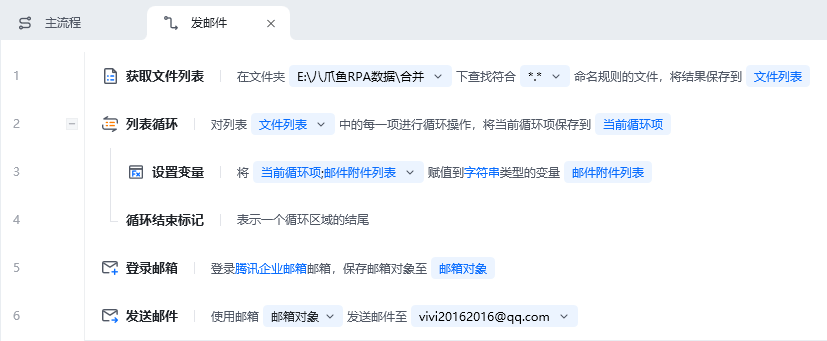
**批量附件处理：**

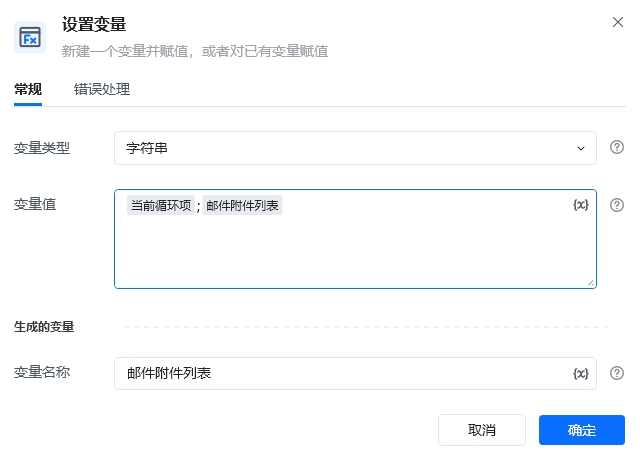
也可以使用【列表循环】逐项拼接附件路径：

1. 使用【获取文件列表】读取目标文件夹中的附件。
2. 在【列表循环】中使用【设置变量】将路径追加到附件字符串，并用英文分号分隔。
3. 将生成的字符串填写到【发送邮件】的“附件”参数中。

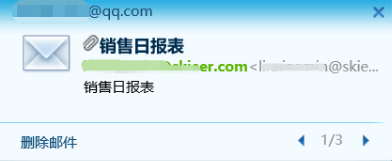
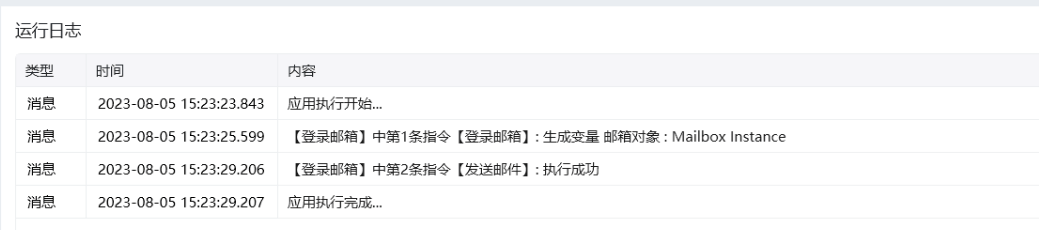
### 效果展示
<img src="https://mintcdn.com/bazhuayu-rpa-docs/D5GDQBvL8QxS-YtY/helpcenter/commands/email/images/sendemailcommand-11.png?fit=max&auto=format&n=D5GDQBvL8QxS-YtY&q=85&s=9cc5c0fc8d837787827f92141449639e" alt="发送邮件执行日志" width="1039" height="230" data-path="helpcenter/commands/email/images/sendemailcommand-11.png" />

<img src="https://mintcdn.com/bazhuayu-rpa-docs/D5GDQBvL8QxS-YtY/helpcenter/commands/email/images/sendemailcommand-12.png?fit=max&auto=format&n=D5GDQBvL8QxS-YtY&q=85&s=bf490136f5e7f8ae5bb1c38f7fa48ada" alt="发送邮件结果通知" width="392" height="161" data-path="helpcenter/commands/email/images/sendemailcommand-12.png" />

<Info>
  使用指令过程中遇到问题？前往 [八爪鱼RPA 开发者社区问答板块](https://rpa.bazhuayu.com/community/questions) 提问，获取官方与社区帮助。
</Info>