> ## Documentation Index
> Fetch the complete documentation index at: https://rpa.bazhuayu.com/helpcenter/llms.txt
> Use this file to discover all available pages before exploring further.

# 删除Sheet页

## 指令说明

**描述：** 删除Excel工作簿中指定的工作表。

## 参数说明

<Tabs>
  <Tab title="常规">
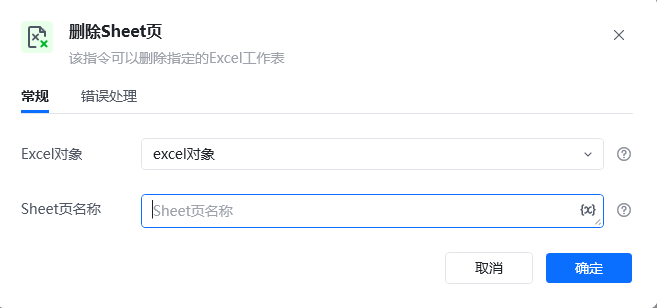
    <img src="https://mintcdn.com/bazhuayu-rpa-docs/PoBbJh6tQuwbCrmc/helpcenter/commands/excel/images/deleteexcelsheetcommand-01.png?fit=max&auto=format&n=PoBbJh6tQuwbCrmc&q=85&s=cf44001a8926bfcee8cb9b1e0b2ce4e6" alt="删除Sheet页指令参数面板" width="657" height="308" data-path="helpcenter/commands/excel/images/deleteexcelsheetcommand-01.png" />

    | 参数           | 说明                                                         |
    | ------------ | ---------------------------------------------------------- |
    | **Excel对象**  | 请选择Excel对象（可通过指令【启动Excel】或【获取当前激活的Excel对象】创建），用于确定待操作的工作簿。 |
    | **Sheet页名称** | 输入要删除的工作表名称。                                               |
  </Tab>

  <Tab title="高级">
    本指令暂无高级参数。
  </Tab>
</Tabs>

## 使用示例

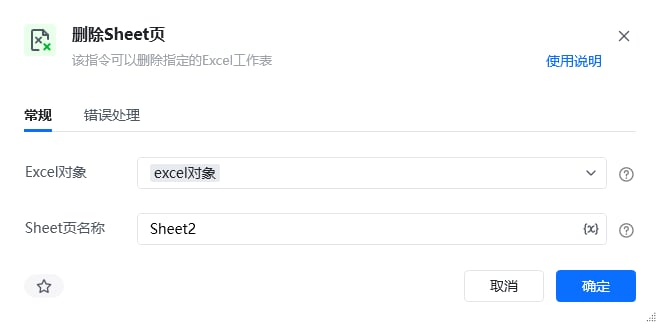
<img src="https://mintcdn.com/bazhuayu-rpa-docs/PoBbJh6tQuwbCrmc/helpcenter/commands/excel/images/deleteexcelsheetcommand-03.png?fit=max&auto=format&n=PoBbJh6tQuwbCrmc&q=85&s=c141f9a5fa225068dd96bd1a04cd1677" alt="删除Sheet页使用示例" width="660" height="326" data-path="helpcenter/commands/excel/images/deleteexcelsheetcommand-03.png" />

<img src="https://mintcdn.com/bazhuayu-rpa-docs/PoBbJh6tQuwbCrmc/helpcenter/commands/excel/images/deleteexcelsheetcommand-02.png?fit=max&auto=format&n=PoBbJh6tQuwbCrmc&q=85&s=ba8e1c58712c4541d0d24e1a242a7657" alt="删除Sheet页使用示例 - 流程搭建" width="1320" height="189" data-path="helpcenter/commands/excel/images/deleteexcelsheetcommand-02.png" />

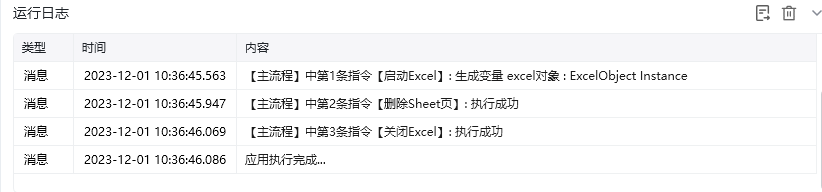
**该流程执行逻辑：**

使用【启动Excel】打开已有的Excel，并将Excel对象保存到excel对象

使用【删除Sheet页】指令删除指定的工作表

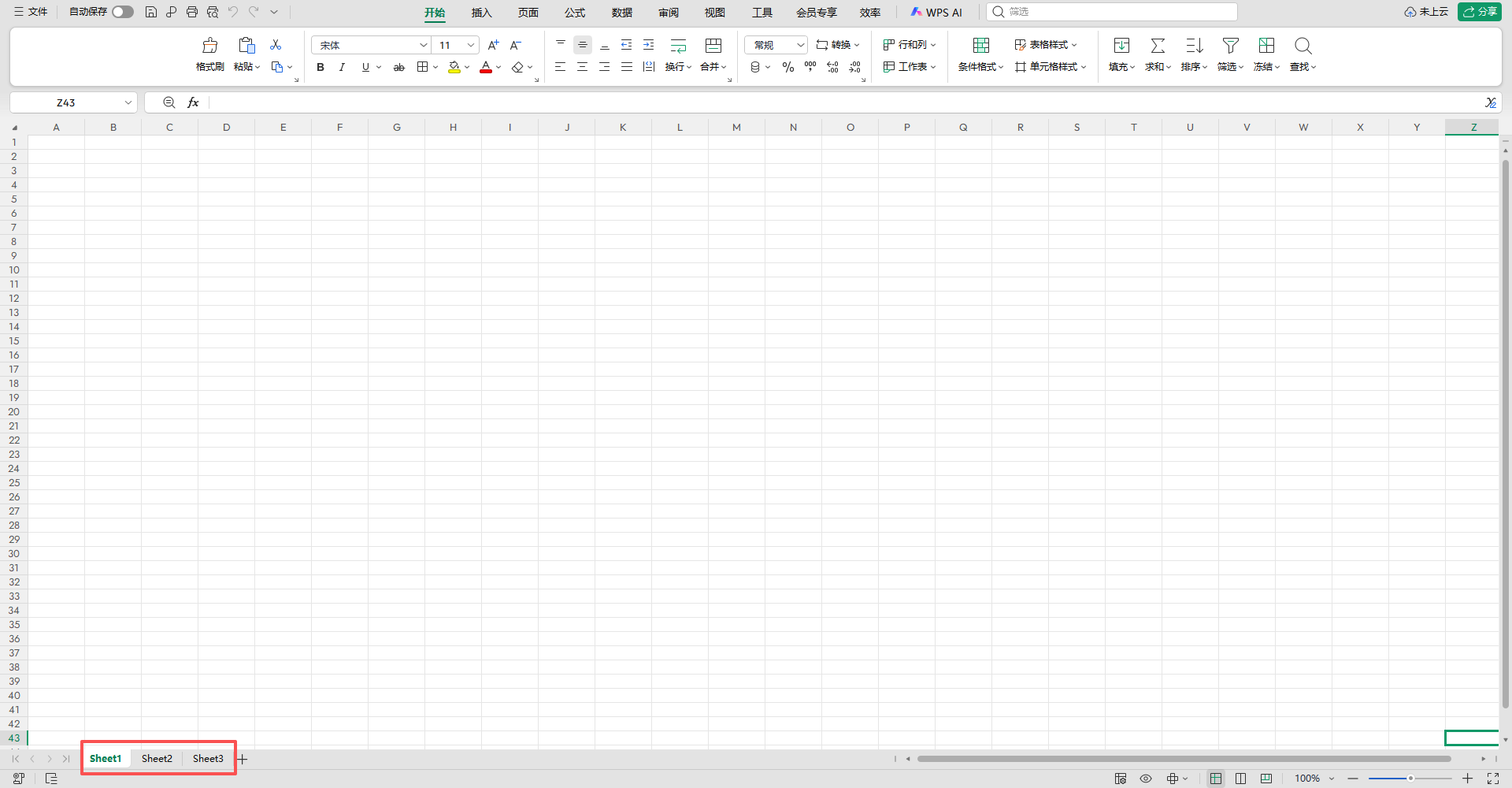
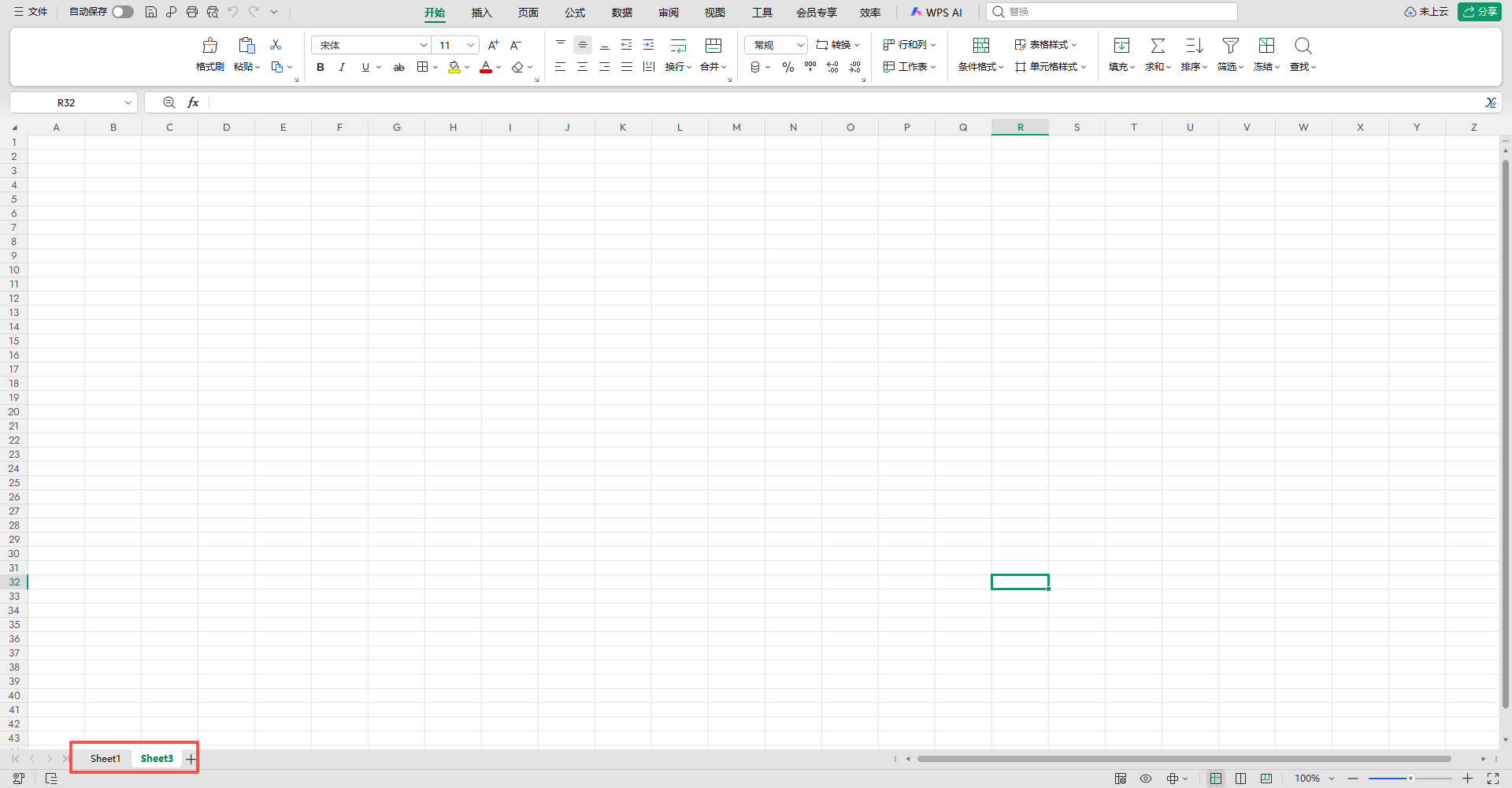
### 效果展示
<img src="https://mintcdn.com/bazhuayu-rpa-docs/PoBbJh6tQuwbCrmc/helpcenter/commands/excel/images/deleteexcelsheetcommand-04.png?fit=max&auto=format&n=PoBbJh6tQuwbCrmc&q=85&s=d8cbcd0fdca18e08d35fe26172f84cb6" alt="删除Sheet页使用示例 - 效果展示 2" width="822" height="192" data-path="helpcenter/commands/excel/images/deleteexcelsheetcommand-04.png" />

<img src="https://mintcdn.com/bazhuayu-rpa-docs/PoBbJh6tQuwbCrmc/helpcenter/commands/excel/images/deleteexcelsheetcommand-05.png?fit=max&auto=format&n=PoBbJh6tQuwbCrmc&q=85&s=65160329d38b1a01c4bd5646d341961b" alt="删除Sheet页使用示例 - 效果展示 3" width="1920" height="1000" data-path="helpcenter/commands/excel/images/deleteexcelsheetcommand-05.png" />

<img src="https://mintcdn.com/bazhuayu-rpa-docs/PoBbJh6tQuwbCrmc/helpcenter/commands/excel/images/deleteexcelsheetcommand-06.png?fit=max&auto=format&n=PoBbJh6tQuwbCrmc&q=85&s=b7081149cd97749ccaad829d0fb2b752" alt="删除Sheet页使用示例 - 效果展示 4" width="1920" height="1000" data-path="helpcenter/commands/excel/images/deleteexcelsheetcommand-06.png" />

<Info>
  使用指令过程中遇到问题？前往 [八爪鱼RPA 开发者社区问答板块](https://rpa.bazhuayu.com/community/questions) 提问，获取官方与社区帮助。
</Info>