> ## Documentation Index
> Fetch the complete documentation index at: https://rpa.bazhuayu.com/helpcenter/llms.txt
> Use this file to discover all available pages before exploring further.

# 退出当前流程

## 指令说明

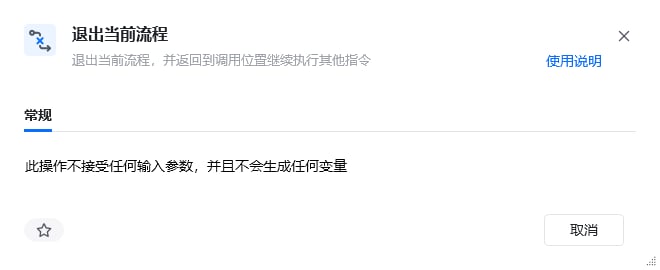
**描述：** 退出当前流程，并返回到调用位置继续执行其他指令。如退出某个子流程。

## 参数说明

<Tabs>
  <Tab title="常规">
    <img src="https://mintcdn.com/bazhuayu-rpa-docs/Fj4gd-n2oOvAPIhl/helpcenter/commands/flow/images/exit-sub-01.png?fit=max&auto=format&n=Fj4gd-n2oOvAPIhl&q=85&s=14c51088dcaf968eccfe23f6c4a8c652" alt="退出当前流程指令参数面板" width="660" height="270" data-path="helpcenter/commands/flow/images/exit-sub-01.png" />

    本指令无参数，直接使用即可退出当前子流程。
  </Tab>

  <Tab title="高级">
    本指令暂无高级参数。
  </Tab>
</Tabs>

## 使用示例

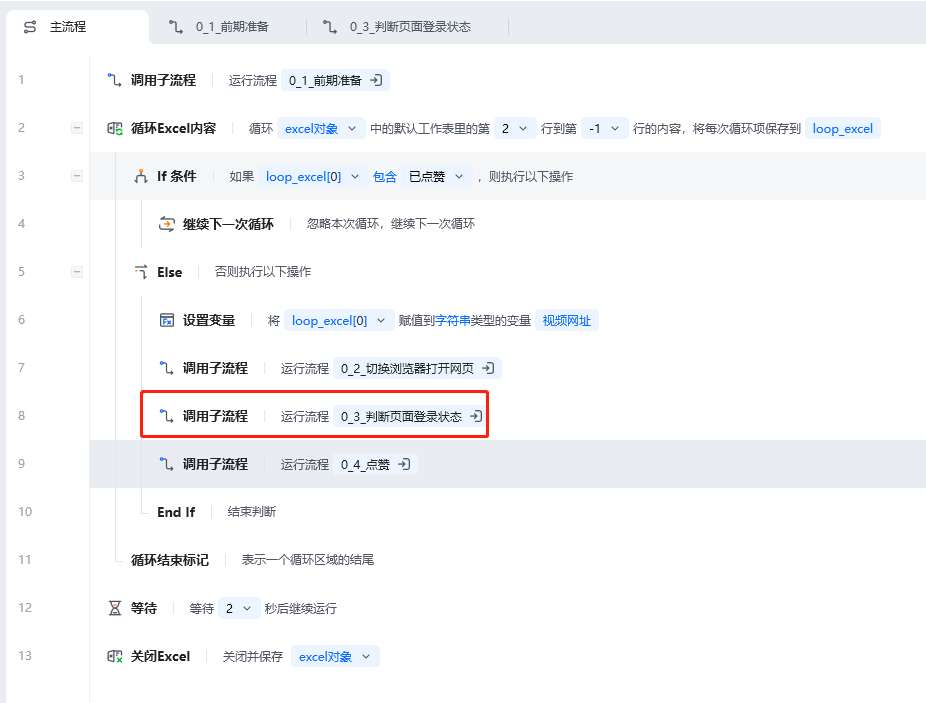
<img src="https://mintcdn.com/bazhuayu-rpa-docs/Fj4gd-n2oOvAPIhl/helpcenter/commands/flow/images/exit-sub-02.png?fit=max&auto=format&n=Fj4gd-n2oOvAPIhl&q=85&s=9d1a44a67d3bc8f1d37604e0facf2906" alt="退出当前流程使用示例 - 流程搭建" width="926" height="703" data-path="helpcenter/commands/flow/images/exit-sub-02.png" />

**该流程执行逻辑：**

当应用执行到子流程「0\_3\_判断页面登录状态」的第6步时，使用【退出当前流程】退出整个子流程的运行

回到主流程中继续运行子流程「0\_3\_判断页面登录状态」后面的指令

### 效果展示
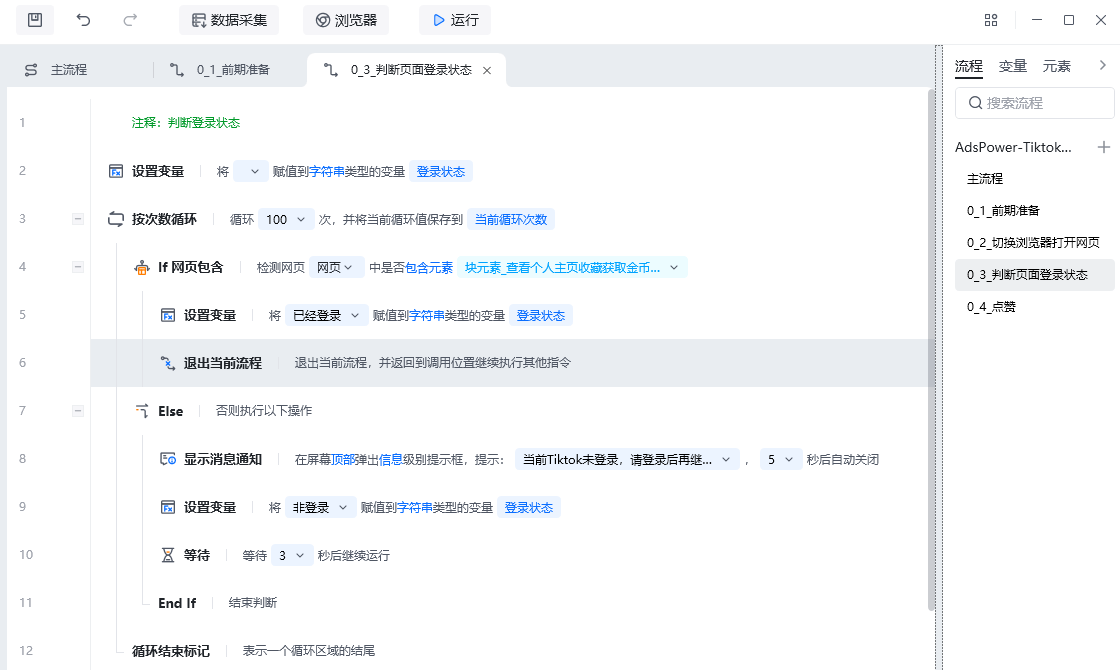
<img src="https://mintcdn.com/bazhuayu-rpa-docs/Fj4gd-n2oOvAPIhl/helpcenter/commands/flow/images/exit-sub-03.png?fit=max&auto=format&n=Fj4gd-n2oOvAPIhl&q=85&s=2eaed052cf123e094cf4a862da2738a3" alt="退出当前流程使用示例 - 效果展示" width="1120" height="670" data-path="helpcenter/commands/flow/images/exit-sub-03.png" />

<Info>
  使用指令过程中遇到问题？前往 [八爪鱼RPA 开发者社区问答板块](https://rpa.bazhuayu.com/community/questions) 提问，获取官方与社区帮助。
</Info>