> ## Documentation Index
> Fetch the complete documentation index at: https://rpa.bazhuayu.com/helpcenter/llms.txt
> Use this file to discover all available pages before exploring further.
# 循环字典
## 指令说明
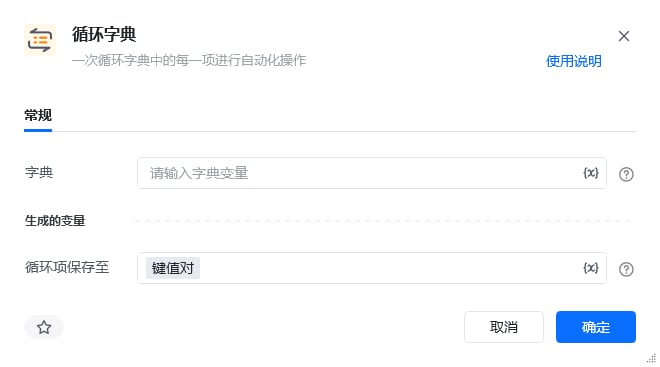
**描述:** 依次循环字典中的每一项进行自动化操作。
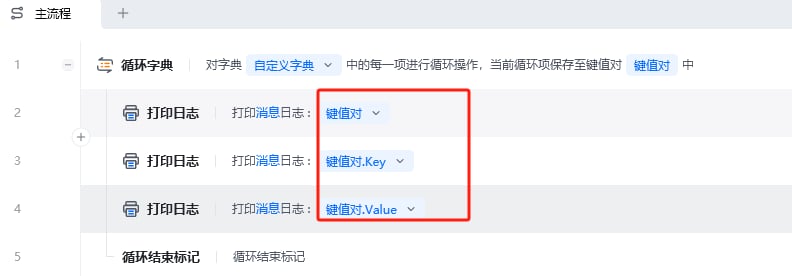
【循环字典】循环出来的变量是一个键值对,可通过 `.Key` 的方法获取到它的 Key 名称;通过 `.Value` 的方法获取到它的 Value 值。
## 参数说明
 | 参数 | 说明 |
| ------ | -------------------- |
| **字典** | 输入字典变量,选择前面指令创建的字典对象 |
本指令暂无高级参数。
## 使用示例
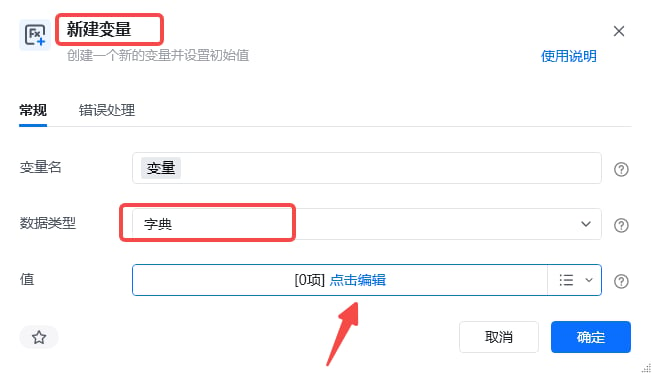
### 新建字典
| 参数 | 说明 |
| ------ | -------------------- |
| **字典** | 输入字典变量,选择前面指令创建的字典对象 |
本指令暂无高级参数。
## 使用示例
### 新建字典
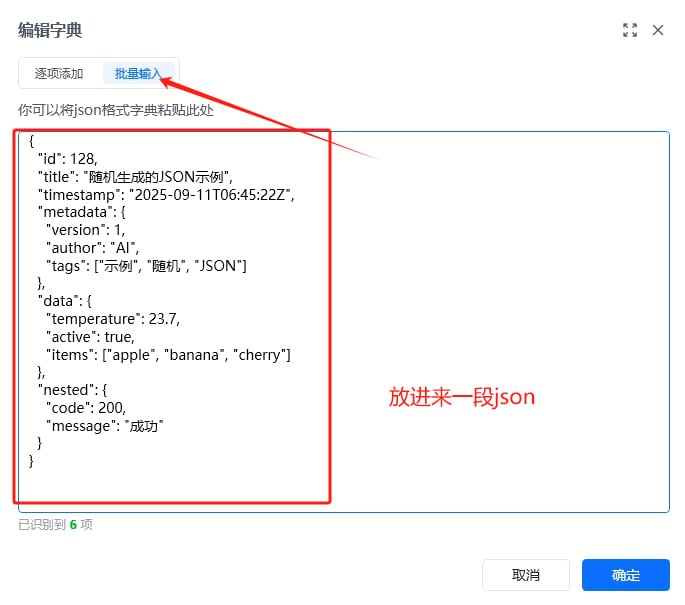 ### 案例中 JSON 参考
```json theme={null}
{
"id": 128,
"title": "随机生成的JSON示例",
"timestamp": "2025-09-11T06:45:22Z",
"metadata": {
"version": 1,
"author": "AI",
"tags": ["示例", "随机", "JSON"]
},
"data": {
"temperature": 23.7,
"active": true,
"items": ["apple", "banana", "cherry"]
},
"nested": {
"code": 200,
"message": "成功"
}
}
```
### RPA 应用流程
### 案例中 JSON 参考
```json theme={null}
{
"id": 128,
"title": "随机生成的JSON示例",
"timestamp": "2025-09-11T06:45:22Z",
"metadata": {
"version": 1,
"author": "AI",
"tags": ["示例", "随机", "JSON"]
},
"data": {
"temperature": 23.7,
"active": true,
"items": ["apple", "banana", "cherry"]
},
"nested": {
"code": 200,
"message": "成功"
}
}
```
### RPA 应用流程
 **该流程执行逻辑:**
使用【无限循环】,每执行一次循环体里面的指令,"当前循环次数"起始值为 1,每循环一次循环次数自动加 1
设置【If 条件】,"当前循环次数"达到 57 的时候判断条件成立,跳出循环。
### 效果展示
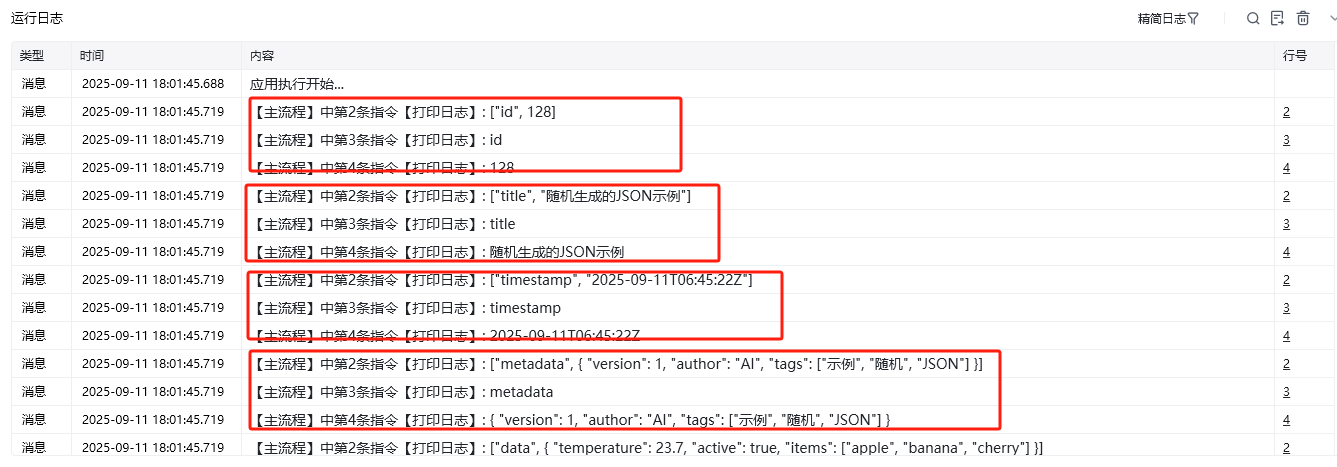
依次输出字典中每个键值对,可通过 `.Key` 获取键名,`.Value` 获取键值。
**该流程执行逻辑:**
使用【无限循环】,每执行一次循环体里面的指令,"当前循环次数"起始值为 1,每循环一次循环次数自动加 1
设置【If 条件】,"当前循环次数"达到 57 的时候判断条件成立,跳出循环。
### 效果展示
依次输出字典中每个键值对,可通过 `.Key` 获取键名,`.Value` 获取键值。
 使用指令过程中遇到问题?前往 [八爪鱼RPA 开发者社区问答板块](https://rpa.bazhuayu.com/community/questions) 提问,获取官方与社区帮助。