> ## Documentation Index
> Fetch the complete documentation index at: https://rpa.bazhuayu.com/helpcenter/llms.txt
> Use this file to discover all available pages before exploring further.

# 鼠标悬浮在图像上

## 指令说明

**描述：** 在指定范围内查找图像并将鼠标移动到图像上。

## 参数说明

<Tabs>
  <Tab title="常规">
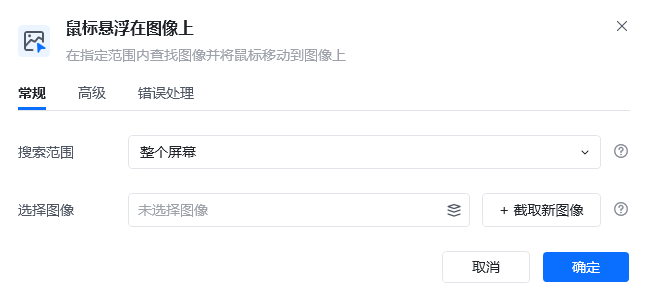
    <img src="https://mintcdn.com/bazhuayu-rpa-docs/vz87YmU8RN3LdaSE/helpcenter/commands/mouse-keyboard/images/hoverimagecommand-01.png?fit=max&auto=format&n=vz87YmU8RN3LdaSE&q=85&s=a6c5de597e6aefd9757ac9bff3f2c487" alt="鼠标悬浮在图像上指令参数面板" width="648" height="301" data-path="helpcenter/commands/mouse-keyboard/images/hoverimagecommand-01.png" />

    | 参数       | 说明                            |
    | -------- | ----------------------------- |
    | **搜索范围** | 查找目标图像的范围，可选：整个屏幕、窗口对象或当前激活窗口 |
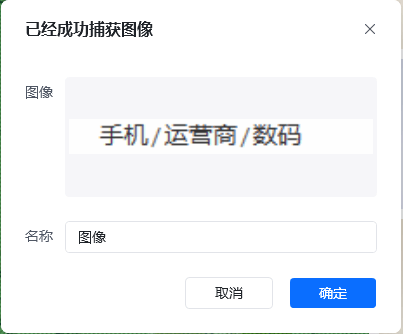
    | **选择图像** | 选择已存在的图像，或捕获新图像               |
  </Tab>

  <Tab title="高级">
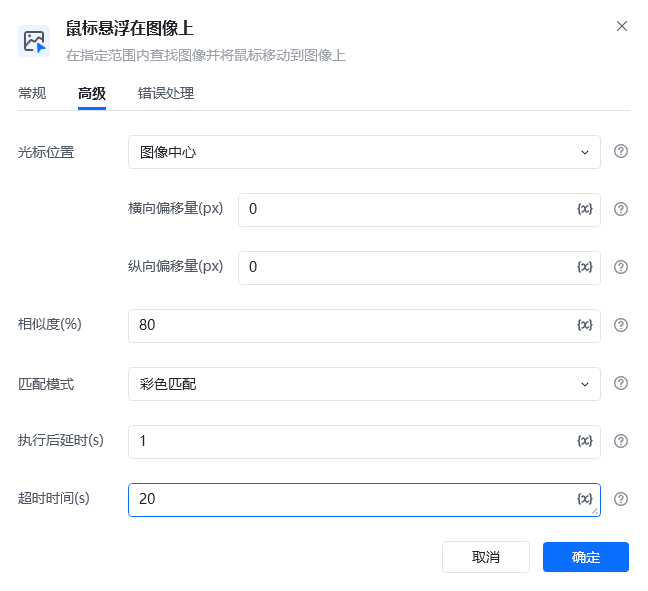
    <img src="https://mintcdn.com/bazhuayu-rpa-docs/vz87YmU8RN3LdaSE/helpcenter/commands/mouse-keyboard/images/hoverimagecommand-02.png?fit=max&auto=format&n=vz87YmU8RN3LdaSE&q=85&s=f9b1b1decf9098c59c50931bd205167b" alt="鼠标悬浮在图像上高级参数面板" width="648" height="591" data-path="helpcenter/commands/mouse-keyboard/images/hoverimagecommand-02.png" />

    | 参数            | 说明                                       |
    | ------------- | ---------------------------------------- |
    | **光标位置**      | 请选择光标偏移的起点，默认为图像中                        |
    | **相似度**       | 指定目标图像与原始图像的相似程度，推荐相似度为 80%              |
    | **匹配模式**      | 查找图像的匹配方式，彩色匹配相对灰度匹配更加精确                 |
    | **执行后延时**     | 指令执行后，执行下一个指令前的等待时间                      |
    | **超时时间**      | 设置执行此指令的最大等待时间                           |
    | **横向偏移量（px）** | 输入 10 表示将光标从光标位置开始右移 10px，-10 则表示左移 10px |
    | **纵向偏移量（px）** | 输入 10 表示将光标从光标位置开始下移 10px，-10 则表示上移 10px |
  </Tab>
</Tabs>

## 使用示例

<img src="https://mintcdn.com/bazhuayu-rpa-docs/vz87YmU8RN3LdaSE/helpcenter/commands/mouse-keyboard/images/hoverimagecommand-05.png?fit=max&auto=format&n=vz87YmU8RN3LdaSE&q=85&s=8a20757379b70d8d75e27516dd8197c3" alt="鼠标悬浮在图像上使用示例" width="648" height="433" data-path="helpcenter/commands/mouse-keyboard/images/hoverimagecommand-05.png" />

<img src="https://mintcdn.com/bazhuayu-rpa-docs/vz87YmU8RN3LdaSE/helpcenter/commands/mouse-keyboard/images/hoverimagecommand-07.png?fit=max&auto=format&n=vz87YmU8RN3LdaSE&q=85&s=3fe0286657792e259cb71a03c6e367b5" alt="鼠标悬浮在图像上使用示例" width="854" height="102" data-path="helpcenter/commands/mouse-keyboard/images/hoverimagecommand-07.png" />

**该流程执行逻辑：**

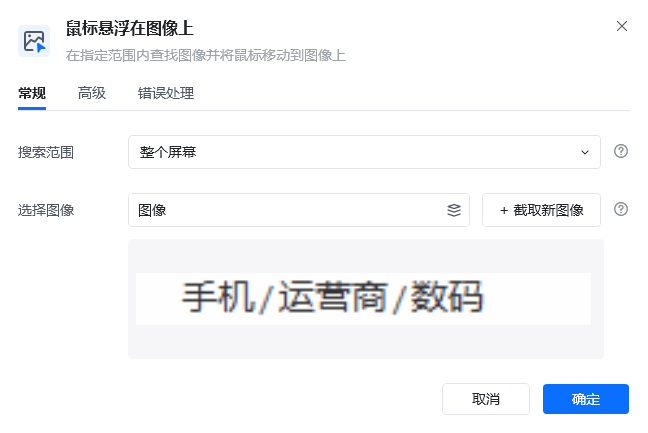
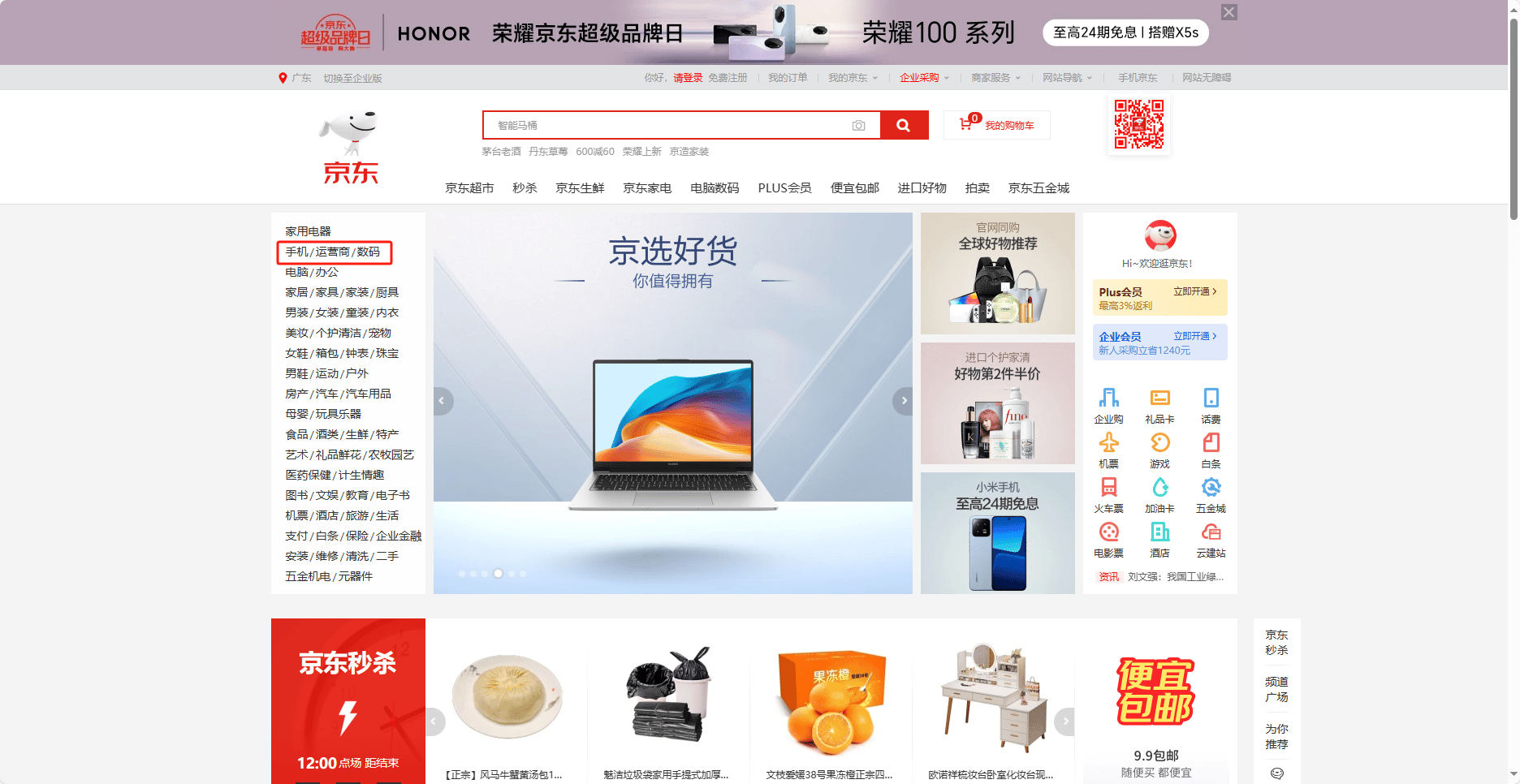
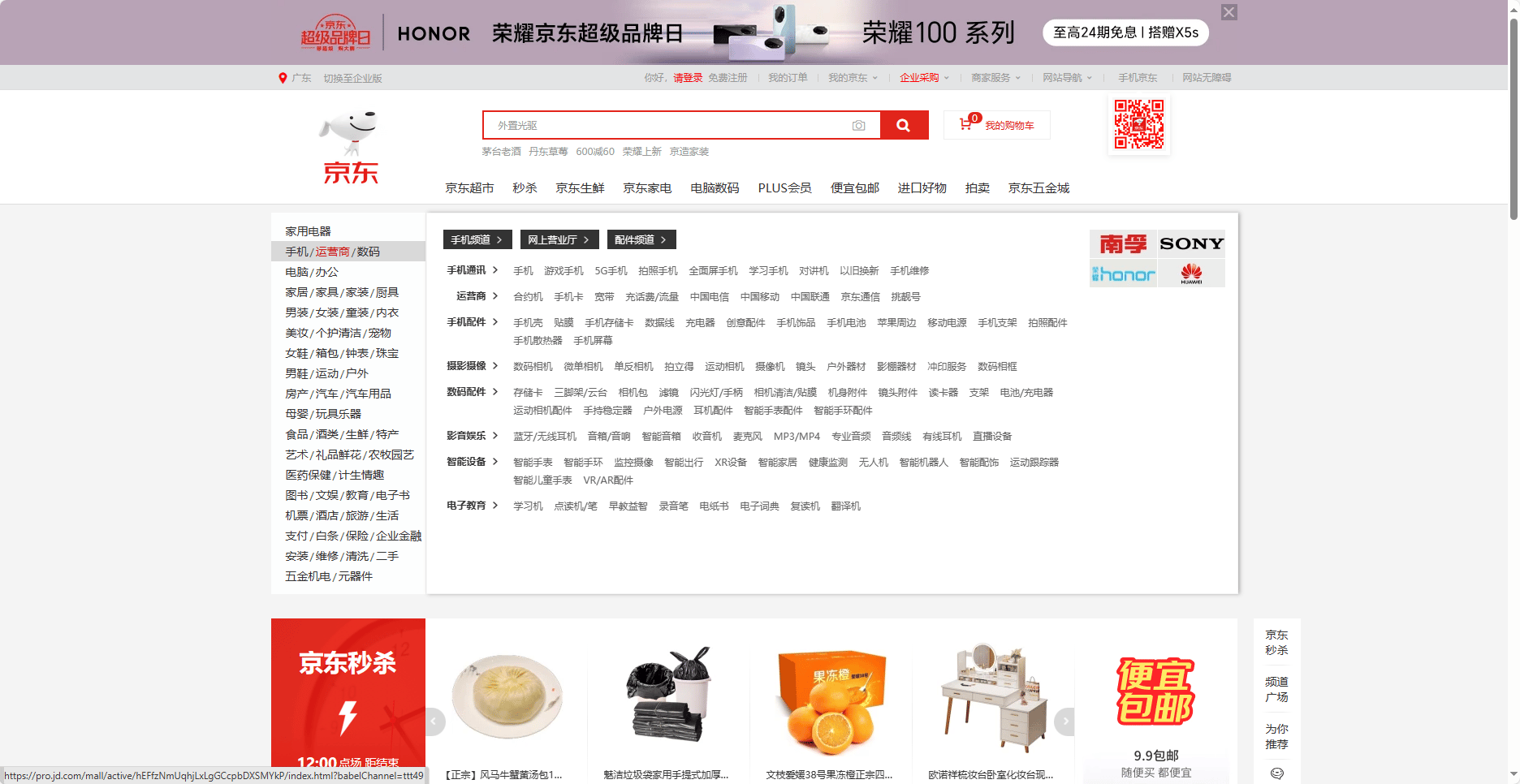
1. 使用“捕获新图像”截取页面中的“手机/运营商/数码”区域，并将该图像设置为查找目标。
2. 在【鼠标悬浮在图像上】中设置整个屏幕为搜索范围，并按需要配置匹配相似度和超时时间。
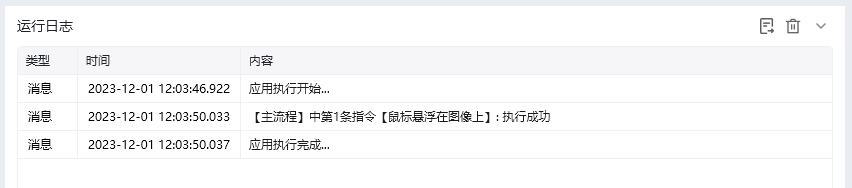
3. 运行后，指令找到目标图像并将鼠标移动到图像位置，使页面触发对应的悬浮状态。

### 效果展示

<img src="https://mintcdn.com/bazhuayu-rpa-docs/vz87YmU8RN3LdaSE/helpcenter/commands/mouse-keyboard/images/hoverimagecommand-03.png?fit=max&auto=format&n=vz87YmU8RN3LdaSE&q=85&s=691b13b321b56f5dc95e5a52b123ac12" alt="鼠标悬浮在图像上效果展示" width="1872" height="966" data-path="helpcenter/commands/mouse-keyboard/images/hoverimagecommand-03.png" />

<img src="https://mintcdn.com/bazhuayu-rpa-docs/vz87YmU8RN3LdaSE/helpcenter/commands/mouse-keyboard/images/hoverimagecommand-04.png?fit=max&auto=format&n=vz87YmU8RN3LdaSE&q=85&s=b33b10709544b1ff5779ab4169ea596a" alt="鼠标悬浮在图像上效果展示" width="403" height="334" data-path="helpcenter/commands/mouse-keyboard/images/hoverimagecommand-04.png" />

<img src="https://mintcdn.com/bazhuayu-rpa-docs/vz87YmU8RN3LdaSE/helpcenter/commands/mouse-keyboard/images/hoverimagecommand-06.png?fit=max&auto=format&n=vz87YmU8RN3LdaSE&q=85&s=2d3b4437c888ccbe62d372fb7d8cad3c" alt="鼠标悬浮在图像上效果展示" width="1872" height="966" data-path="helpcenter/commands/mouse-keyboard/images/hoverimagecommand-06.png" />

<img src="https://mintcdn.com/bazhuayu-rpa-docs/vz87YmU8RN3LdaSE/helpcenter/commands/mouse-keyboard/images/hoverimagecommand-08.png?fit=max&auto=format&n=vz87YmU8RN3LdaSE&q=85&s=e86132516495dee9a9688d9f34a8ff14" alt="鼠标悬浮在图像上效果展示" width="852" height="188" data-path="helpcenter/commands/mouse-keyboard/images/hoverimagecommand-08.png" />

<Info>
  使用指令过程中遇到问题？前往 [八爪鱼RPA 开发者社区问答板块](https://rpa.bazhuayu.com/community/questions) 提问，获取官方与社区帮助。
</Info>