> ## Documentation Index
> Fetch the complete documentation index at: https://rpa.bazhuayu.com/helpcenter/llms.txt
> Use this file to discover all available pages before exploring further.

# 设置网页元素属性

## 指令说明

**描述：** 用于在网页自动化过程中设置/修改目标元素的属性值，可用于表单填充、状态切换、样式调整等场景。

## 参数说明

<Tabs>
  <Tab title="常规">
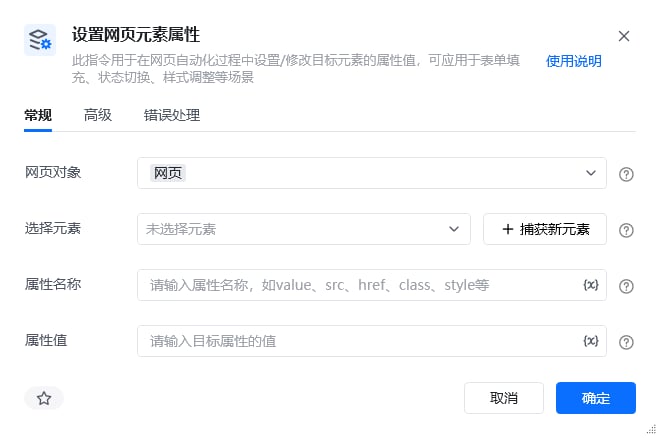
    <img src="https://mintcdn.com/bazhuayu-rpa-docs/_udziDO1jBiOpIxe/helpcenter/commands/web-automation/images/web-set-attr-01.png?fit=max&auto=format&n=_udziDO1jBiOpIxe&q=85&s=381ff749ef2dce88c048e56e90dbf59e" alt="设置网页元素属性指令参数面板" width="660" height="438" data-path="helpcenter/commands/web-automation/images/web-set-attr-01.png" />

    | 参数       | 说明                                                           |
    | -------- | ------------------------------------------------------------ |
    | **网页对象** | 选择一个之前通过【打开网页】或【获取已打开的网页对象】指令创建的网页对象                         |
    | **选择元素** | 从元素库中选择一个已捕获的元素或通过「捕获新元素」来捕获新的网页元素作为操作目标                     |
    | **属性名称** | 请输入属性名称，如value、src、href、class、style等。（style属性可用于确定元素在网页上的样式） |
    | **属性值**  | 请输入目标属性的值（如用style = "display:None"可将元素隐藏）                    |
  </Tab>

  <Tab title="高级">
    本指令暂无高级参数。
  </Tab>
</Tabs>

## 使用示例

<img src="https://mintcdn.com/bazhuayu-rpa-docs/_udziDO1jBiOpIxe/helpcenter/commands/web-automation/images/web-set-attr-02.png?fit=max&auto=format&n=_udziDO1jBiOpIxe&q=85&s=072d5ccbe6b4792b162e82bbaf50c2a2" alt="设置网页元素属性使用示例 - 流程搭建" width="1201" height="151" data-path="helpcenter/commands/web-automation/images/web-set-attr-02.png" />

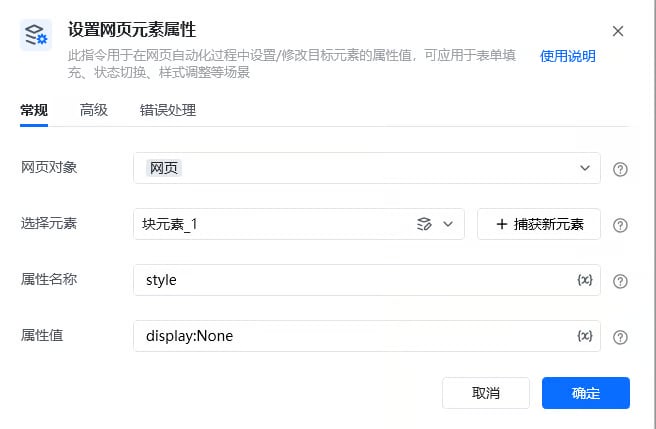
<img src="https://mintcdn.com/bazhuayu-rpa-docs/_udziDO1jBiOpIxe/helpcenter/commands/web-automation/images/web-set-attr-03.png?fit=max&auto=format&n=_udziDO1jBiOpIxe&q=85&s=45e897f271aa31995122a082d97690e7" alt="设置网页元素属性使用示例 - 流程搭建" width="656" height="429" data-path="helpcenter/commands/web-automation/images/web-set-attr-03.png" />

**该流程执行逻辑：**

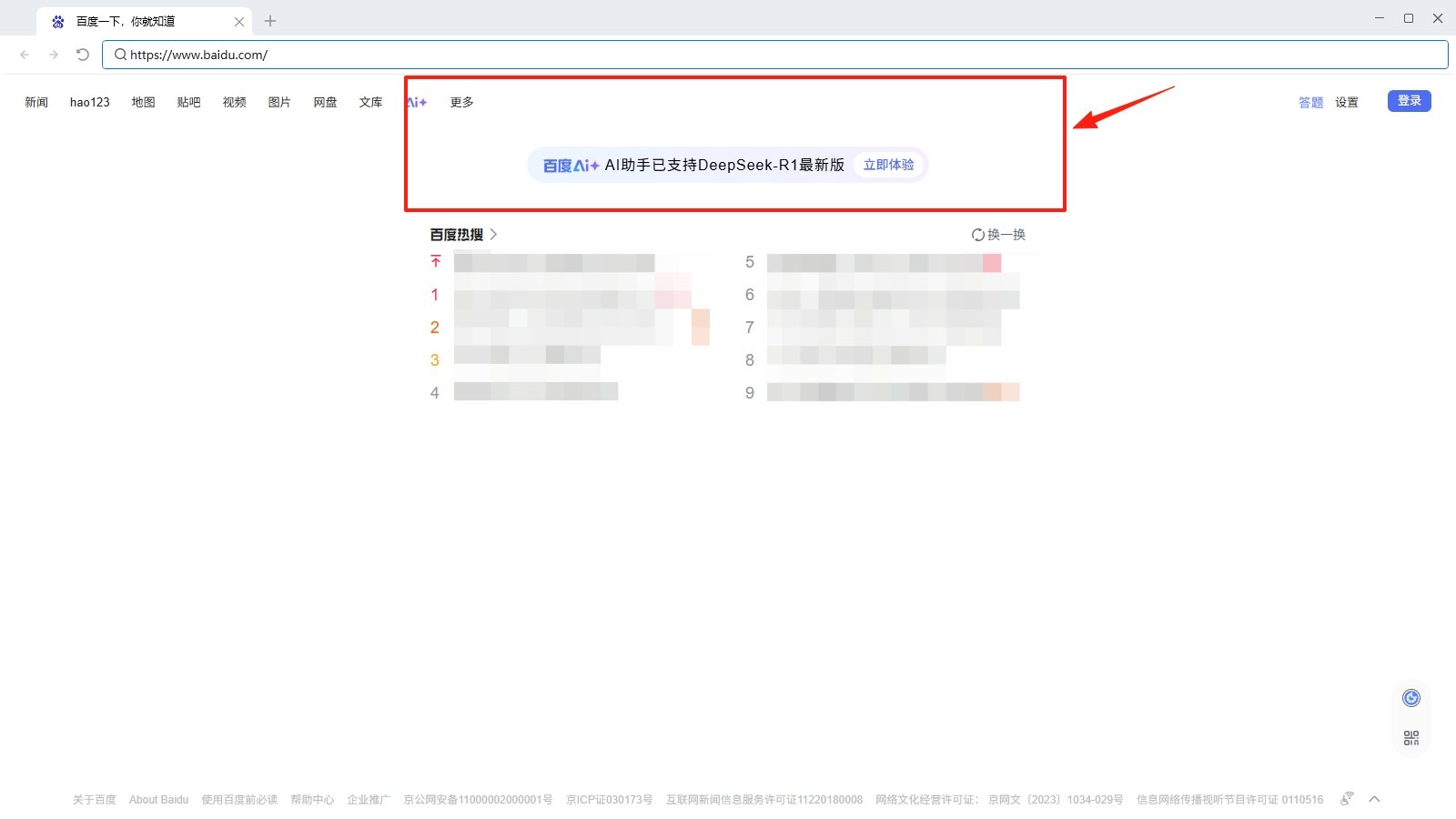
打开百度网页

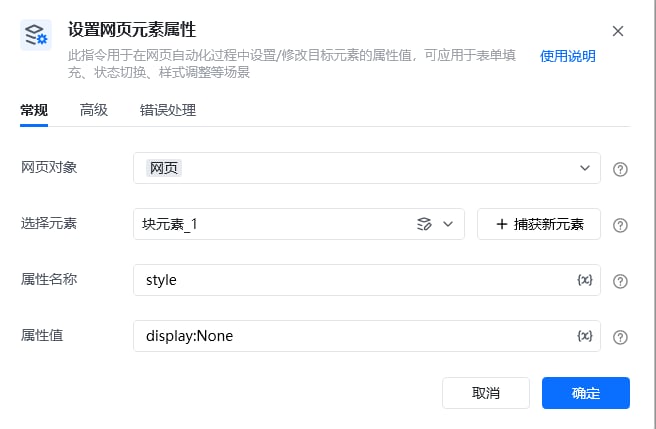
使用【设置网页元素属性】指令设置指定元素的style属性值为"display:None"，即隐藏该元素

### 效果展示

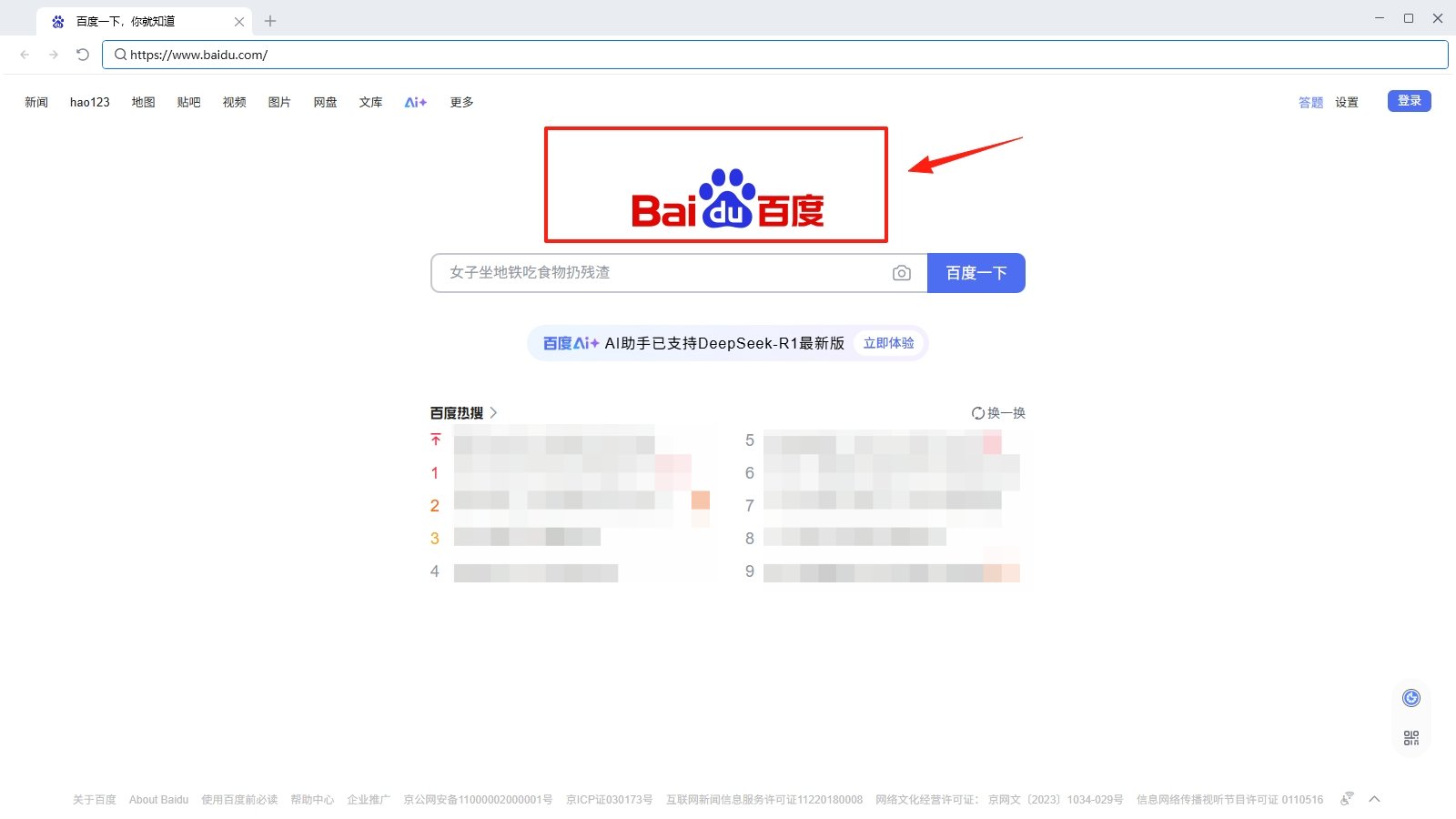
目标元素的属性值被成功修改。

<img src="https://mintcdn.com/bazhuayu-rpa-docs/_udziDO1jBiOpIxe/helpcenter/commands/web-automation/images/web-set-attr-04.png?fit=max&auto=format&n=_udziDO1jBiOpIxe&q=85&s=4263371dedc86fe2d456908d8ef9afff" alt="设置网页元素属性使用示例 - 效果展示" width="656" height="429" data-path="helpcenter/commands/web-automation/images/web-set-attr-04.png" />

<img src="https://mintcdn.com/bazhuayu-rpa-docs/_udziDO1jBiOpIxe/helpcenter/commands/web-automation/images/web-set-attr-05.png?fit=max&auto=format&n=_udziDO1jBiOpIxe&q=85&s=a6dfb81fdc45501625bcdc772cea6d20" alt="设置网页元素属性使用示例 - 效果展示 2" width="1600" height="900" data-path="helpcenter/commands/web-automation/images/web-set-attr-05.png" />

<img src="https://mintcdn.com/bazhuayu-rpa-docs/_udziDO1jBiOpIxe/helpcenter/commands/web-automation/images/web-set-attr-06.png?fit=max&auto=format&n=_udziDO1jBiOpIxe&q=85&s=2f6503653db976d409aedbe1880e1532" alt="设置网页元素属性使用示例 - 效果展示 3" width="1600" height="900" data-path="helpcenter/commands/web-automation/images/web-set-attr-06.png" />

### 使用小Tips

该指令可处理部分广告弹窗，将弹窗的style属性值改为"display:None"，即可避免部分弹窗应用流程运行。

<Info>
  使用指令过程中遇到问题？前往 [八爪鱼RPA 开发者社区问答板块](https://rpa.bazhuayu.com/community/questions) 提问，获取官方与社区帮助。
</Info>