> ## Documentation Index
> Fetch the complete documentation index at: https://rpa.bazhuayu.com/helpcenter/llms.txt
> Use this file to discover all available pages before exploring further.
# 右侧菜单栏
> 流程编辑器右侧参数栏的功能与用法。
## 功能概述
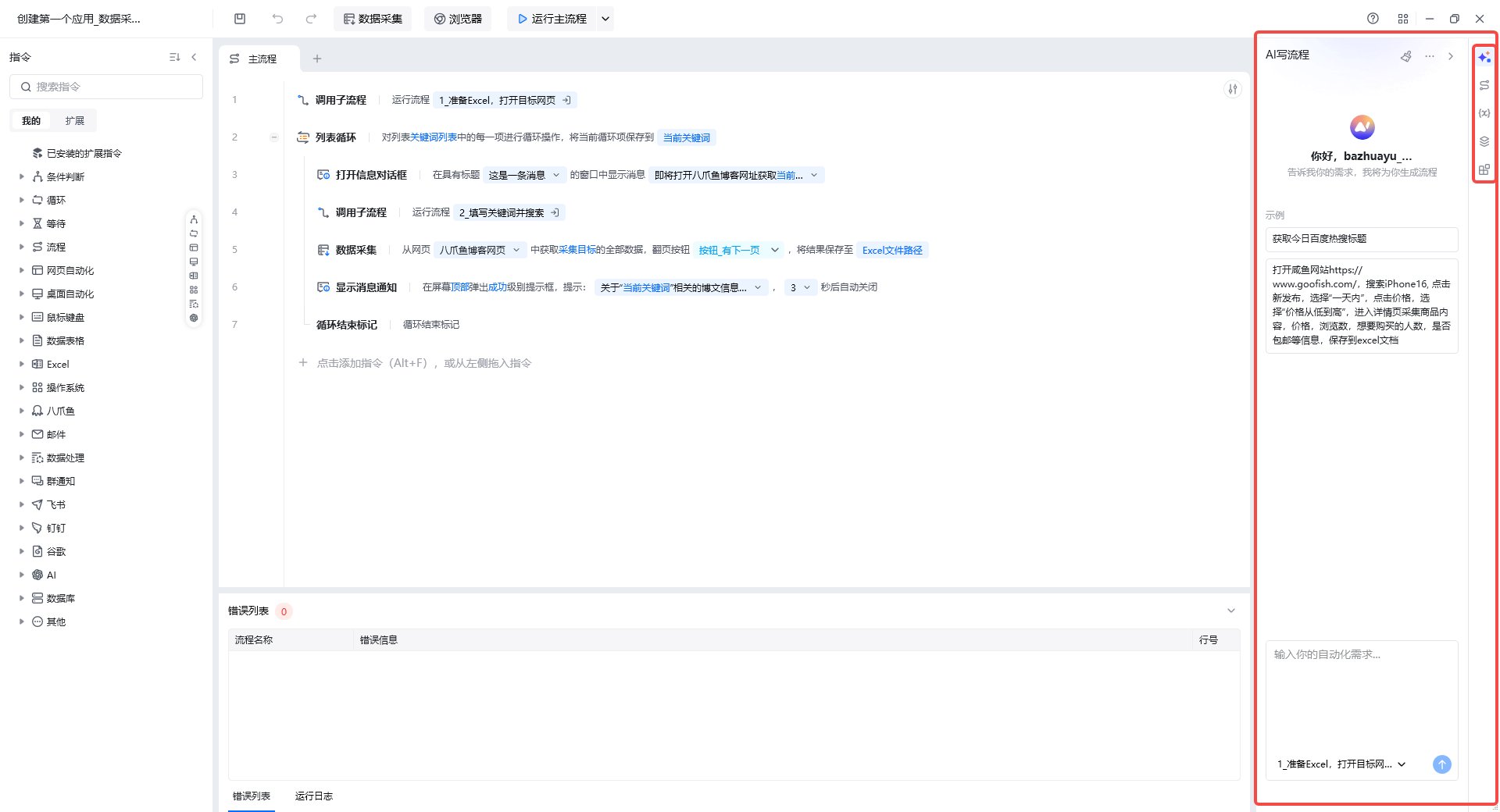
右侧菜单栏(右侧参数栏)是流程编辑器中用于管理应用级资源与辅助开发的面板,包含 AI 写流程、子流程、变量、元素与 Python 包管理等模块。
## 入口
进入任意应用的流程编辑界面,右侧边栏即为右侧菜单栏。
 ## 主要功能
### AI 写流程
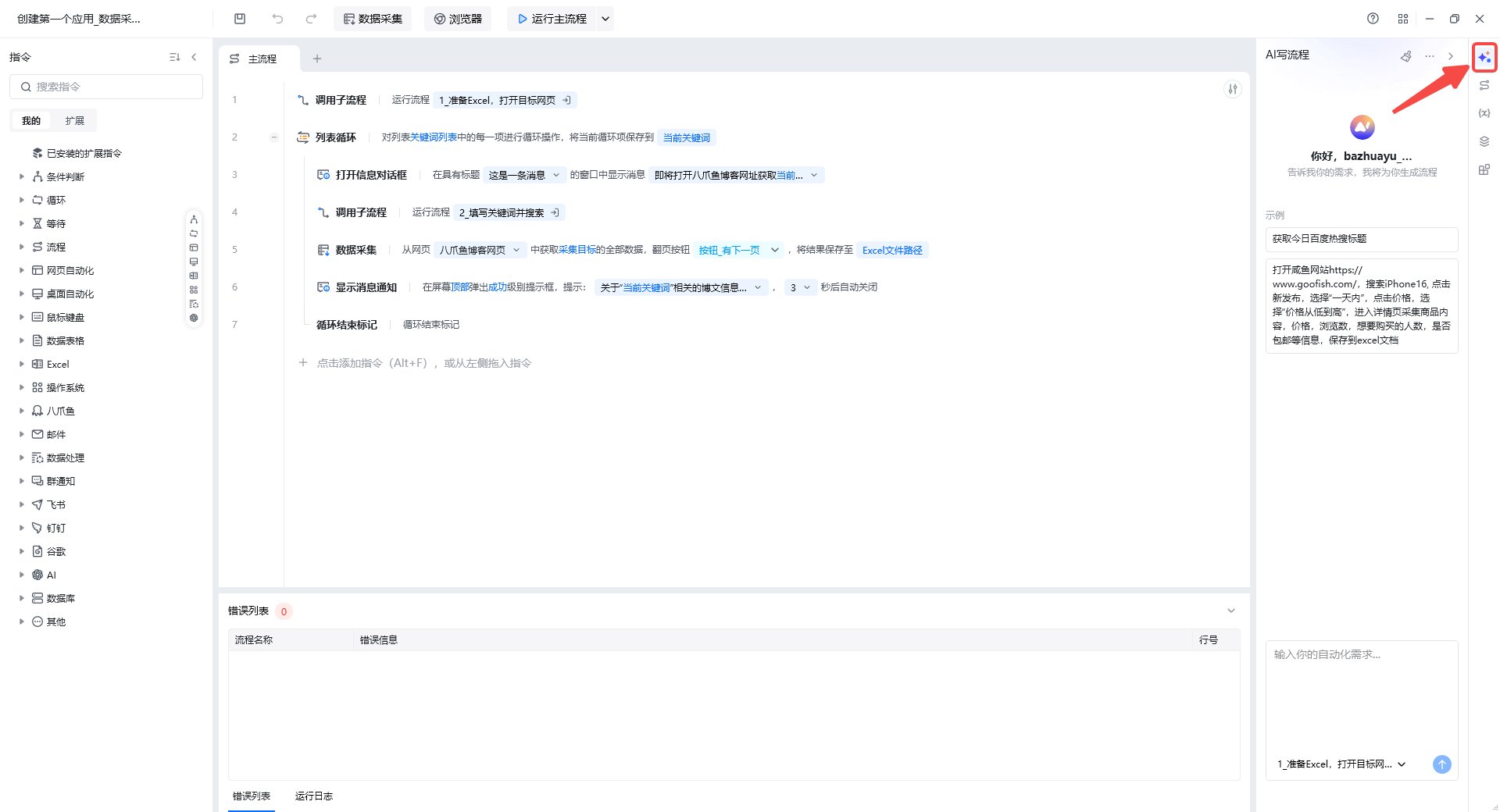
通过自然语言描述业务需求,AI 自动生成可执行的 RPA 流程搭建步骤与指令,降低开发门槛,提升搭建效率。
## 主要功能
### AI 写流程
通过自然语言描述业务需求,AI 自动生成可执行的 RPA 流程搭建步骤与指令,降低开发门槛,提升搭建效率。
 ### 流程管理
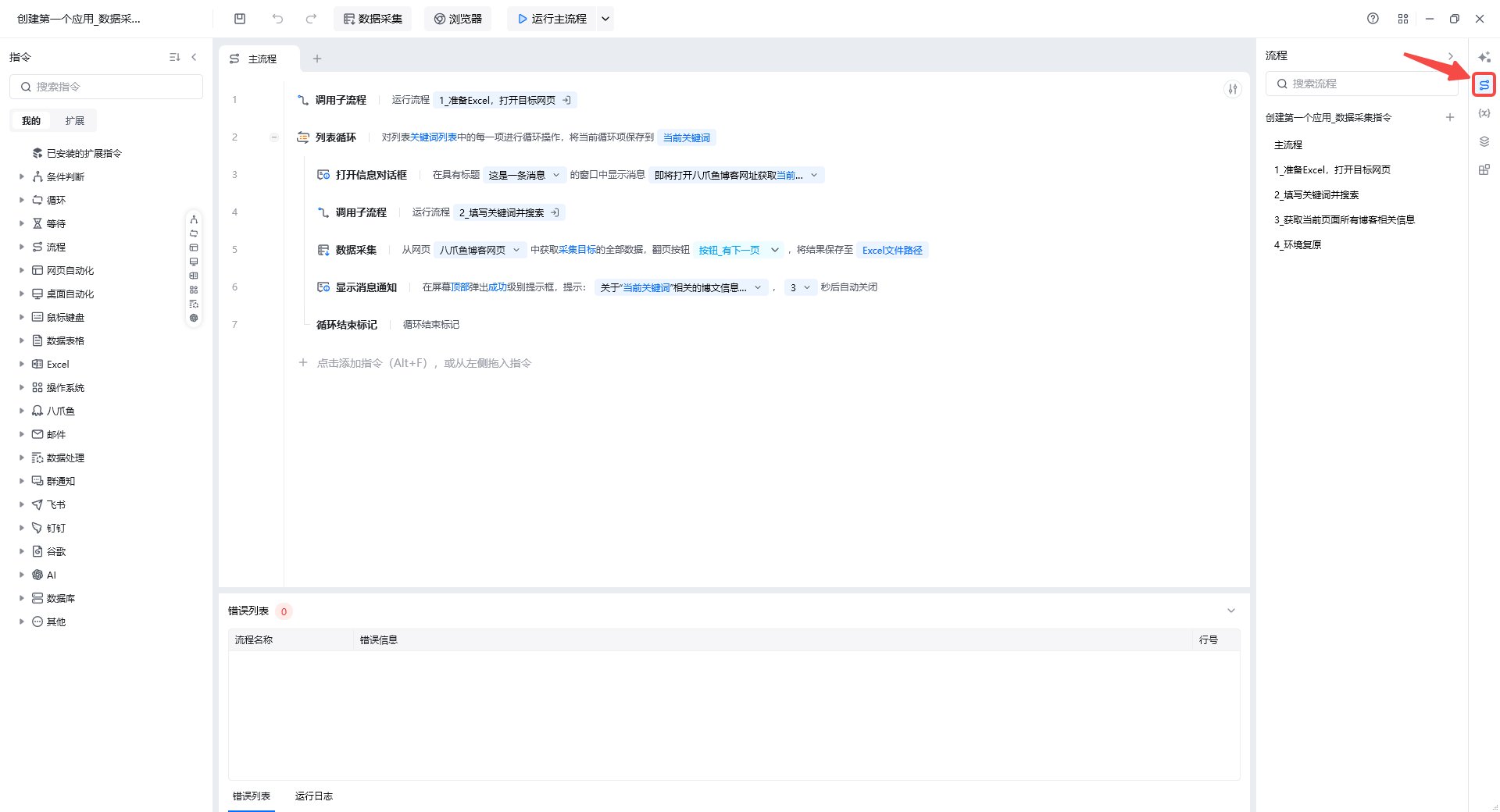
用于管理主流程与子流程。子流程可将相对独立的功能模块化,被主流程或其他子流程调用,降低维护成本。
* **新建子流程**:点击「新建可视化流程」创建子流程。
* **子流程右键操作**:支持重命名、查找应用、创建副本、删除。
### 流程管理
用于管理主流程与子流程。子流程可将相对独立的功能模块化,被主流程或其他子流程调用,降低维护成本。
* **新建子流程**:点击「新建可视化流程」创建子流程。
* **子流程右键操作**:支持重命名、查找应用、创建副本、删除。
 ### 变量管理
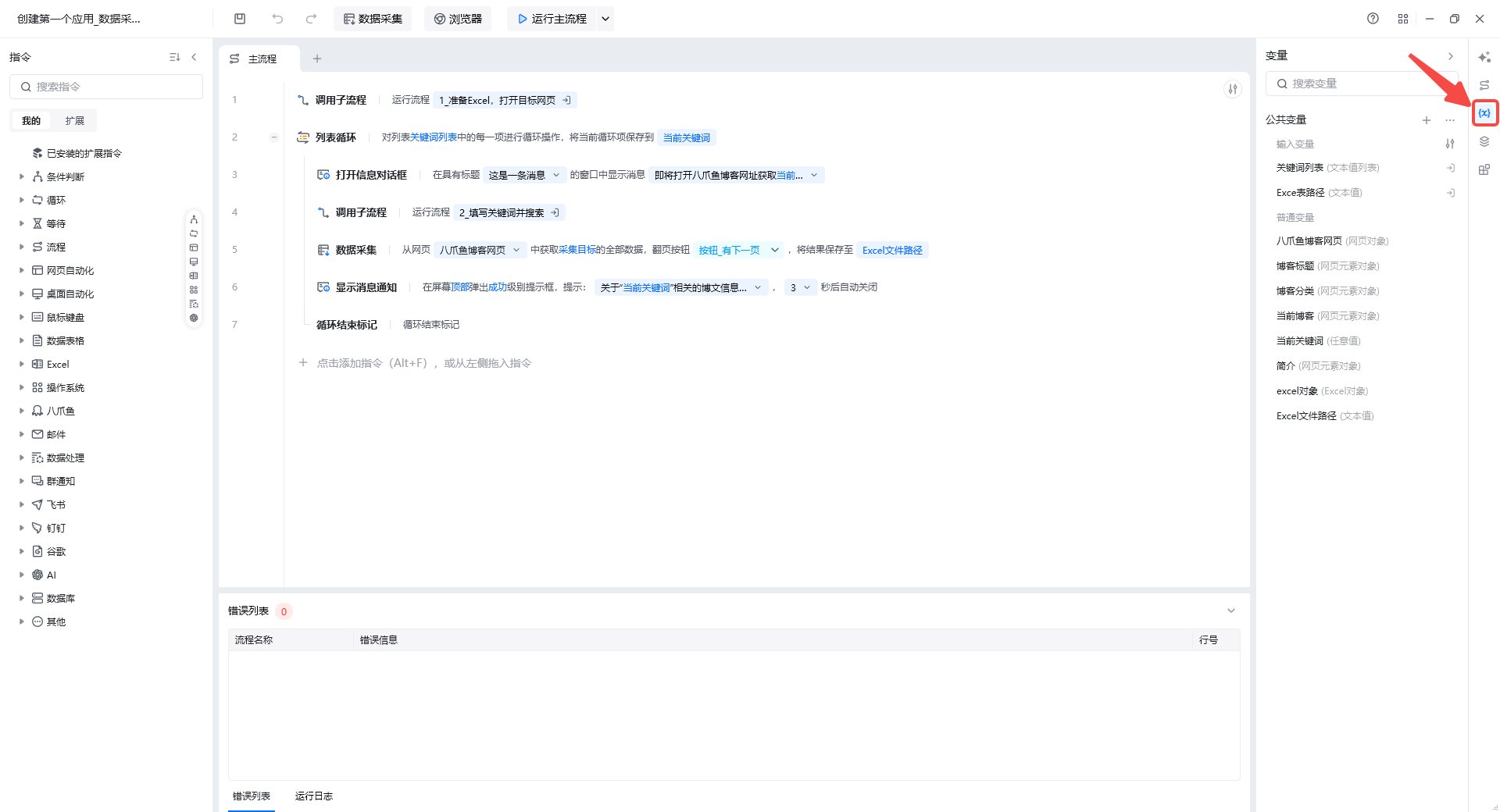
* **输入变量**:管理应用运行前需要传入的变量(名称、类型、默认值、控件类型)。
* **普通变量**:管理当前应用中所有流程生成的变量。
### 变量管理
* **输入变量**:管理应用运行前需要传入的变量(名称、类型、默认值、控件类型)。
* **普通变量**:管理当前应用中所有流程生成的变量。
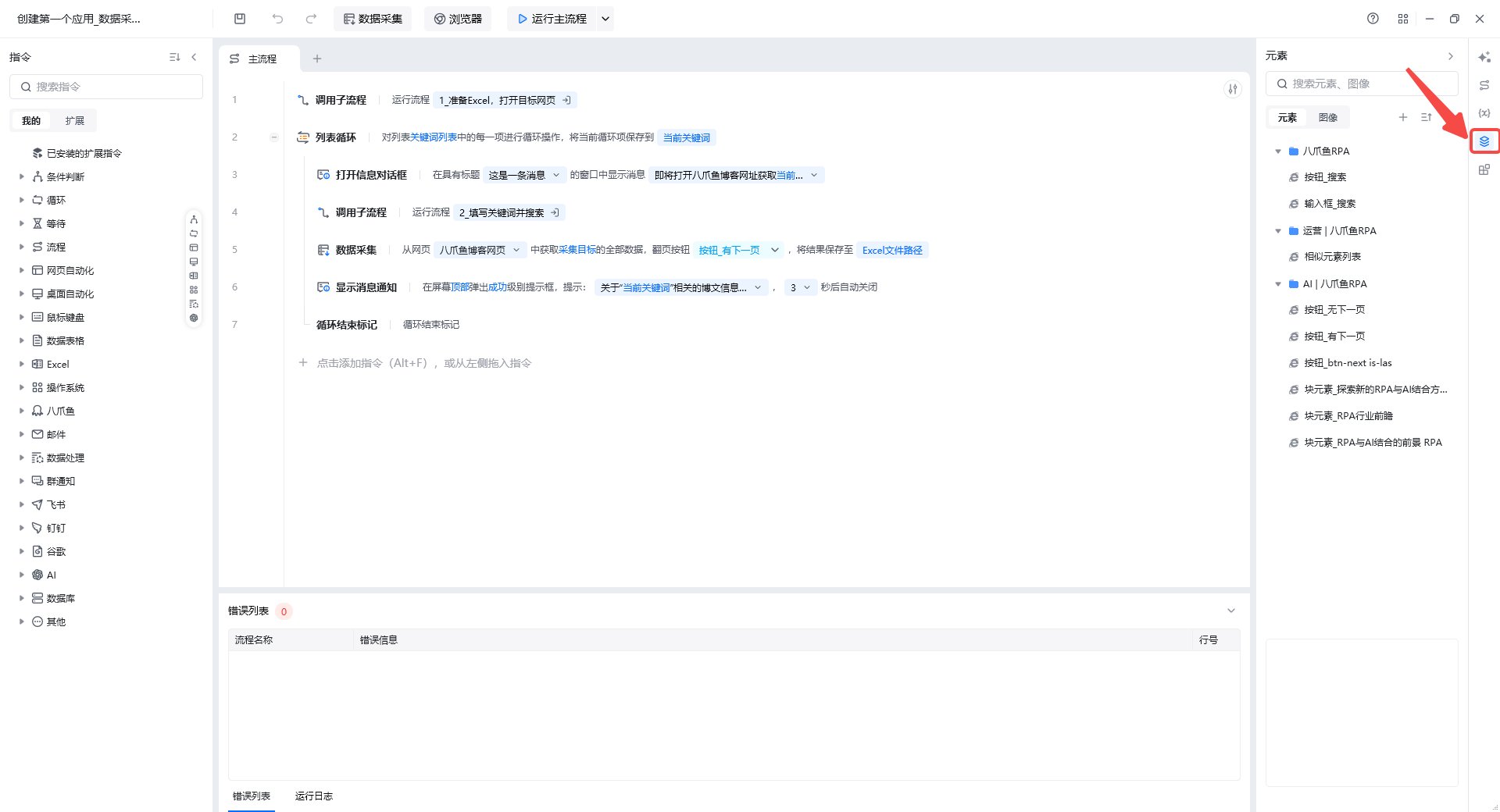
 ### 元素库
用于捕获、存放与管理网页元素。捕获后的元素可被【网页自动化】指令集引用和操作。
### 元素库
用于捕获、存放与管理网页元素。捕获后的元素可被【网页自动化】指令集引用和操作。
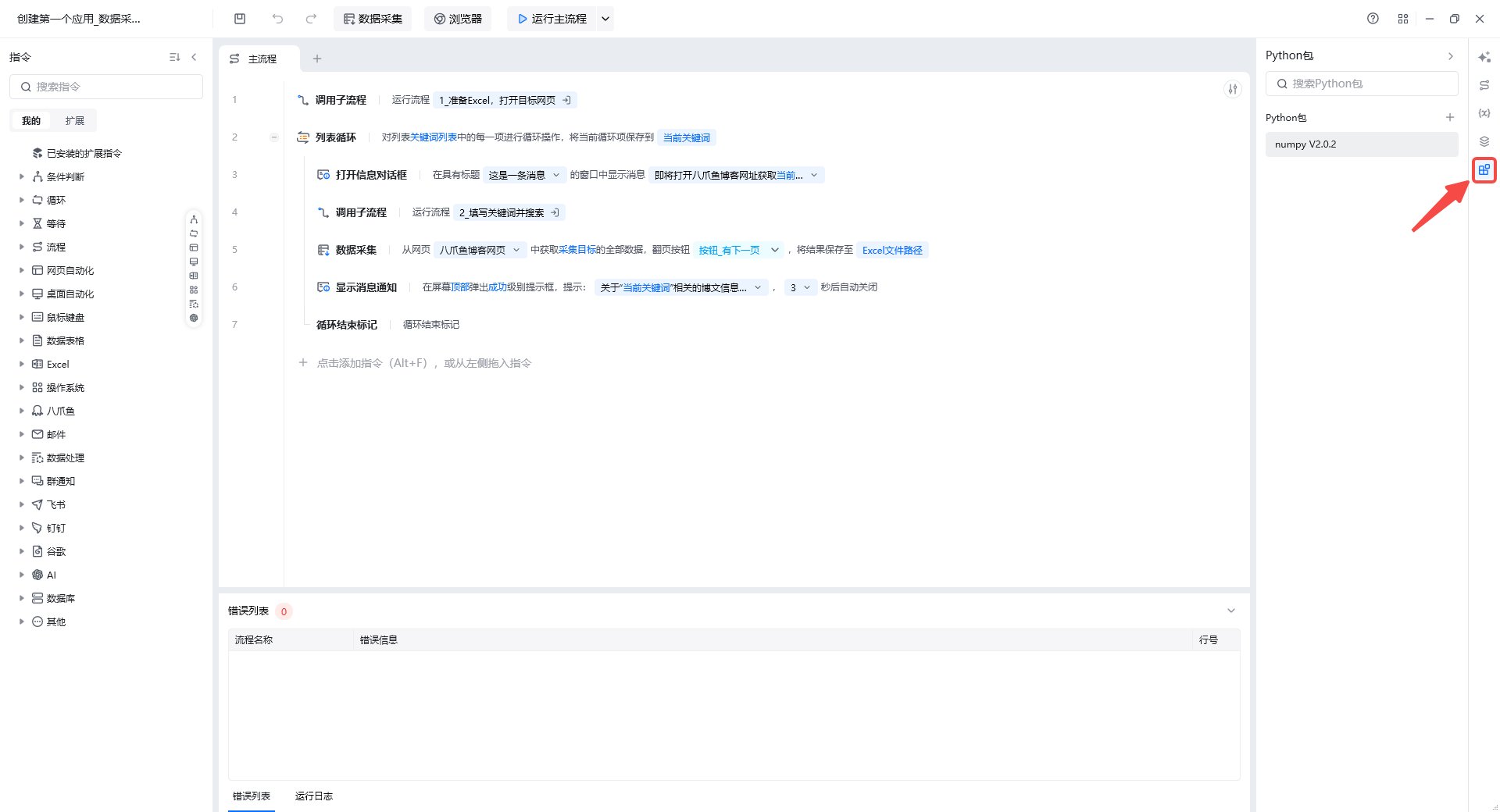
 ### Python 包管理
若流程中使用了【执行 Python 代码】指令,可在此处可视化安装、删除、升级 Python 包。在此处安装完 Python 包后,如果将应用分享给其他用户,会自动装包,用户不用再次手动导包。
### Python 包管理
若流程中使用了【执行 Python 代码】指令,可在此处可视化安装、删除、升级 Python 包。在此处安装完 Python 包后,如果将应用分享给其他用户,会自动装包,用户不用再次手动导包。
 ## 使用流程
1. 在右侧菜单栏选择需要管理的模块(变量、元素、子流程等)。
2. 点击「新建」或「捕获」添加资源。
3. 在流程编辑区使用这些资源配置指令参数。
4. 通过「AI 写流程」快速生成复杂流程骨架,再手动精调。
使用过程中遇到问题?前往 [八爪鱼RPA 开发者社区问答板块](https://rpa.bazhuayu.com/community/questions) 提问,获取官方与社区帮助。
## 使用流程
1. 在右侧菜单栏选择需要管理的模块(变量、元素、子流程等)。
2. 点击「新建」或「捕获」添加资源。
3. 在流程编辑区使用这些资源配置指令参数。
4. 通过「AI 写流程」快速生成复杂流程骨架,再手动精调。
使用过程中遇到问题?前往 [八爪鱼RPA 开发者社区问答板块](https://rpa.bazhuayu.com/community/questions) 提问,获取官方与社区帮助。