> ## Documentation Index
> Fetch the complete documentation index at: https://rpa.bazhuayu.com/helpcenter/llms.txt
> Use this file to discover all available pages before exploring further.

# 网页自动化案例

> 通过一个实际应用案例，教大家如何使用八爪鱼RPA实现网页的自动化。

> 使用八爪鱼 RPA 去模拟人工操作网页，例如元素的点击、搜索框的文字输入、网页的滚动以及表格化数据的抓取，达到替代人工自动化操作的效果

## 1、应用说明

抓取深交所网站上市公司”永顺泰“的上市公告

<div className="h-8" />

## 2、应用实现逻辑

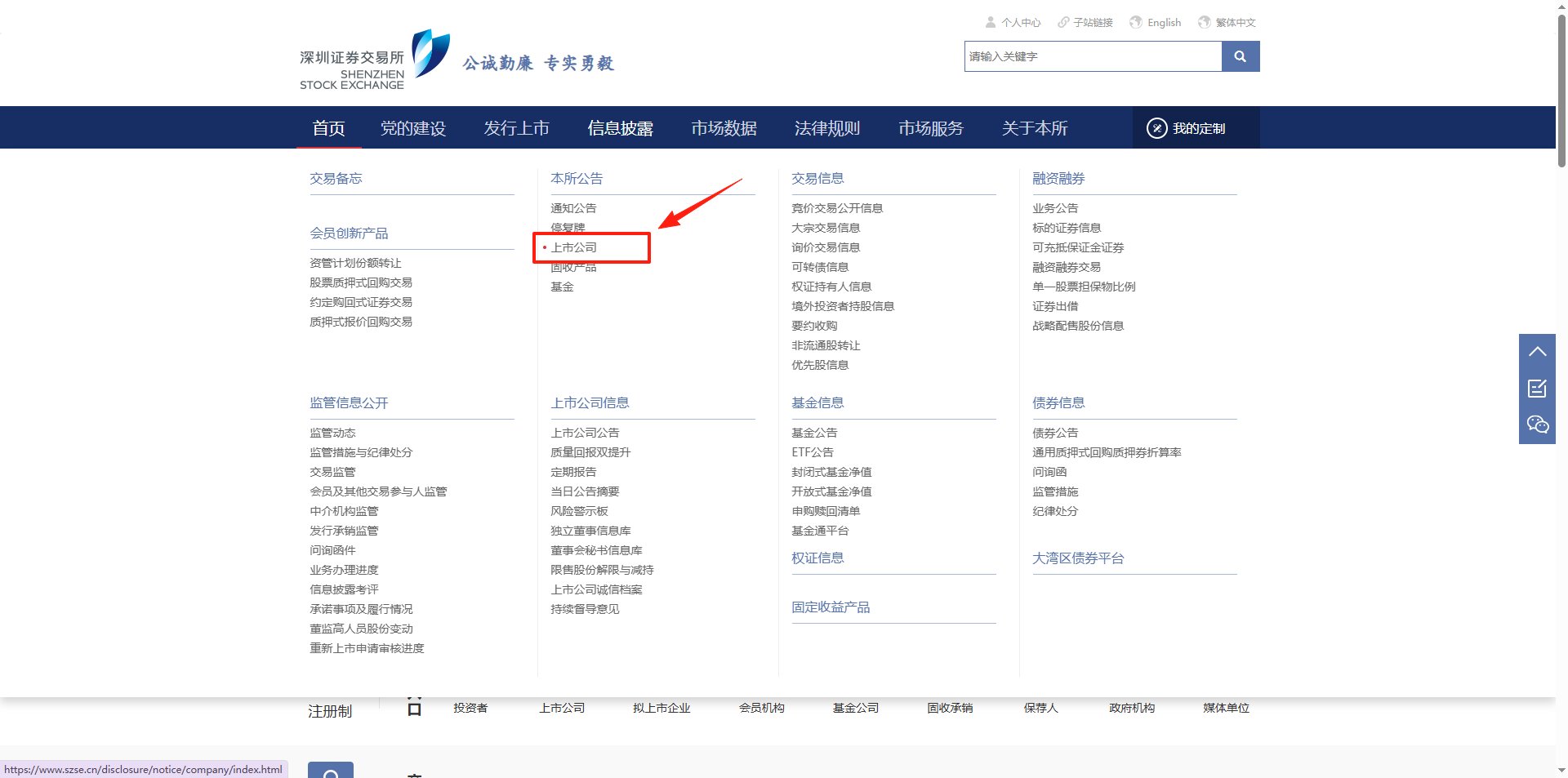
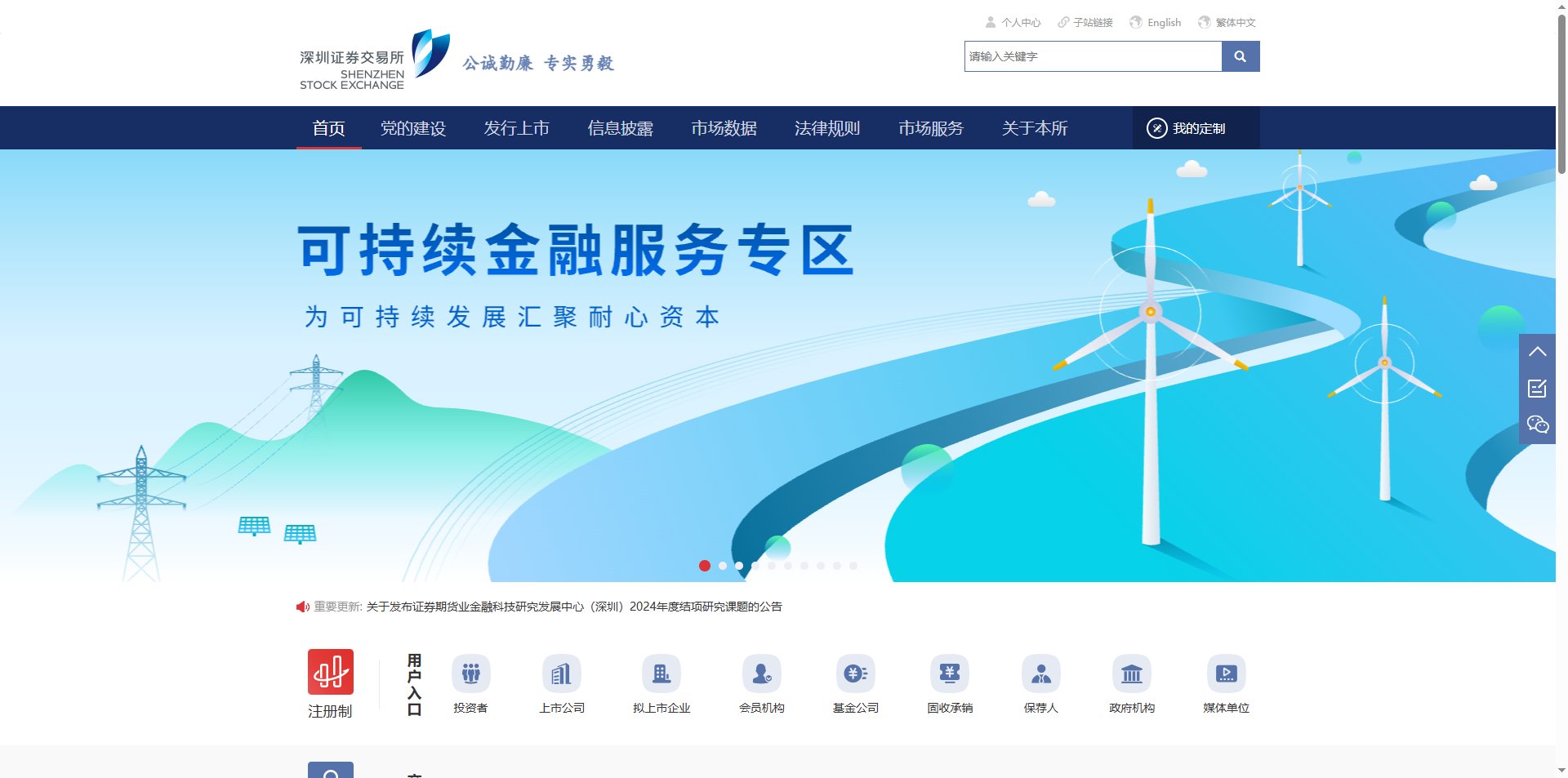
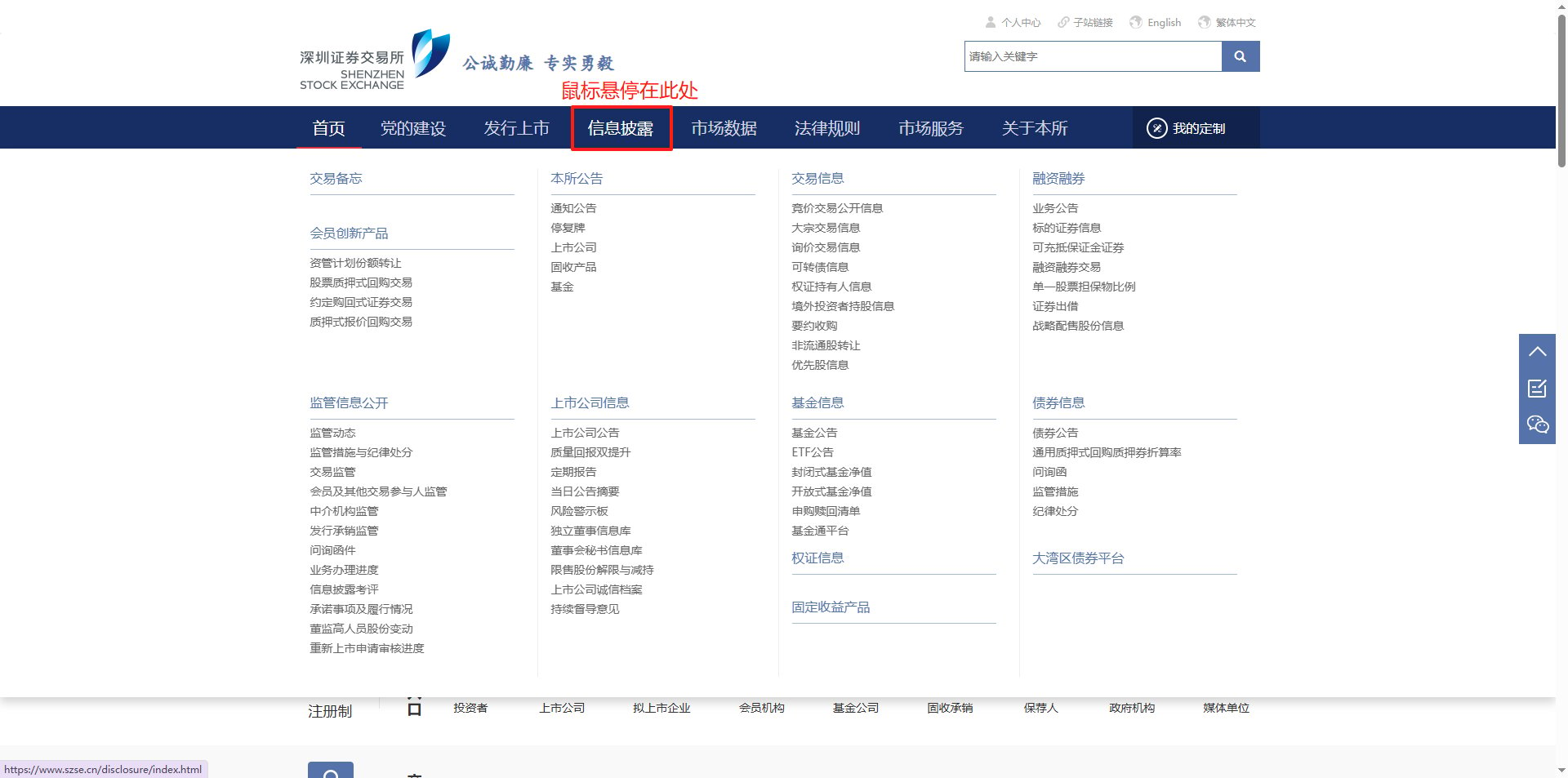
打开"深交所"网站 （网站链接：[https://www.szse.cn/index/index.html）](https://www.szse.cn/index/index.html）)

<img src="https://mintcdn.com/bazhuayu-rpa-docs/D6MJZZ__w_5ViTWO/helpcenter/getting-started/images/9obcHl-01.png?fit=max&auto=format&n=D6MJZZ__w_5ViTWO&q=85&s=68982891b27568ec3d4725aeaec17799" alt="网页自动化案例" width="1920" height="953" data-path="helpcenter/getting-started/images/9obcHl-01.png" />

鼠标悬停，信息披露

<img src="https://mintcdn.com/bazhuayu-rpa-docs/D6MJZZ__w_5ViTWO/helpcenter/getting-started/images/9obcHl-02.png?fit=max&auto=format&n=D6MJZZ__w_5ViTWO&q=85&s=11d110121590f1f25410655739c45a55" alt="网页自动化案例" width="1920" height="953" data-path="helpcenter/getting-started/images/9obcHl-02.png" />

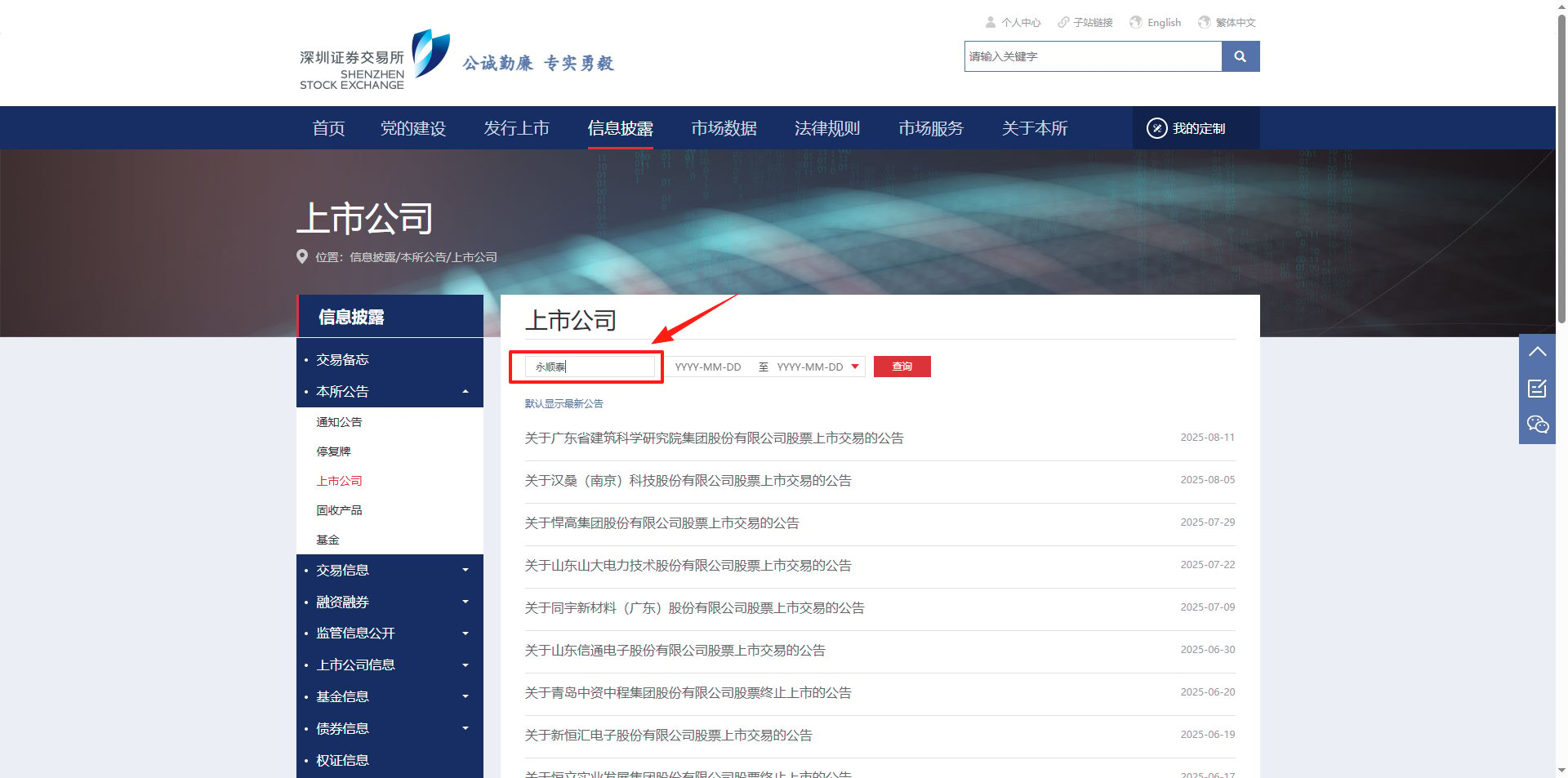
点击”上市公司“

<img src="https://mintcdn.com/bazhuayu-rpa-docs/D6MJZZ__w_5ViTWO/helpcenter/getting-started/images/9obcHl-03.png?fit=max&auto=format&n=D6MJZZ__w_5ViTWO&q=85&s=b56dd5b0672d9c791b80bc44014b7e84" alt="网页自动化案例" width="1920" height="953" data-path="helpcenter/getting-started/images/9obcHl-03.png" />

填写输入框

<img src="https://mintcdn.com/bazhuayu-rpa-docs/D6MJZZ__w_5ViTWO/helpcenter/getting-started/images/9obcHl-04.png?fit=max&auto=format&n=D6MJZZ__w_5ViTWO&q=85&s=d9cfd66e7a7714b5ef24e48d7adb5c82" alt="网页自动化案例" width="1920" height="953" data-path="helpcenter/getting-started/images/9obcHl-04.png" />

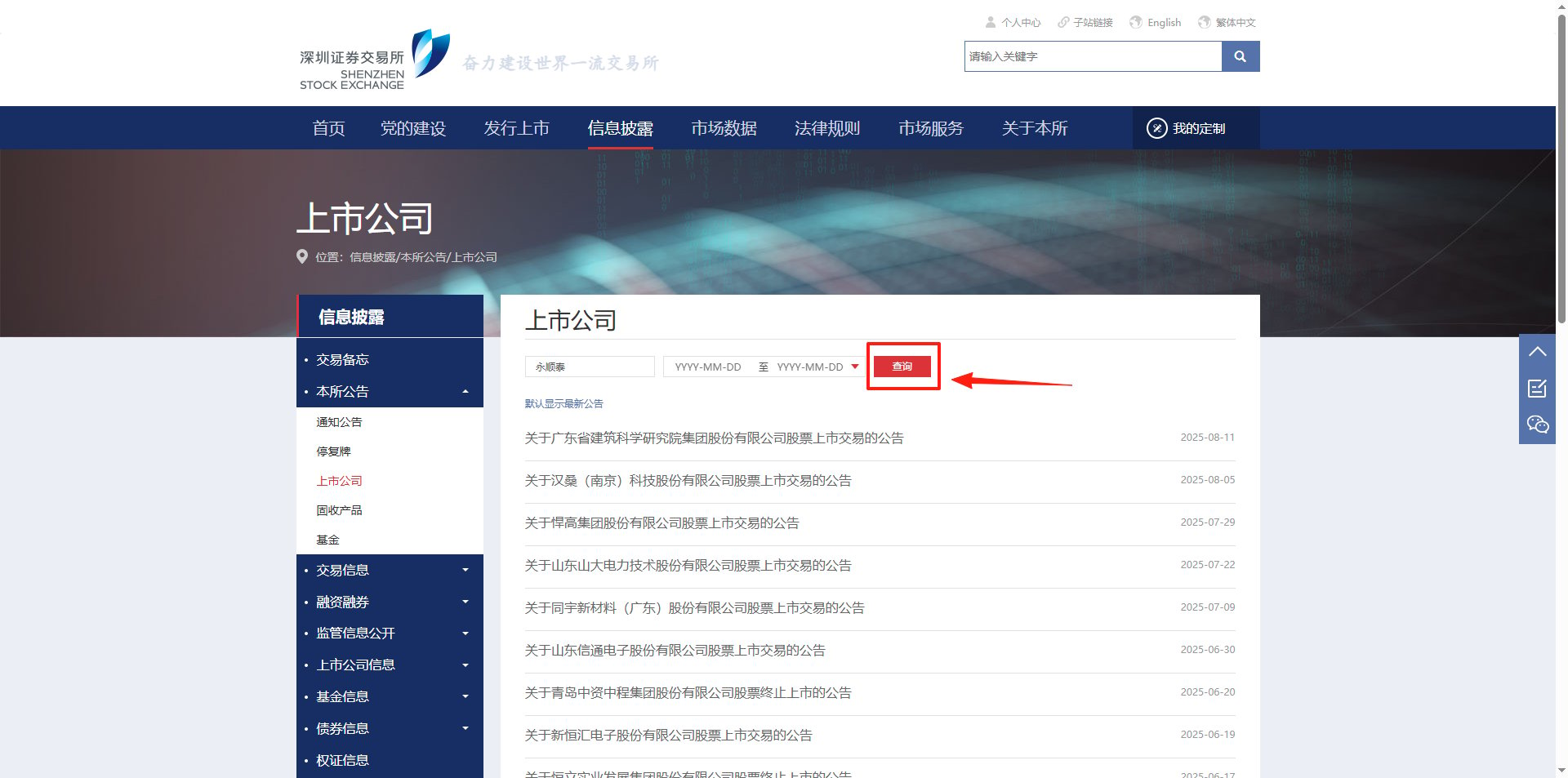
点击"查询"

<img src="https://mintcdn.com/bazhuayu-rpa-docs/D6MJZZ__w_5ViTWO/helpcenter/getting-started/images/9obcHl-05.png?fit=max&auto=format&n=D6MJZZ__w_5ViTWO&q=85&s=0a3bf78a2615f2da2c5042f6da885c61" alt="网页自动化案例" width="1920" height="953" data-path="helpcenter/getting-started/images/9obcHl-05.png" />

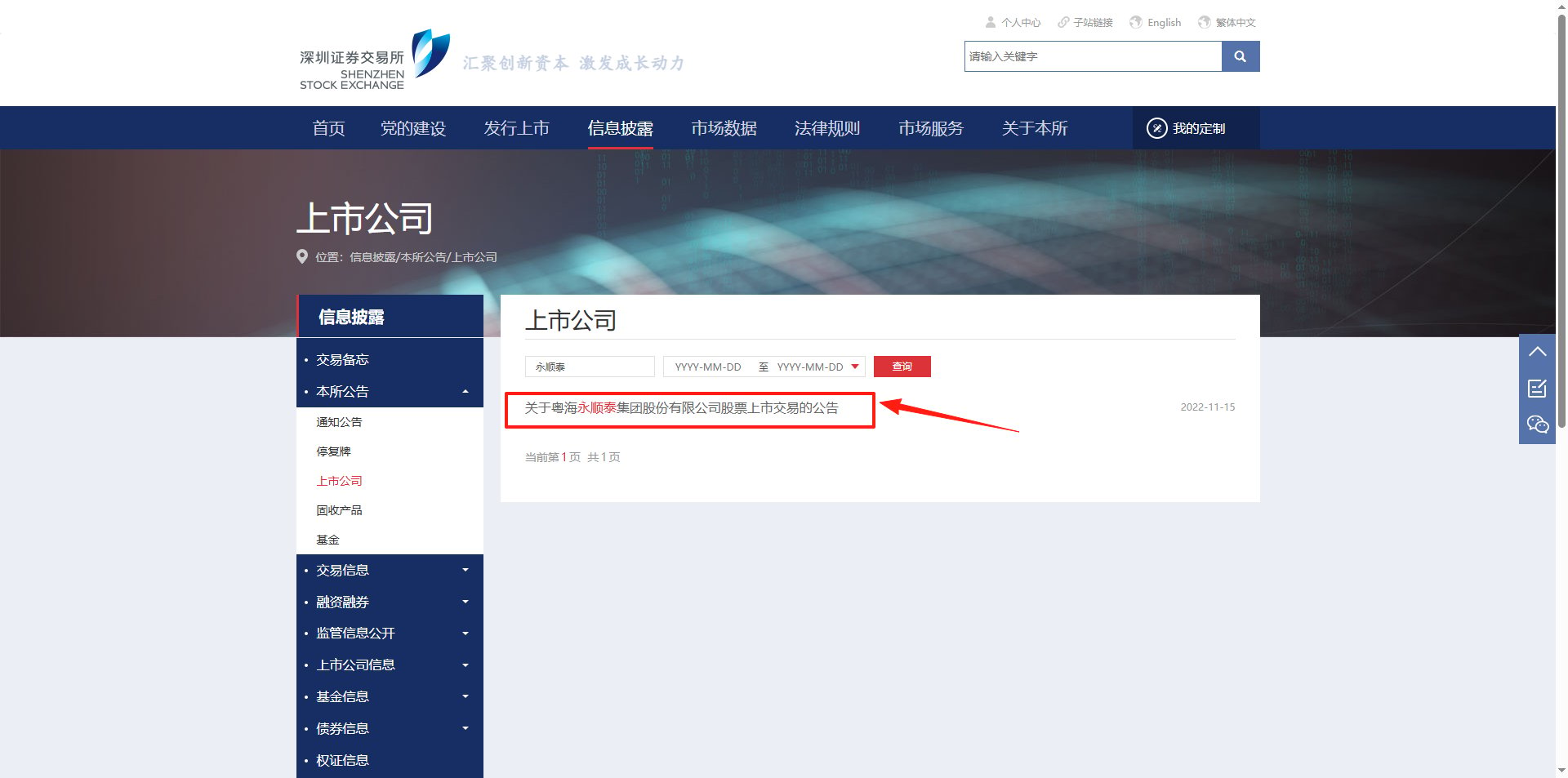
点击”公告“

<img src="https://mintcdn.com/bazhuayu-rpa-docs/D6MJZZ__w_5ViTWO/helpcenter/getting-started/images/9obcHl-06.png?fit=max&auto=format&n=D6MJZZ__w_5ViTWO&q=85&s=dc56d26972a163b4045b35763190dc0a" alt="网页自动化案例" width="1920" height="953" data-path="helpcenter/getting-started/images/9obcHl-06.png" />

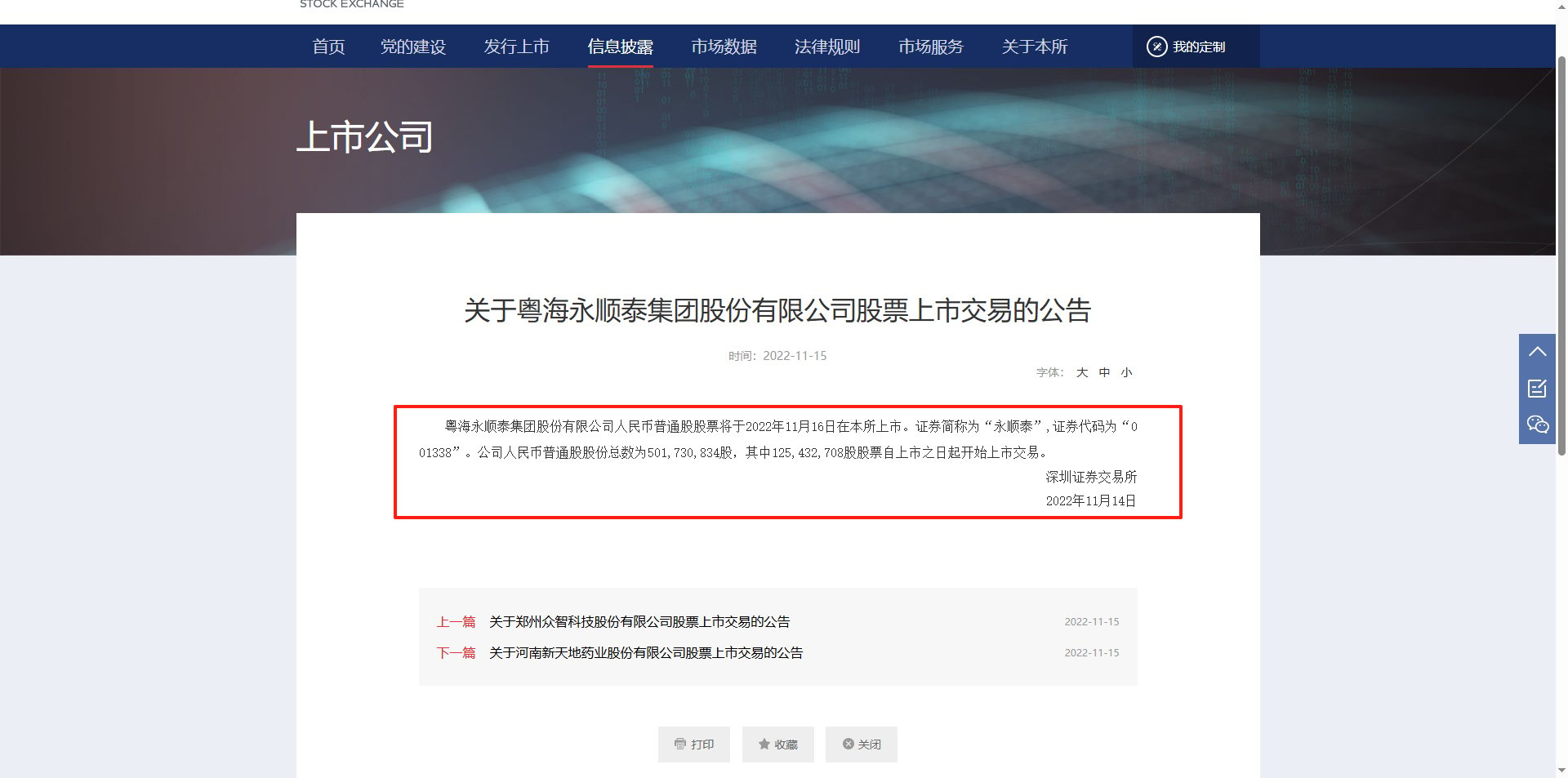
获取公告内容

<img src="https://mintcdn.com/bazhuayu-rpa-docs/D6MJZZ__w_5ViTWO/helpcenter/getting-started/images/9obcHl-07.png?fit=max&auto=format&n=D6MJZZ__w_5ViTWO&q=85&s=a112b95aa86c16b89fdefc28d9dd3fa0" alt="网页自动化案例" width="1920" height="953" data-path="helpcenter/getting-started/images/9obcHl-07.png" />

<div className="h-8" />

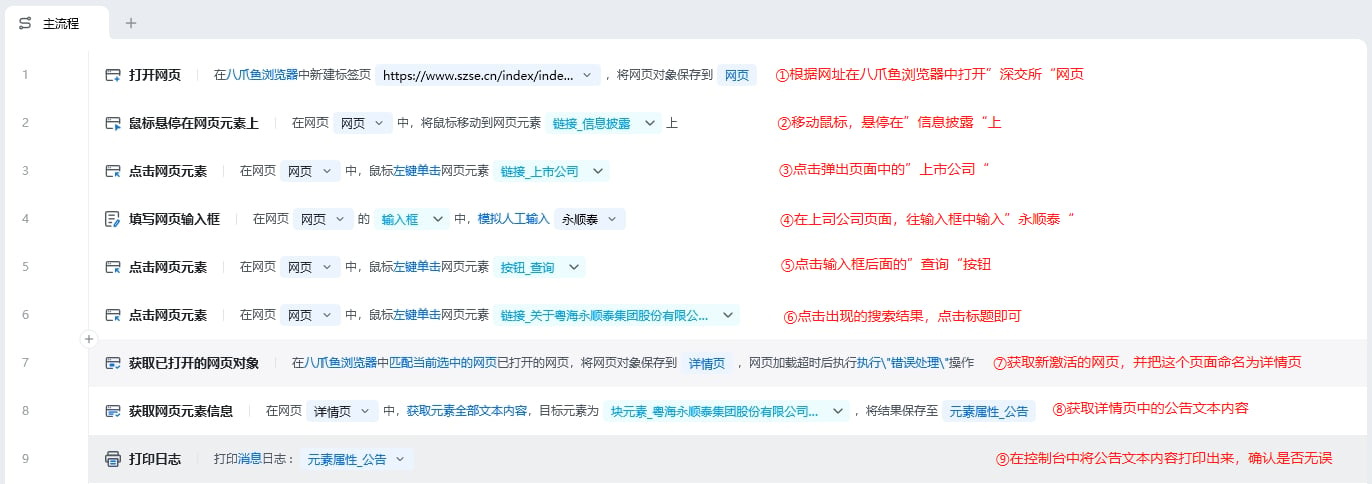
## 3、应用实现

<img src="https://mintcdn.com/bazhuayu-rpa-docs/D6MJZZ__w_5ViTWO/helpcenter/getting-started/images/9obcHl-08.png?fit=max&auto=format&n=D6MJZZ__w_5ViTWO&q=85&s=8999b8a1afbc7221775221c69b4a1d60" alt="网页自动化案例" width="1372" height="484" data-path="helpcenter/getting-started/images/9obcHl-08.png" />

### 流程指令解析

<img src="https://mintcdn.com/bazhuayu-rpa-docs/D6MJZZ__w_5ViTWO/helpcenter/getting-started/images/9obcHl-09.png?fit=max&auto=format&n=D6MJZZ__w_5ViTWO&q=85&s=6117e57a97ef586a2c343e1c6b12c519" alt="网页自动化案例" width="655" height="422" data-path="helpcenter/getting-started/images/9obcHl-09.png" />

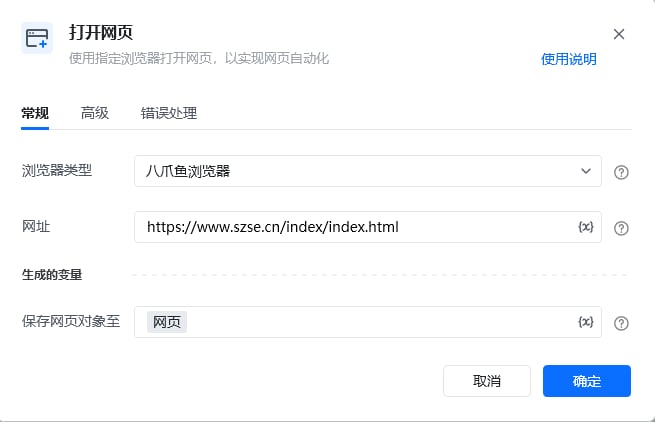
按照习惯选择常用的浏览器类型，可选八爪鱼浏览器、谷歌浏览器、Edge浏览器等，网址则填写”深交所“的网址([https://www.szse.cn/index/index.html)，最后将此网页对象命名为网页。](https://www.szse.cn/index/index.html\)，最后将此网页对象命名为网页。)

<img src="https://mintcdn.com/bazhuayu-rpa-docs/D6MJZZ__w_5ViTWO/helpcenter/getting-started/images/9obcHl-10.png?fit=max&auto=format&n=D6MJZZ__w_5ViTWO&q=85&s=1404339e25ca85c1d8692514810733e4" alt="网页自动化案例" width="652" height="323" data-path="helpcenter/getting-started/images/9obcHl-10.png" />

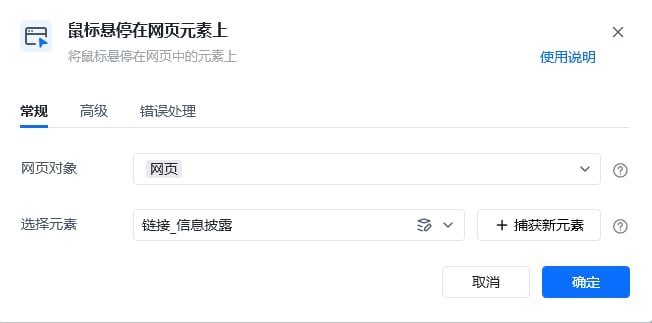
把鼠标悬停在”信息披露“按钮上，等待悬浮页面出现

<img src="https://mintcdn.com/bazhuayu-rpa-docs/D6MJZZ__w_5ViTWO/helpcenter/getting-started/images/9obcHl-11.png?fit=max&auto=format&n=D6MJZZ__w_5ViTWO&q=85&s=003e4482cc878882b12cc4da2af7fbfa" alt="网页自动化案例" width="652" height="322" data-path="helpcenter/getting-started/images/9obcHl-11.png" />

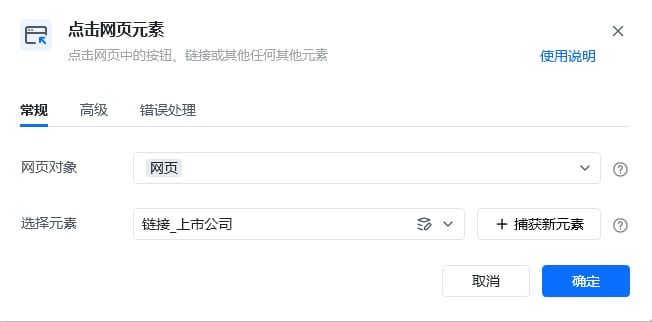
点击悬浮页面中的”上市公司“，跳转到新页面

<img src="https://mintcdn.com/bazhuayu-rpa-docs/D6MJZZ__w_5ViTWO/helpcenter/getting-started/images/9obcHl-12.png?fit=max&auto=format&n=D6MJZZ__w_5ViTWO&q=85&s=e92aeeba6211dc523e6d029956324dad" alt="网页自动化案例" width="654" height="664" data-path="helpcenter/getting-started/images/9obcHl-12.png" />

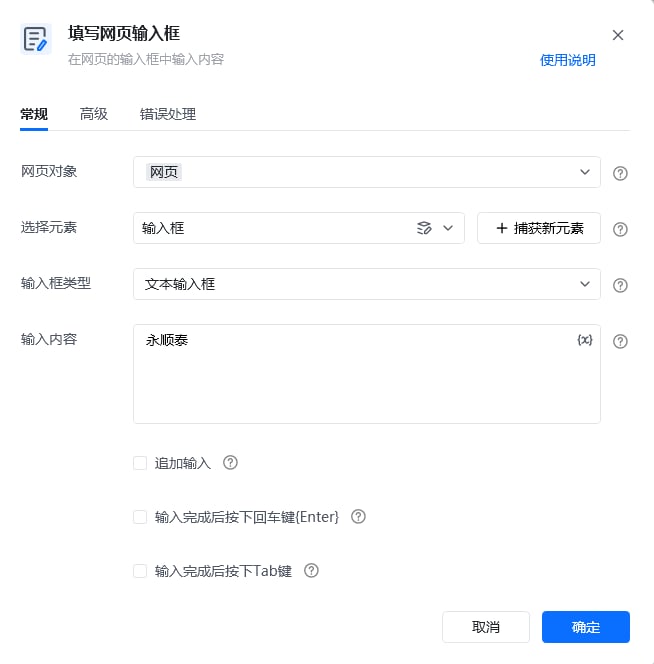
在新页面输入框元素中输入”永顺泰“

<img src="https://mintcdn.com/bazhuayu-rpa-docs/D6MJZZ__w_5ViTWO/helpcenter/getting-started/images/9obcHl-13.png?fit=max&auto=format&n=D6MJZZ__w_5ViTWO&q=85&s=ef99476fe3f5c8239680d52cb2005980" alt="网页自动化案例" width="650" height="321" data-path="helpcenter/getting-started/images/9obcHl-13.png" />

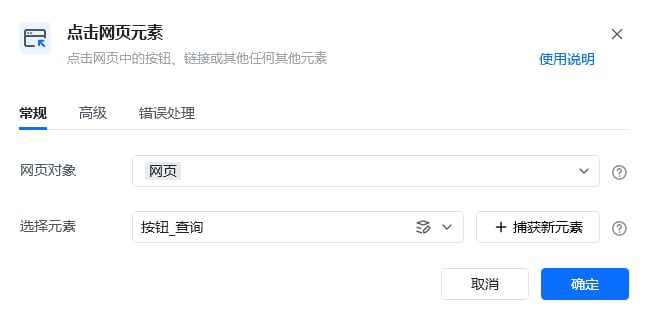
点击输入框后方的”查询“按钮，等待查询结果加载

<img src="https://mintcdn.com/bazhuayu-rpa-docs/D6MJZZ__w_5ViTWO/helpcenter/getting-started/images/9obcHl-14.png?fit=max&auto=format&n=D6MJZZ__w_5ViTWO&q=85&s=beb610cb07f5c021236db74f41c9d831" alt="网页自动化案例" width="654" height="320" data-path="helpcenter/getting-started/images/9obcHl-14.png" />

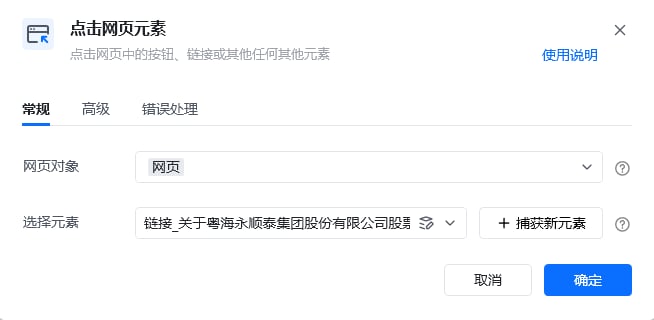
点击查询结果列表页中第一行的标题链接

<img src="https://mintcdn.com/bazhuayu-rpa-docs/D6MJZZ__w_5ViTWO/helpcenter/getting-started/images/9obcHl-15.png?fit=max&auto=format&n=D6MJZZ__w_5ViTWO&q=85&s=bfa84a979abe99c57532dc41f63ae4f2" alt="网页自动化案例" width="653" height="413" data-path="helpcenter/getting-started/images/9obcHl-15.png" />

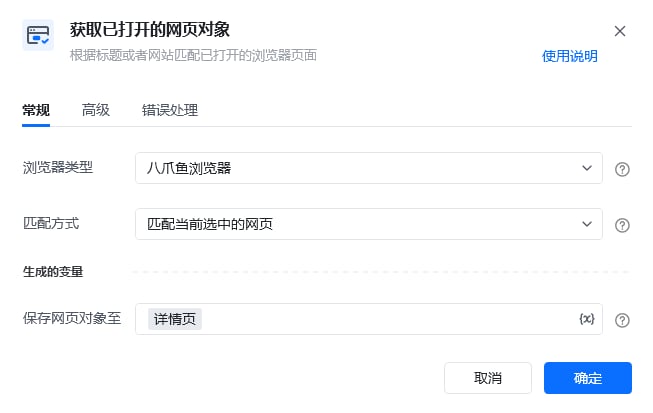
为避免元素查找失败，打开新页面后，先获取当前页面对象，并命名为”详情页“

<img src="https://mintcdn.com/bazhuayu-rpa-docs/D6MJZZ__w_5ViTWO/helpcenter/getting-started/images/9obcHl-16.png?fit=max&auto=format&n=D6MJZZ__w_5ViTWO&q=85&s=057cc8b0da32ef17b93121976c16d9b6" alt="网页自动化案例" width="648" height="468" data-path="helpcenter/getting-started/images/9obcHl-16.png" />

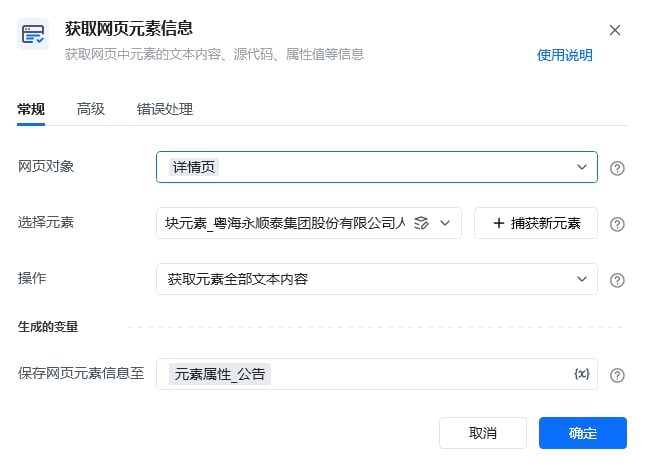
首先捕获包含”公告正文内容“的元素，操作选择”获取元素全部文本内容“

<img src="https://mintcdn.com/bazhuayu-rpa-docs/D6MJZZ__w_5ViTWO/helpcenter/getting-started/images/9obcHl-17.png?fit=max&auto=format&n=D6MJZZ__w_5ViTWO&q=85&s=1a2c245e85bec86413382f138011c248" alt="网页自动化案例" width="650" height="322" data-path="helpcenter/getting-started/images/9obcHl-17.png" />

<img src="https://mintcdn.com/bazhuayu-rpa-docs/D6MJZZ__w_5ViTWO/helpcenter/getting-started/images/9obcHl-18.png?fit=max&auto=format&n=D6MJZZ__w_5ViTWO&q=85&s=6ac2d87ab20216631bb916633509dcf8" alt="网页自动化案例" width="1352" height="224" data-path="helpcenter/getting-started/images/9obcHl-18.png" />

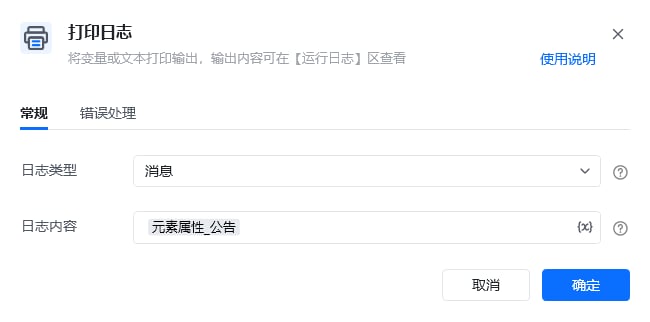
将获取到的正文结果打印在控制台