> ## Documentation Index
> Fetch the complete documentation index at: https://rpa.bazhuayu.com/helpcenter/llms.txt
> Use this file to discover all available pages before exploring further.
# 网页包含iframe框架处理办法
有的网页包iframe框架,在八爪鱼中也需进行相应设置,本教程将详细讲解。
## 1、什么是iframe框架
### 如何判断网页包含几层 iframe 框架?
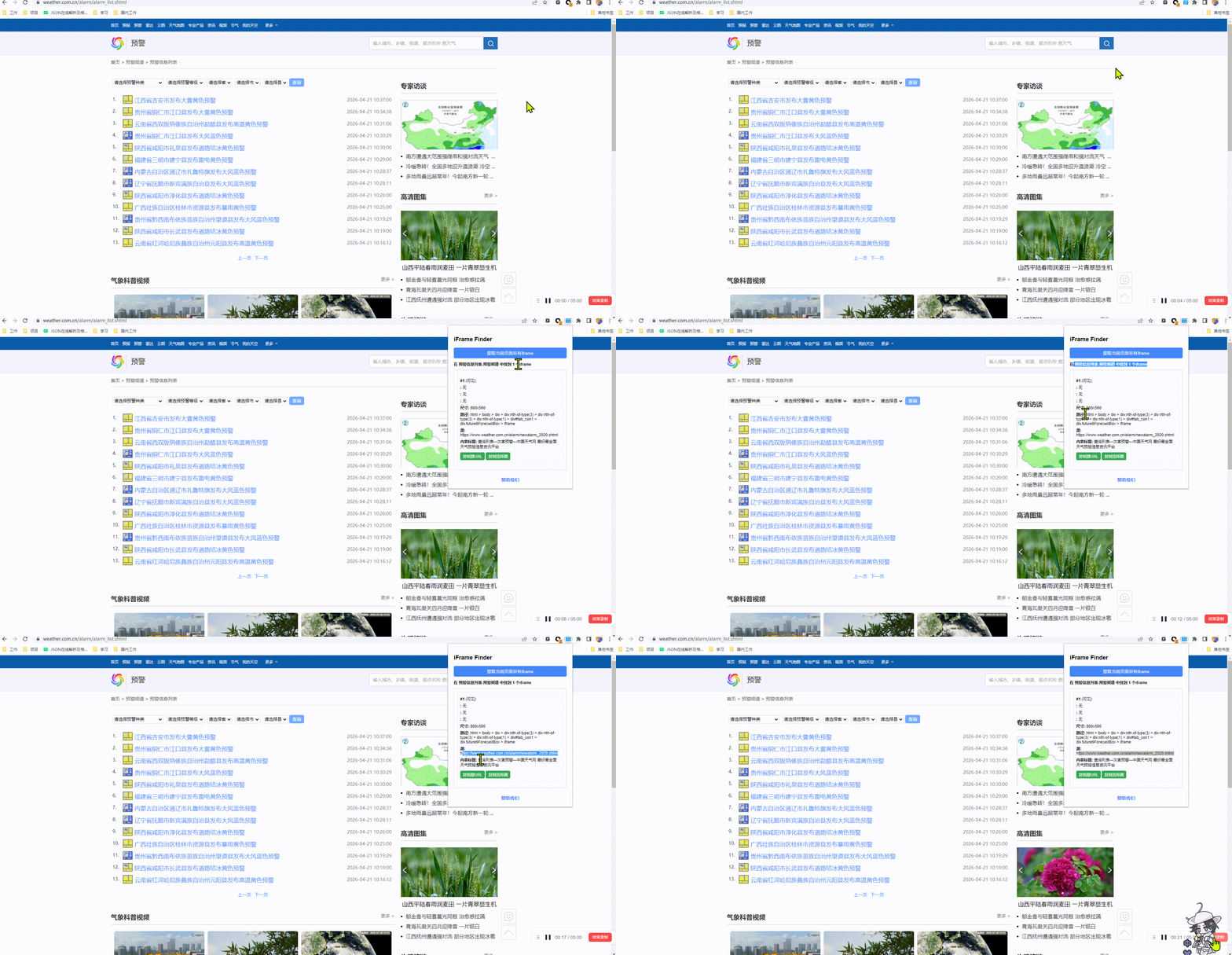
[iFrame Finder 插件下载安装(官方)](https://chromewebstore.google.com/detail/iframe-finder-%E6%8F%90%E5%8F%96%E7%BD%91%E9%A1%B5%E4%B8%AD%E7%9A%84%E6%89%80%E6%9C%89ifr/aofpolfijmmfgnhnkcfooikchooipojb?hl=zh-CN)
## 2、网页具有一层iframe框架的采集方法
八爪鱼支持自动识别一层iframe框架,因此按照正常流程配置流程即可。
示例网址:[http://www.weather.com.cn/alarm/alarm\_list.shtml](http://www.weather.com.cn/alarm/alarm_list.shtml)
示例网址具有一层iframe框架:【iframe】,即搜索结果列表是一个独立的网页,嵌套在整个大网页中。
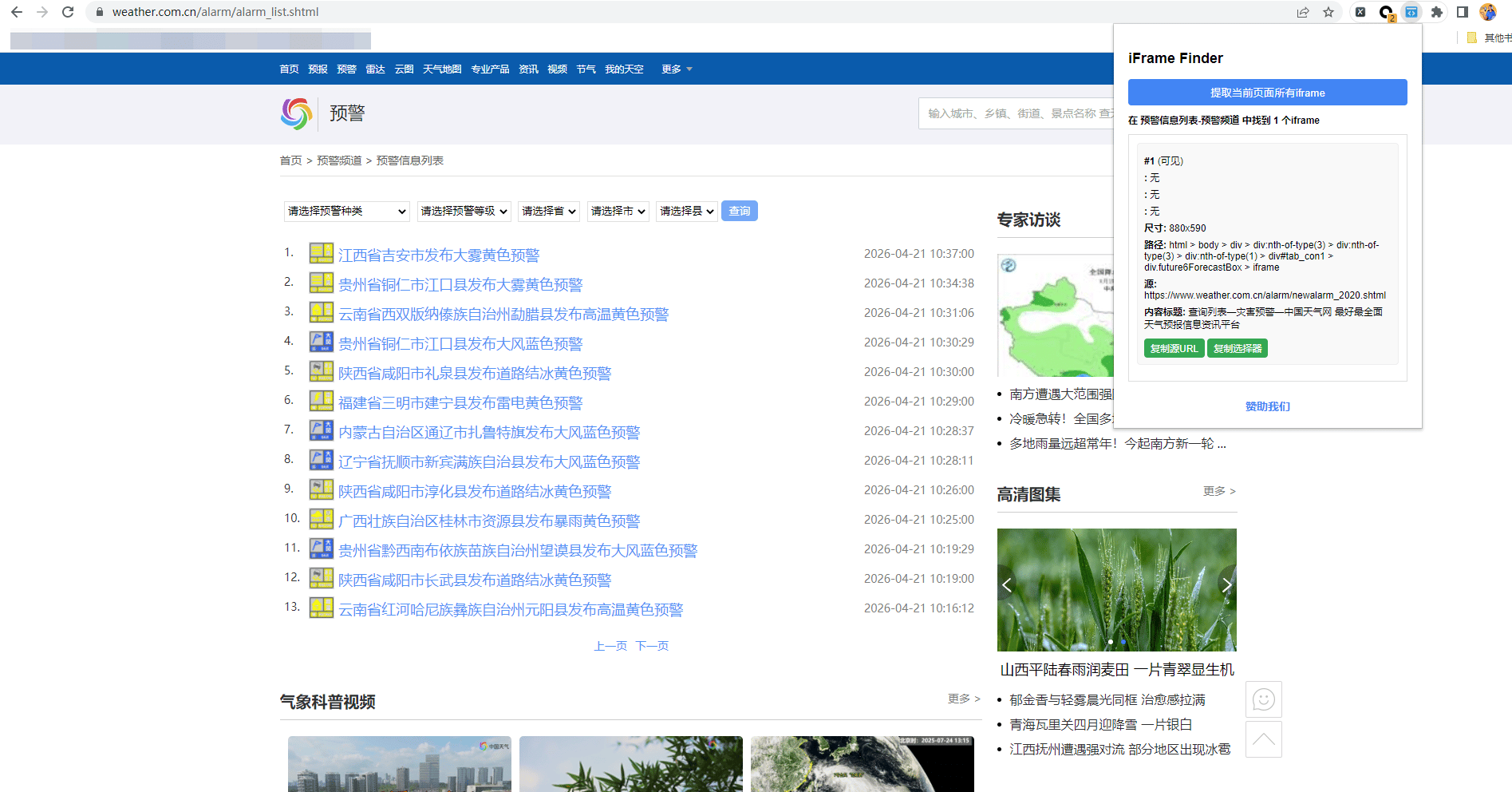 这个iframe框架里的数据,正是我们需要采集的。
按照正常流程,配置列表数据采集的规则,配置好后点开【循环列表】设置页面,发现八爪鱼自动识别了iframe框架,无需手动修改什么。
这个iframe框架里的数据,正是我们需要采集的。
按照正常流程,配置列表数据采集的规则,配置好后点开【循环列表】设置页面,发现八爪鱼自动识别了iframe框架,无需手动修改什么。
## 3、使用八爪鱼RPA直接获取包含iframe框架的网页数据
在八爪鱼里直接对数据进行提取采集
示例网址:[https://scm.chinaoct.com/octdzzc/spw/portal/detail.html?selectTab=jiaoyixinxi\&primaryId=C0523739DCD04C009811C9603EFA806A\¬icePath=变更公告\&pageCode=noticeDetailFrame\&pageName=变更公告](https://scm.chinaoct.com/octdzzc/spw/portal/detail.html?selectTab=jiaoyixinxi\&primaryId=C0523739DCD04C009811C9603EFA806A\¬icePath=变更公告\&pageCode=noticeDetailFrame\&pageName=变更公告)
* 获取网页元素信息
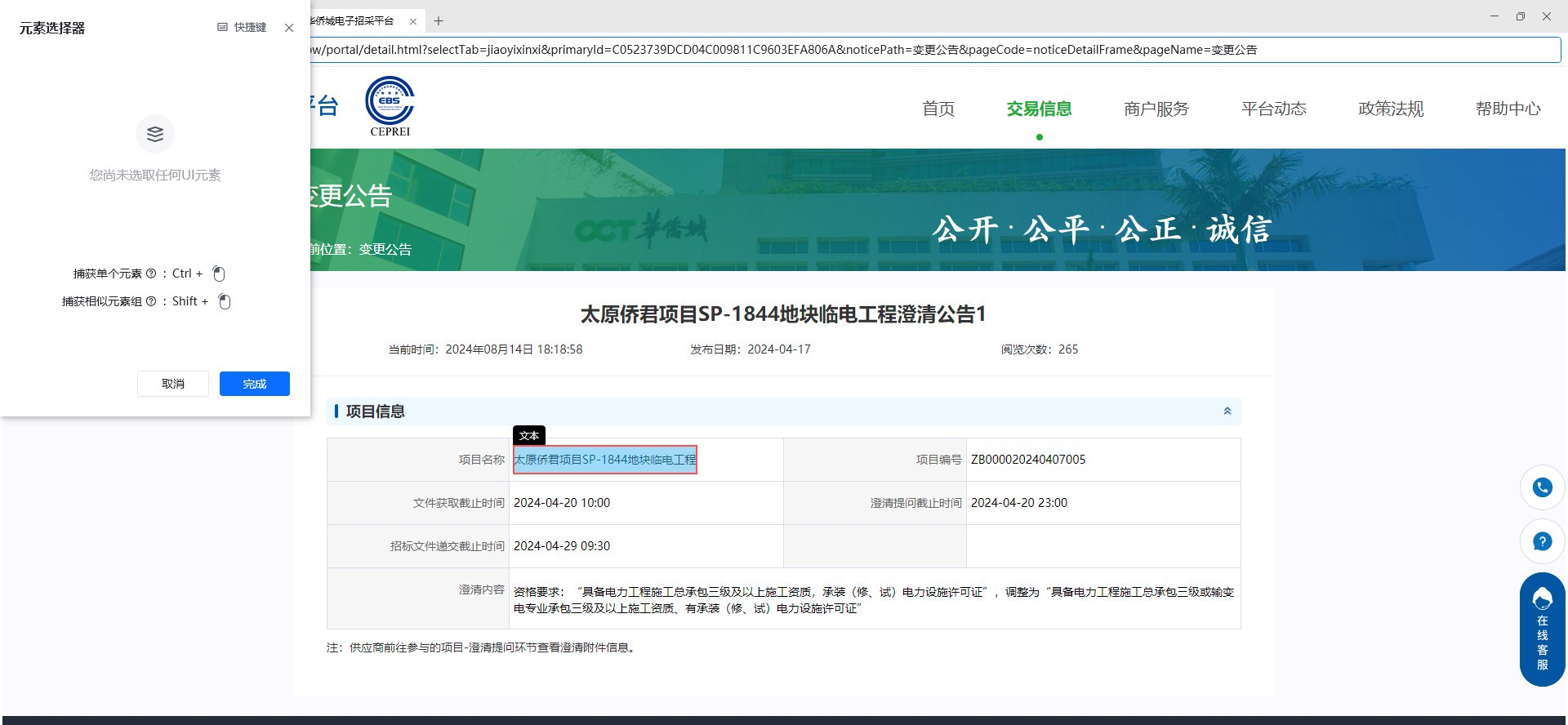 捕获到网页元素信息后,查看元素编辑器可以看到,自动获取到了iframe框架的xpath
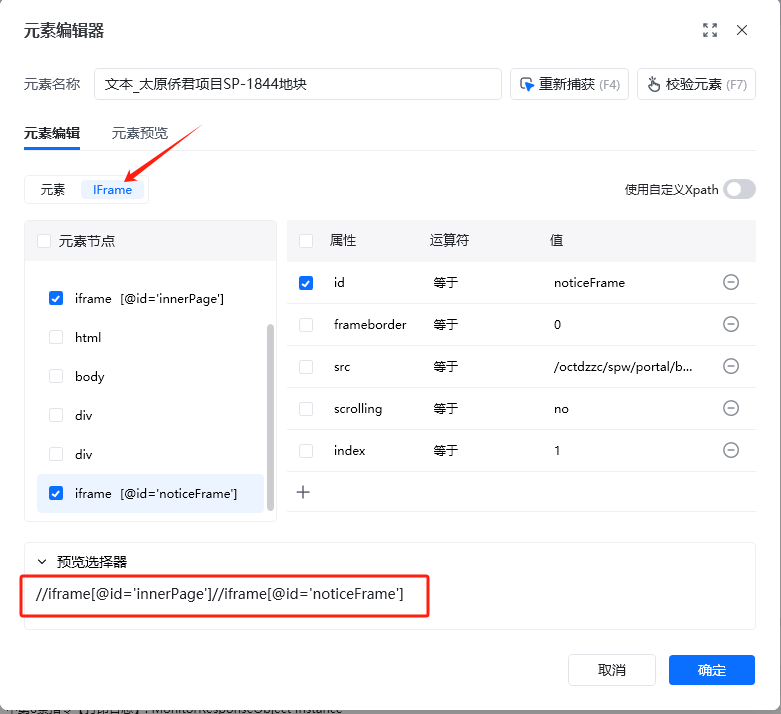 运行应用,即可正常提取到包含多层iframe框架的数据
 使用过程中遇到问题?前往 [八爪鱼RPA 开发者社区问答板块](https://rpa.bazhuayu.com/community/questions) 提问,获取官方与社区帮助。